
Introduction
Free document templates download options make it easier to create professional documents without starting from a blank page. Whether you need a business proposal, resume, invoice, project report, meeting agenda, or personal letter, ready-made templates can help you save time and organize information more effectively.
For students, freelancers, job seekers, small business owners, and office professionals in India, free document templates are a practical way to prepare documents for everyday tasks. Many templates are available in formats such as Microsoft Word, Google Docs, Microsoft Excel, and PDF, allowing users to select a format that suits their requirements.
In this guide, you will learn where to find free document templates, which types are most useful, how to download and customize them, and what to check before using a template for professional or personal purposes.
What Is a Free Document Template?
A free document template is a pre-designed file that provides a ready-made structure for creating a particular type of document. It usually includes headings, sections, formatting, and placeholders that users can replace with their own information.
Instead of creating a document from scratch, you can download a suitable template, edit its contents, and save the finished file.
For example, a business invoice template may already contain spaces for the company name, customer details, invoice number, item descriptions, taxes, and payment information. You only need to enter the relevant details and verify the calculations.
How Do Document Templates Work?
Most document templates follow a simple process:
- Choose a template that matches your purpose.
- Download the file or open it in an online editor.
- Replace the sample text with your information.
- Adjust the formatting, colors, headings, and layout if necessary.
- Check the document for errors.
- Save or export the final version in the required format.
Some templates are editable in word processors, while others are designed for spreadsheets, presentations, or PDF editing tools.
Best Types of Free Document Templates to Download
The best template depends on what you want to create. Business users may need invoices and proposals, while students may prefer assignment layouts, resumes, and project reports.
Here are some useful categories to consider.
1. Business Document Templates
Business document templates help companies, freelancers, and entrepreneurs prepare consistent paperwork for everyday operations.
Common examples include:
- Business proposals
- Company profiles
- Business plans
- Service agreements
- Business letters
- Project plans
- Non-disclosure agreement templates
- Client onboarding documents
A business proposal template can help you organize the project overview, objectives, deliverables, timeline, pricing, and terms in a logical order.
However, templates for contracts and legal agreements should be reviewed carefully. A general template may not satisfy the legal requirements of every business or situation in India.
2. Resume and CV Templates
Resume templates provide a structured way to present your education, experience, skills, and achievements when applying for jobs.
They are especially useful for fresh graduates, experienced professionals, interns, and career changers.
A good resume template should include:
- Contact information
- Professional summary, when relevant
- Education
- Employment history
- Skills relevant to the job
- Certifications and projects, where appropriate
Choose a clean, readable layout rather than one filled with decorative graphics. A simple template can also be easier for applicant tracking systems to process, although compatibility depends on the particular system and file formatting.
For most applications, save a PDF copy to preserve the layout unless the employer specifically requests a Word document or another format.
3. Invoice and Billing Templates
Invoice templates help freelancers, consultants, service providers, and small businesses organize billing information.
A useful invoice template may include:
- Seller and customer details
- Invoice number and date
- Description of products or services
- Quantity and unit price
- Subtotal and applicable taxes
- Total amount due
- Payment terms and due date
For Indian businesses, invoices should be adapted to the applicable tax and business requirements. If GST applies, verify the necessary invoice particulars against current official guidance rather than assuming a generic template is compliant.
Spreadsheet templates can be particularly helpful when formulas automatically calculate totals. Always test those formulas before sending an invoice to a customer.
4. Letter and Application Templates
Letter templates provide a convenient starting point for formal and informal communication.
Examples include:
- Job application letters
- Leave application letters
- Resignation letters
- Request letters
- Complaint letters
- Recommendation letter drafts
- Personal invitation letters
For example, an employee writing a leave application can use a template containing the recipient, subject, dates, reason, and closing. They can then adjust the wording to match their workplace’s communication style.
A template should guide your writing, not replace the need to provide accurate details and an appropriate explanation.
5. Project Report Templates
Project report templates help students, researchers, teams, and professionals present information in a clear structure.
Depending on the purpose, a report may contain:
- Title page
- Introduction
- Objectives
- Methodology
- Findings
- Analysis
- Conclusion
- References or appendices
Students can use these templates for academic projects, while businesses can adapt them for progress reports, project summaries, and internal reviews.
Before submitting an academic report, follow the institution’s required citation style, formatting rules, and originality standards.
6. Meeting Agenda and Meeting Minutes Templates
Meeting templates help teams prepare for discussions and record decisions.
A meeting agenda normally lists the meeting objective, date, participants, discussion topics, and time allocated to each item.
Meeting minutes record what happened during the meeting, including key decisions, assigned responsibilities, and action deadlines.
These templates are useful for remote teams, office meetings, client discussions, school committees, and project planning sessions.
7. Business Plan Templates
A business plan template helps entrepreneurs organize their ideas before launching or expanding a business.
Typical sections include:
- Executive summary
- Business description
- Products or services
- Target customers
- Competitor analysis
- Marketing strategy
- Operational plan
- Financial estimates
- Business goals
A template provides structure, but it cannot guarantee that a business plan is realistic. Research your market, calculate costs carefully, and use evidence-based financial assumptions.
8. Budget and Expense Tracking Templates
Budget templates help individuals, families, freelancers, and small businesses track income and spending.
Spreadsheet-based templates can include categories such as rent, transport, groceries, utilities, salaries, subscriptions, and savings.
Useful features may include:
- Monthly income and expense summaries
- Planned versus actual spending
- Automatic totals
- Category-wise expense tracking
- Savings goals
Check spreadsheet formulas and currency settings before relying on the results. For Indian users, selecting Indian rupees (₹) can make financial records easier to read.
9. Project Timeline and Task List Templates
Project management templates help users organize tasks, deadlines, responsibilities, and milestones.
They may take the form of task lists, project trackers, calendars, or Gantt charts.
These templates are useful for website development, marketing campaigns, college assignments, office projects, and event planning.
For a small project, a simple checklist may be sufficient. Larger projects may benefit from a spreadsheet with assigned owners, dependencies, completion dates, and progress indicators.
10. Personal Document Templates
Personal templates help users organize everyday activities and written communication.
Examples include:
- Personal budget sheets
- Daily planners
- Weekly schedules
- Household checklists
- Travel itineraries
- Personal letters
- Study planners
- Habit trackers
These documents can be customized to suit your routine and preferred organization style. Since many personal templates contain private information, store them securely and avoid uploading sensitive details to unfamiliar websites.
Where to Find Free Document Templates Download Options
You can find free templates on established productivity platforms, document software websites, and reputable template libraries. Before downloading anything, check whether the template is genuinely free and whether editing or commercial use is permitted.
Here are some useful starting points.
1. Microsoft Create
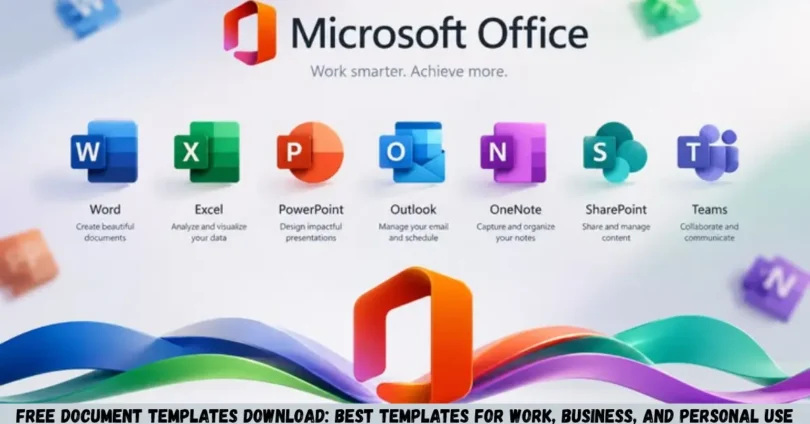
Microsoft Create offers templates for documents, spreadsheets, presentations, and other productivity tasks.
Best for: Word documents, resumes, business paperwork, spreadsheets, and presentations.
Visit: Microsoft Create
Depending on the template, you may be able to customize it in Microsoft Word, Excel, PowerPoint, or a compatible online application. Some features or templates may require a Microsoft account or a particular subscription.
2. Google Docs Template Gallery
Google Docs provides a template gallery that helps users create documents with an existing layout.
Best for: Letters, reports, resumes, collaborative documents, and everyday office work.
Visit: Google Docs
Open the template gallery and choose a design that matches your needs. You can edit compatible documents online and collaborate with other users where sharing permissions allow.
Some templates or gallery options may vary by account type, language, and region.
3. Canva
Canva provides professionally designed templates for documents, resumes, proposals, reports, and other visual materials.
Best for: Visually appealing documents, proposals, resumes, and branded materials.
Visit: Canva Templates
Canva is useful when appearance matters, particularly for client-facing documents and promotional materials. However, not every template element or design asset is available for free, so review the pricing and licensing details before using a design commercially.
4. Vertex42
Vertex42 provides spreadsheet templates and other practical tools for planning, budgeting, tracking, and calculations.
Best for: Budgets, expense tracking, schedules, and spreadsheet-based planning.
Visit: Vertex42
It is worth considering when you need a functional spreadsheet rather than a heavily designed document. Check the terms associated with each template, particularly if you intend to redistribute or use it commercially.
5. Adobe Acrobat Online
Adobe provides online PDF tools and resources for working with PDF documents.
Best for: PDF workflows, document sharing, and compatible PDF-based forms.
Visit: Adobe Acrobat Online
Some PDF workflows are available online, but particular editing, conversion, or advanced features may require an account or paid plan. Verify whether a specific file is editable before choosing it as your main template.
Comparison of Popular Document Template Platforms
Different platforms suit different document needs. The following comparison can help you choose a starting point.
| Platform | Best Use | Common Formats or Workflows | Important Consideration |
|---|---|---|---|
| Microsoft Create | Office and business documents | Word, Excel, PowerPoint | Some features may require a subscription |
| Google Docs | Online documents and collaboration | Google Docs and compatible exports | Account and sharing settings matter |
| Canva | Visually designed documents | Online editor and supported exports | Some assets are paid |
| Vertex42 | Budgeting and tracking | Excel and other spreadsheet formats | Review template licensing |
| Adobe Acrobat Online | PDF workflows | PDF and supported conversions | Advanced features may be paid |
Which platform should you choose? Use Microsoft or Google for documents that need regular editing, Vertex42 for spreadsheet-based calculations, Canva for design-focused layouts, and Adobe for PDF-related tasks.
Always confirm the available format and licensing conditions for the specific template you select.
How to Download and Use Free Document Templates
Downloading a template is only the first step. To make it useful, you need to select the right format, customize the content, and review the finished document.
Follow these steps.
Step 1: Identify Your Document Requirements
Start by deciding what you need to create.
For example:
- A job seeker may need a resume.
- A freelancer may need an invoice.
- A business owner may need a proposal.
- A student may need a project report.
- A household may need a monthly budget.
Knowing the purpose helps you avoid downloading a template that looks attractive but lacks important sections.
Step 2: Choose a Trusted Website
Visit an established template provider and search for the document type you need.
Use specific searches such as:
- Free resume template for freshers
- Free business proposal template
- Editable invoice template
- Project report template for students
- Monthly expense tracker spreadsheet
Check the download terms before selecting a file. A template described as free to view may not necessarily be free to download, edit, or use commercially.
Step 3: Select the Correct File Format
Choose a format that works with your software and intended use.
DOCX: Suitable for editable documents, letters, proposals, and resumes.
Google Docs: Useful for browser-based editing and collaboration.
XLSX: Appropriate for budgets, invoices, trackers, and calculations.
PDF: Useful when you want to preserve a layout for sharing or printing.
A PDF may not be directly editable in every application. If you expect to make frequent changes, choose an editable format whenever possible.
Step 4: Download or Make a Copy
Follow the provider’s instructions to download the file or create an editable copy in your account.
If a website asks you to install unfamiliar software, provide unnecessary personal information, or disable security settings, stop and look for another source.
After downloading, scan the file with your device’s security software if appropriate, especially when the source is unfamiliar.
Step 5: Customize the Template
Replace sample content with accurate information.
Depending on the document, you may need to update:
- Names and contact details
- Company information
- Dates and deadlines
- Headings and descriptions
- Prices and calculations
- Brand colors and logos
- References and supporting details
Remove all placeholder text, including sample names, example amounts, and instructions that are not meant to appear in the final document.
Step 6: Review Formatting and Accuracy
Check spelling, grammar, page breaks, alignment, margins, and font consistency.
For spreadsheets, verify formulas and totals using a few sample calculations. For business documents, confirm that the amounts, dates, terms, and contact information are correct.
If the document will be shared publicly, check that it does not contain private notes, tracked changes, or confidential information.
Step 7: Save and Export the Final File
Keep an editable copy if you expect to update the document later. Export a PDF when you need a consistent layout for sharing or printing, provided the recipient accepts PDF.
Use a clear file name, such as Business-Proposal-October-2026.pdf, instead of a generic name like Document1.pdf.
Benefits of Using Free Document Templates
Free document templates can make document preparation faster and more consistent. Their value depends on how well the chosen layout fits your task.
Save Time and Effort
A template provides an existing structure, so you do not need to design every section from scratch. This is particularly helpful when preparing recurring invoices, reports, meeting agendas, and applications.
Create Professional-Looking Documents
Templates often include coordinated fonts, headings, spacing, and page layouts. With a few careful edits, you can produce a document that is easier to read and more organized.
However, a polished design does not automatically make the content accurate or professional. Clear writing and correct information remain essential.
Maintain Consistency
Businesses and teams can use the same template for recurring documents. Consistent formatting helps readers find important information and makes files easier to compare.
For example, a business that prepares monthly reports can use a standard structure for objectives, results, expenses, and next steps.
Reduce Formatting Mistakes
A well-designed template can remind users to include relevant sections. An invoice template, for instance, may provide separate fields for invoice dates, customer details, and payment terms.
You still need to check that the document contains all the information required for your particular situation.
Make Documents Easier to Customize
Many templates let users change colors, headings, fonts, and section order. You can adapt a general-purpose template to your workflow without rebuilding the entire document.
Limitations of Free Document Templates
Free templates are helpful, but they are not always the perfect solution.
Limited Customization
Some templates offer only basic editing, while advanced design elements may be locked behind a paid plan. A complex layout may also be difficult to modify without affecting the formatting.
Compatibility Problems
A document created in one application may look different when opened in another. Fonts, tables, spacing, and page breaks can change during conversion.
Open the final file in the software you plan to use and inspect it before sharing or printing.
Outdated Information
A template may contain old branding, outdated terminology, obsolete instructions, or assumptions that no longer apply.
Review the contents rather than relying on the template’s appearance or publication date alone.
Licensing Restrictions
Free access does not always mean unrestricted use. Some providers limit commercial use, redistribution, resale, or the use of particular design assets.
Read the applicable license, especially when creating documents for paying clients or incorporating templates into products you intend to sell.
Privacy and Security Risks
Unfamiliar download sites may expose users to deceptive advertisements, unwanted software, or files that pose security risks.
Use reputable providers, avoid suspicious download buttons, and do not upload confidential business or personal information to an unfamiliar editing service.
Tips for Choosing the Best Free Document Template
Choosing the right template can improve readability and reduce the amount of editing you need to do.
Match the Template to Your Goal
Choose a resume template for job applications, an invoice template for billing, and a report template for presenting findings. Avoid forcing unrelated information into a design that was created for another purpose.
Prefer Simple and Readable Designs
A clean layout is usually more useful than excessive colors, decorative elements, or complicated fonts.
For business documents, make sure headings are easy to identify and important details stand out clearly.
Check Mobile and Desktop Compatibility
If you need to edit documents on a phone, verify that your chosen app supports the file format and layout. More complex documents are often easier to review on a desktop computer.
Confirm Language and Currency Settings
For users in India, consider whether the template supports your preferred language, date format, and Indian rupee formatting where relevant.
Check number formatting carefully, especially in financial spreadsheets. Currency symbols and separators should be clear and consistent.
Review Required Fields
Before using a template, check whether it includes all the sections needed for your purpose.
A business proposal might require project milestones and payment terms, while a resume may need relevant projects or professional certifications. Add or remove sections as appropriate.
Test Automated Features
If a spreadsheet uses formulas, dropdowns, or conditional formatting, test them before entering important data. A template with incorrect or misunderstood formulas can produce misleading results.
Common Mistakes to Avoid When Downloading Document Templates
Even a good template can cause problems when it is used without careful review.
1. Downloading from suspicious websites: Avoid unfamiliar sources that use misleading download buttons or request unnecessary permissions.
2. Leaving placeholder text in the final file: Search for sample names, dummy amounts, and instructional text before sending the document.
3. Choosing the wrong format: A PDF may be unsuitable for a document that requires frequent editing, while a spreadsheet may be unnecessary for a simple letter.
4. Ignoring licensing terms: Check whether your intended personal, commercial, or client-facing use is permitted.
5. Trusting calculations without testing them: Verify totals, formulas, taxes, and date calculations before relying on a spreadsheet.
6. Overcomplicating the design: Too many colors, fonts, and decorative elements can make important information harder to understand.
7. Sharing sensitive information carelessly: Remove confidential notes and use appropriate file-sharing permissions before distributing a document.
8. Failing to check the final export: Review the saved PDF or other final file to make sure tables, text, and page breaks appear correctly.
Are Free Document Templates Suitable for Indian Businesses?
Yes. Free document templates can be useful for Indian freelancers, startups, small businesses, consultants, and office teams when the templates are adapted to the relevant requirements.
Common uses include proposals, quotations, invoices, project reports, expense trackers, employee forms, and client communication.
However, a general template should not automatically be treated as compliant with Indian law, tax rules, employment requirements, or industry-specific regulations.
For example, a business using an invoice template should verify the applicable GST requirements, if relevant. An organization preparing an employment agreement should ensure that the document reflects the applicable legal requirements and the actual employment arrangement.
For sensitive or legally significant documents, seek qualified professional advice when necessary.
Free Document Templates for Students, Freelancers, and Small Businesses
Different users benefit from different types of templates.
For Students
Students can use templates for resumes, project reports, study schedules, presentations, and assignment planning.
Choose a layout that follows your institution’s instructions. Add accurate references where required, and make sure the final submission reflects your own work.
For Freelancers
Freelancers may benefit from proposal templates, quotations, invoices, project briefs, and client onboarding forms.
A reusable template can help standardize communication between projects. Customize each document to reflect the client’s requirements, agreed scope, payment terms, and deadlines.
For Small Business Owners
Small businesses can use templates for budgets, business plans, sales reports, meeting minutes, and customer communication.
Create a consistent set of templates for recurring tasks, but review them periodically to ensure that company details, policies, and business requirements remain current.
For Office Professionals
Office professionals can use templates to prepare reports, internal memos, meeting agendas, presentations, and task trackers.
Shared templates can improve consistency across a team, particularly when several employees prepare similar documents.
Frequently Asked Questions
1. Where can I download free document templates?
You can explore Microsoft Create, Google Docs, Canva, Vertex42, and Adobe’s online PDF resources. These platforms support different document needs, including business paperwork, resumes, reports, budgets, and PDF workflows. Check the specific template’s availability, supported format, account requirements, and licensing terms before downloading or using it.
2. Can I edit free document templates after downloading them?
Yes, many templates are editable, depending on the file format and software you use. Word documents can generally be edited in compatible word processors, while spreadsheets can be customized in Excel or compatible applications. PDF files may require a suitable editing tool. Always check the format before downloading to avoid compatibility problems.
3. Are free document templates safe to download?
Templates from established providers are a sensible starting point, but no download should be considered automatically risk-free. Avoid suspicious websites, misleading download buttons, and unexpected software installations. Keep your device’s security software updated, and inspect files from unfamiliar sources before opening them. Do not share sensitive information with untrusted services.
4. Can I use free document templates for commercial purposes?
Some free templates permit commercial use, while others impose restrictions on redistribution, resale, or specific design assets. The rules depend on the provider and the individual template. Review the applicable license before using a template for a business, client project, or product you intend to sell. Free downloading does not necessarily grant unrestricted commercial rights.
5. Which document format is best for professional use?
The best format depends on the task. DOCX is useful for editable letters, resumes, and proposals. XLSX works well for budgets, invoices, and calculations. PDF is often suitable for sharing a finalized document while preserving its layout. Confirm the recipient’s requirements before choosing a format, and inspect the exported file before sending it.
Conclusion
Free document templates download options can simplify everyday writing, business administration, job applications, project planning, and personal organization. The right template gives you a useful starting structure, reduces repetitive formatting work, and helps keep documents consistent.
For general office work, explore Microsoft Create or Google Docs. For design-focused documents, consider Canva. For budgets and trackers, look at spreadsheet resources such as Vertex42. For PDF workflows, explore Adobe’s online tools.
Before using any template, confirm that it suits your needs, check its licensing terms, replace all sample content, and verify the final document’s accuracy and formatting.