
Introduction
A secure document sharing platform India businesses and individuals can use helps them exchange important files while controlling who can view, download, edit, or share them. Whether you need to send business contracts, financial reports, employee records, educational documents, or client files, choosing the right platform can improve privacy, collaboration, and document management.
Traditional methods, such as email attachments and public file-sharing links, can create problems when documents contain confidential information. Files may reach the wrong recipient, remain accessible longer than intended, or be downloaded without permission. A secure document-sharing solution helps reduce these risks through features such as encryption, access permissions, identity verification, and activity tracking.
In this guide, you will learn what a secure document sharing platform is, which security features matter most, how to choose a suitable solution in India, and how businesses can share sensitive files more responsibly.
What Is a Secure Document Sharing Platform?
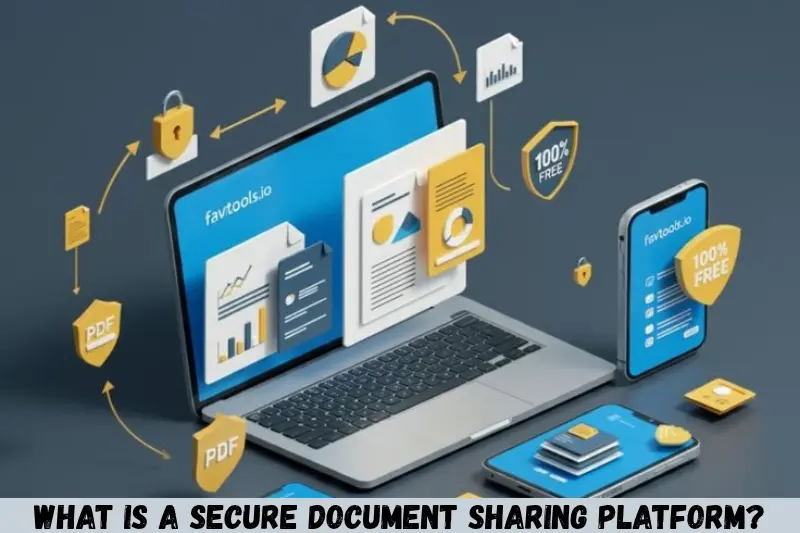
A secure document sharing platform is a digital service that allows users to upload, send, receive, store, and manage documents with security controls. Unlike a basic file-sharing service, a security-focused platform offers tools to restrict access and protect information from unauthorized use.
For example, a company in India may need to send a salary report to its accountant. Instead of sending an unrestricted attachment, the company can share a protected link that only the intended recipient can access.
Depending on the service, users may be able to:
- Set permissions for viewing, editing, and downloading.
- Protect shared links with passwords.
- Require recipients to verify their identity.
- Set link expiration dates.
- Monitor document access and activity.
- Revoke access when a document is no longer needed.
- Encrypt documents during transfer and storage.
Not every platform provides all these features. Before selecting a service, check its actual security capabilities, subscription terms, and privacy policies.
Why Do You Need a Secure Document Sharing Platform in India?
A secure document sharing platform can help Indian businesses, professionals, educational institutions, and individuals exchange files while maintaining greater control over confidential information.
As organizations increasingly use digital workflows, documents often move between employees, customers, vendors, accountants, and external partners. Secure sharing helps make these exchanges more manageable.
1. Protect Confidential Business Information
Business documents may contain pricing information, financial statements, client details, contracts, and internal strategies. If these files are shared through unrestricted links, people outside the intended audience may gain access.
A secure platform lets administrators limit document access to approved users and remove permissions when necessary.
2. Reduce Unauthorized Access
Access controls help prevent documents from being opened by people who do not have permission. Depending on the service, protection may include passwords, email verification, multifactor authentication, or organization-managed accounts.
These controls are particularly useful when sharing confidential business proposals, legal agreements, and employee records.
3. Improve Remote Collaboration
Employees and clients may work from different cities, offices, or locations. A secure document-sharing platform allows authorized users to access the same files without repeatedly sending updated email attachments.
Version history and editing permissions can also help teams avoid confusion over which document is current.
4. Simplify Document Management
A centralized platform makes it easier to organize files, manage permissions, and identify who has access to important information.
Businesses can establish folders for departments, projects, customers, and document types. This approach can reduce duplicated files and make routine document handling more efficient.
5. Support Privacy and Compliance Efforts
Organizations in India may handle personal information that requires appropriate security and privacy safeguards. Choosing a suitable sharing platform can support an organization’s wider data-protection practices.
However, using a secure platform alone does not guarantee legal compliance. Businesses should evaluate applicable Indian laws, contractual requirements, retention policies, and the way the service processes personal data.
Key Features of a Secure Document Sharing Platform
The best platform is not necessarily the one with the most features. It is the one that provides appropriate protection, fits your workflow, and is easy for authorized users to operate correctly.
1. Encryption for Files and Transfers
Encryption helps protect information by making it unreadable without the appropriate decryption capability.
Look for encryption during file transfer and while documents are stored. Some providers also offer end-to-end encryption, where the provider has more limited access to document contents.
Understand the difference between these approaches. Standard encryption at rest and in transit does not automatically mean that a service uses end-to-end encryption.
2. Role-Based Access Control
Access permissions determine what each user can do with a document.
Common permission levels include:
- Viewer: Can view the document.
- Commenter: Can provide feedback without directly changing the original.
- Editor: Can make permitted changes.
- Administrator: Can manage designated users, settings, or files.
Some platforms also offer separate controls for downloading, printing, copying, and resending files. Check whether these restrictions apply to every supported file type and access method.
3. Password-Protected Sharing Links
Password protection adds another barrier when sharing files through links. If someone obtains the link, they may still need the password to open the document.
For sensitive information, send the password through a separate communication channel rather than including it in the same message as the link.
Password protection is useful, but it should not replace proper recipient verification or account security.
4. Link Expiration and Access Revocation
A sharing link should not necessarily remain active forever.
Link expiration allows access to end automatically after a specified period. Access revocation lets the sender disable a link or remove a recipient’s permission when circumstances change.
These features are valuable for temporary document transfers, recruitment files, vendor agreements, and confidential project materials.
5. Activity Logs and Audit Trails
Activity logs record certain actions involving shared documents. Depending on the platform, these records may include file views, downloads, edits, sharing changes, and access attempts.
Audit trails can help administrators investigate unexpected activity and review how documents have been used.
Before choosing a platform for regulated or sensitive workflows, confirm what events are recorded, how long logs are retained, and who can review them.
6. Multifactor Authentication
Multifactor authentication, or MFA, requires users to provide an additional verification factor beyond a password.
For example, a user may need to approve a login request or enter a code generated by an authentication application.
MFA can reduce the risk associated with stolen or reused passwords. For business accounts, it is especially useful for administrators and users who manage confidential files.
7. Backup and Recovery Options
Backup and recovery features help organizations restore files after accidental deletion, technical problems, or certain security incidents.
Check whether the service offers version history, file recovery, retention controls, and documented backup practices. Do not assume that every cloud platform keeps deleted files indefinitely.
For critical documents, maintain an appropriate backup strategy that follows your organization’s security and retention requirements.
Best Secure Document Sharing Platforms to Consider in India
Several established services offer document-sharing features that may suit Indian users. The right choice depends on your security requirements, existing software, budget, and the sensitivity of your files.
The following options are worth evaluating. Their inclusion is not a guarantee that every configuration meets your security or compliance requirements.
1. Google Drive
Google Drive is a cloud storage and file-sharing service that supports collaboration and permission management.
It may suit individuals, students, freelancers, and teams that need to share documents and work together on files.
Useful capabilities include:
- Sharing files with selected people.
- Viewer, commenter, and editor permissions where supported.
- Integration with Google Workspace applications.
- Administrative controls and additional security options on eligible plans.
Potential limitation: Available security and administration features depend on the account type and subscription. Users must configure sharing settings correctly to avoid unintended access.
2. Microsoft OneDrive and SharePoint
OneDrive supports personal and business file storage, while SharePoint provides broader document management and collaboration capabilities for organizations.
These services may be suitable for companies that already use Microsoft 365.
Useful capabilities include:
- Controlled document sharing.
- Collaboration with colleagues and external partners.
- Version history and recovery features where available.
- Organization-level access and security policies on supported plans.
Potential limitation: Administration and configuration may require additional planning, particularly for larger organizations with complex permission structures.
3. Dropbox
Dropbox offers cloud file storage, synchronization, and sharing features for individuals and businesses.
It can be useful for teams that exchange large collections of documents or collaborate with external clients.
Useful capabilities include:
- Shared links and folder permissions.
- File synchronization across supported devices.
- Collaboration tools and version-related features on eligible plans.
- Business administration options depending on the subscription.
Potential limitation: Some advanced controls may require a paid plan, and organizations should review the exact restrictions available for their selected subscription.
4. Box
Box focuses on cloud content management and business collaboration. It may be worth evaluating for organizations that need structured document access, administrative oversight, and workflow support.
Useful capabilities include:
- Permission-controlled file sharing.
- Collaboration and content management.
- Administrative and security controls on eligible plans.
- Integrations with supported business applications.
Potential limitation: Costs and advanced capabilities vary by plan. Smaller teams should determine whether its business-oriented features justify the expense.
5. Zoho WorkDrive
Zoho WorkDrive is a team-oriented cloud file management service that may suit Indian small businesses, agencies, and growing organizations.
Useful capabilities include:
- Team folders and file sharing.
- Collaboration tools.
- User and access management.
- Integration with supported Zoho business applications.
Potential limitation: Teams should compare available security controls, storage limits, external sharing options, and administrative features before committing.
Comparison Table: Which Platform Should You Evaluate?
| Platform | Potentially suitable for | Main consideration |
|---|---|---|
| Google Drive | Individuals, students, and collaborative teams | Account settings and sharing permissions |
| Microsoft OneDrive and SharePoint | Microsoft 365 users and businesses | Configuration and administration |
| Dropbox | Freelancers and file-sharing teams | Plan-specific sharing controls |
| Box | Organizations with structured document workflows | Business features and cost |
| Zoho WorkDrive | Small businesses and Zoho users | Team management and integration needs |
This is a starting point rather than a definitive security ranking. Features, pricing, data-handling terms, and plan availability can change. Review current provider documentation before uploading sensitive documents.
How to Choose the Right Secure Document Sharing Platform in India
Choosing the right service starts with understanding what you share, who needs access, and what could happen if a document becomes public.
Step 1: Identify Your Document Types
List the documents your organization shares regularly.
Examples include:
- Business contracts and proposals.
- Invoices and financial reports.
- Employee and recruitment records.
- Customer information.
- Academic documents and assignments.
- Legal paperwork and signed agreements.
A platform used for ordinary marketing brochures may not be appropriate for confidential employee or financial records without additional controls.
Step 2: Define Your Security Requirements
Decide which safeguards are essential rather than relying on general claims such as “enterprise-grade security.”
Consider whether you need MFA, encryption, password-protected links, link expiration, download restrictions, audit logs, or centralized administration.
For highly sensitive information, investigate whether the service supports stronger identity verification and tighter access policies.
Step 3: Check Data Storage and Privacy Policies
Indian organizations should review where information is stored, how the provider processes it, which subprocessors may handle it, and whether data transfers are involved.
Data residency can matter because of contractual, regulatory, or internal requirements. However, a server located in India does not automatically make a service more secure or guarantee compliance.
Read the provider’s privacy terms, security documentation, retention policies, and contractual commitments before making a decision.
Step 4: Compare Costs and Storage Limits
A suitable platform should fit your budget without leaving important security requirements unmet.
Compare:
- Available storage.
- Number of users.
- File size limits.
- External sharing features.
- Advanced security controls.
- Administrative tools.
- Support and recovery options.
Some platforms include basic sharing features in free accounts but reserve advanced controls for paid subscriptions. Check the current plan details rather than assuming a feature is included.
Step 5: Test the Platform Before Deployment
Run a small trial with non-sensitive files before moving important business documents.
Ask a few users to test uploading, sharing, opening, editing, and revoking access. Verify that permissions behave as expected on computers and mobile devices.
Also check how easily users can report problems and recover from accidental changes.
Step 6: Create a Document-Sharing Policy
Technology works best when employees understand how to use it safely.
A simple policy should explain which documents may be shared externally, which permissions to use, how long links may remain active, and who approves access to sensitive information.
Review the policy periodically as your business, team, and technology change.
How to Share Documents Securely: A Step-by-Step Guide
Following a consistent process can help reduce common document-sharing mistakes.
Step 1: Choose an Approved Platform
Use a service approved by your organization or one that meets your personal security requirements. Avoid uploading confidential files to unfamiliar websites without reviewing their privacy practices.
Step 2: Upload the Correct Document
Check the file name, contents, and recipient requirements before uploading. Remove unnecessary personal information and metadata when appropriate.
For example, if a customer only needs an invoice, do not share an entire folder containing unrelated customer records.
Step 3: Select the Right Recipient
Share with a named account or verified email address whenever possible. Avoid public links for confidential files unless there is a clear, approved reason.
Double-check recipient details before sending the link.
Step 4: Apply the Minimum Necessary Permissions
Grant only the access required for the task.
If the recipient only needs to read a document, use view-only access rather than editing permission. If downloading is unnecessary and the platform supports restricting it, consider enabling that control.
This follows the principle of least privilege: users should receive only the permissions they need.
Step 5: Set an Expiration Date
For temporary access, set a reasonable expiration date if the service supports it. This helps prevent old links from remaining available longer than necessary.
For ongoing business collaboration, schedule periodic access reviews instead.
Step 6: Send the Link Through an Appropriate Channel
Use a reliable communication channel and avoid posting sensitive links in public chats, open forums, or social media.
If the link is password-protected, share the password separately.
Step 7: Verify Access and Revoke It When Finished
Confirm that the intended recipient can open the document and that the permission settings are correct.
Once the task is complete, remove access if it is no longer required. For important business records, retain the document according to your organization’s approved retention policy.
Who Can Benefit From a Secure Document Sharing Platform?
Secure file sharing is useful across many sectors in India, although the specific requirements differ by industry.
Small Businesses and Startups
Small businesses can use secure sharing to exchange quotations, invoices, contracts, presentations, and customer documents.
A shared workspace with clear permissions can help staff collaborate without sending multiple copies of the same file.
Enterprises and Corporate Teams
Large organizations often need more advanced administration, centralized identity management, audit records, and consistent security policies.
They should evaluate how a platform integrates with existing systems and whether administrators can control external sharing across the organization.
Educational Institutions and Students
Schools, colleges, tutors, and students can share assignments, study materials, presentations, and administrative documents.
Files containing student records or personal information require stricter controls than ordinary learning materials.
Legal and Accounting Professionals
Lawyers, accountants, consultants, and auditors may need to exchange contracts, tax records, financial statements, and supporting documents.
They should consider confidentiality obligations, access logging, retention needs, and any professional or legal requirements relevant to their work.
Healthcare Organizations
Healthcare providers may handle sensitive patient information and medical records. They should choose systems that support appropriate access restrictions, security measures, contractual safeguards, and applicable privacy obligations.
A general-purpose file-sharing service should not be assumed suitable for patient information without a careful assessment.
Secure Document Sharing and Indian Data Protection Requirements
Organizations operating in India should consider applicable privacy and cybersecurity requirements when sharing personal or confidential information.
India’s Digital Personal Data Protection Act, 2023, establishes a legal framework concerning digital personal data. The relevant obligations for a particular organization depend on the law’s applicable provisions, commencement notifications, rules, and the organization’s circumstances.
A secure document-sharing platform can support data-protection practices, but it does not automatically make an organization compliant.
Before selecting a provider, businesses should evaluate:
- What personal data the service processes.
- Who can access the documents.
- How the provider protects stored and transferred information.
- How data is retained and deleted.
- Whether contractual terms address security incidents and responsibilities.
- Whether applicable rules or industry obligations impose specific requirements.
Organizations handling financial, health, legal, or other sensitive information may need additional controls and professional guidance.
Avoid assuming that every business must store all documents exclusively in India. Data-location requirements depend on the applicable legal and contractual context.
Common Mistakes to Avoid When Sharing Documents Online
Even a well-designed platform can be used incorrectly. Avoid these common mistakes to improve document security.
1. Using Public Links for Confidential Files
Public links can make access easier, but they may also be forwarded to unintended recipients.
Use restricted sharing for confidential documents and review the link’s access settings before sending it.
2. Giving Everyone Editing Permissions
Not every recipient needs to modify the original file. Excessive editing permissions can lead to accidental changes or unauthorized alterations.
Assign view-only or comment-only access whenever that is sufficient.
3. Reusing Weak Passwords
Weak or reused passwords increase the risk of account compromise. Use strong, unique passwords and enable MFA wherever possible.
If a sharing link requires a password, do not send that password in the same message as the link.
4. Forgetting to Remove Old Access
Former employees, temporary contractors, and previous clients may no longer need access to shared files.
Review permissions periodically and remove access when the business relationship or task ends.
5. Ignoring Software and Account Security
A secure sharing platform cannot fully protect documents if the account itself is compromised.
Keep devices and software updated, use appropriate endpoint protection, and avoid signing in through suspicious links.
6. Assuming That Encryption Solves Every Problem
Encryption is important, but it does not prevent every risk. A recipient with legitimate access may still photograph a screen, copy information manually, or share details outside the platform.
Combine technical safeguards with appropriate permissions, user training, and clear policies.
7. Overlooking Recovery and Retention
Deleting a document too early or retaining it indefinitely can both create problems.
Define how long different document types should be kept, who can delete them, and how recovery works. Follow applicable legal and contractual requirements when setting retention periods.
Tips for Improving Document-Sharing Security
A few practical habits can make secure sharing more reliable.
- Use MFA: Enable additional authentication for accounts that access confidential information.
- Apply least privilege: Give recipients only the access they need.
- Verify identities: Check recipient addresses and account details before sharing.
- Limit link duration: Use expiration settings for temporary access.
- Review access regularly: Remove unnecessary permissions and outdated users.
- Keep records: Use activity logs where appropriate for accountability.
- Train employees: Explain how to identify suspicious links and handle confidential files.
- Test settings: Confirm that access restrictions work as expected before sharing important documents.
- Prepare for incidents: Establish a process for reporting accidental exposure or unauthorized access.
- Review vendors: Reassess provider security documentation, contracts, and data-handling practices periodically.
These practices are useful for organizations of different sizes. The level of protection should reflect the sensitivity of the documents and the consequences of unauthorized disclosure.
Frequently Asked Questions
1. What is the best secure document sharing platform in India?
The best option depends on your requirements. Google Drive and OneDrive may suit general collaboration, while SharePoint, Box, Dropbox, and Zoho WorkDrive offer options worth considering for different business workflows. Compare access controls, encryption, administration, audit features, costs, and data-handling terms before selecting a platform.
2. Is it safe to share confidential documents online?
Yes, online sharing can be appropriate when you use a trustworthy platform and configure its security settings correctly. Restrict access to verified recipients, use strong authentication, apply appropriate permissions, and avoid public links for sensitive files. No service eliminates every risk, so the security of user accounts and devices also matters.
3. Are free secure document sharing platforms available in India?
Yes, several providers offer free accounts with basic storage and file-sharing capabilities. However, free plans may have limitations involving storage, file sizes, administrative controls, audit logs, or link restrictions. Before sharing confidential business information, confirm that the specific plan provides the security features your situation requires.
4. How can I share documents without allowing recipients to download them?
Some platforms offer view-only sharing and options to restrict downloading, printing, or copying. These controls can reduce casual redistribution, but they cannot guarantee that information will never be captured. A recipient may still take a screenshot or photograph a screen. Check the platform’s limitations before relying on these restrictions.
5. Do Indian businesses need an India-based document sharing platform?
Not necessarily. The appropriate choice depends on applicable legal requirements, contractual obligations, industry rules, and internal policies. Some organizations may have specific data-location needs, while others may use providers with international infrastructure. Review the provider’s data-processing terms and obtain professional advice when your documents involve regulated or sensitive personal information.
Conclusion
A secure document sharing platform India businesses and individuals choose should provide more than convenient file transfers. It should help protect confidential information through appropriate access permissions, encryption, authentication, activity monitoring, and reliable document management.
Google Drive, Microsoft OneDrive and SharePoint, Dropbox, Box, and Zoho WorkDrive are potential options, but no single service is ideal for every user. Compare their current features, costs, privacy policies, and data-handling practices against your requirements.