
Digital Document Solutions India: Benefits, Features, and How to Choose the Right Platform
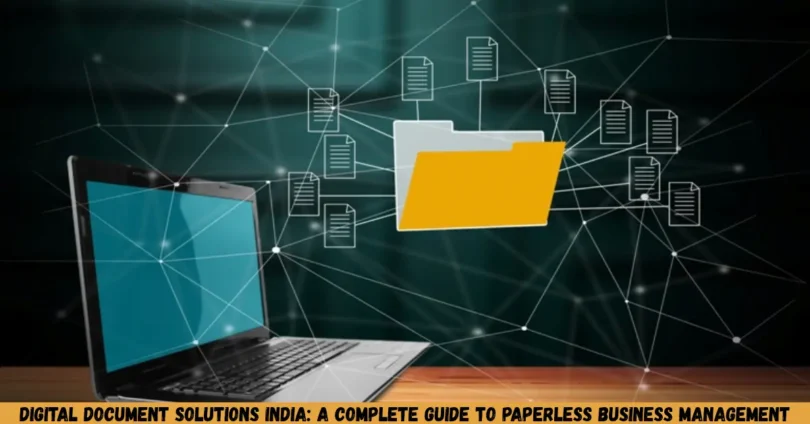
digital document solutions india are helping businesses, professionals, startups, and individuals manage their documents more efficiently. These solutions make it easier to create, edit, organize, store, share, and sign digital files without relying entirely on printed paperwork. From small businesses managing invoices to large companies handling contracts and employee records, digital document tools can simplify everyday work.
This guide explains what digital document solutions are, how they work in India, their main benefits and limitations, the features to look for, and how to choose the right solution for your needs. It also covers practical examples, document security, implementation tips, and common mistakes to avoid.
What Are Digital Document Solutions?
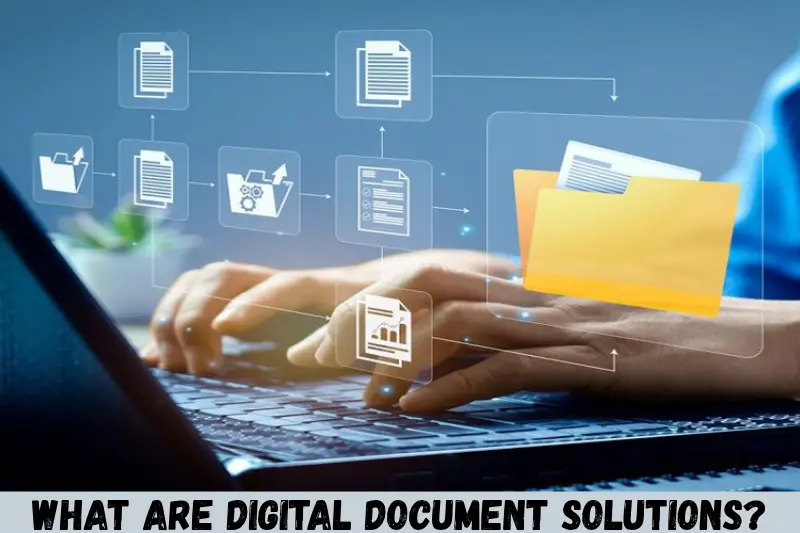
Digital document solutions are software tools and online platforms that help users create, edit, convert, store, organize, share, and manage documents electronically. They can replace many manual paperwork processes with digital workflows.
For example, a business can prepare an invoice using a document template, convert it into PDF format, send it to a customer by email, and store a copy in a secure digital folder. The entire process can take place without printing the document.
Common types of digital document solutions include:
- Document editors: Create and edit letters, reports, proposals, and business documents.
- PDF tools: Merge, split, compress, convert, and organize PDF files.
- Cloud storage platforms: Store files online and access them from authorized devices.
- Document management systems: Organize documents, control access, and maintain records.
- Electronic signature tools: Sign and approve eligible documents electronically.
- Online document creators: Generate invoices, forms, agreements, and other documents using templates.
- Workflow automation tools: Route documents for review, approval, and processing.
The right solution depends on the type of documents you handle, how often you use them, and the level of security your work requires.
Why Are Digital Document Solutions Important in India?
Digital document solutions are useful in India because businesses and individuals frequently need to prepare, exchange, and maintain documents for financial, administrative, educational, and professional activities.
Digital workflows can reduce unnecessary printing, simplify document sharing, and make records easier to retrieve. They are particularly useful for businesses working across different cities, remote teams, freelancers, educational institutions, and service providers.
Consider a small business in India that manages customer orders, quotations, invoices, and payment records. Instead of keeping separate paper files for every customer, the business can maintain organized digital folders and use document templates to prepare routine paperwork.
Other practical applications include:
- Preparing business proposals and quotations.
- Creating invoices and payment receipts.
- Managing employee documents and HR forms.
- Storing contracts and agreements.
- Sharing educational notes and assignments.
- Collecting information through digital forms.
- Maintaining project reports and internal records.
- Preparing documents for customer onboarding.
However, digitization does not automatically make every process faster or more secure. Results depend on the quality of the software, the way documents are organized, staff training, and the security measures in place.
Key Features of Digital Document Solutions India Businesses Should Look For
The best digital document solution should make routine work easier while protecting important information. Before selecting a platform, consider the following features.
1. Online Document Creation and Editing
A good document platform should allow users to create and edit documents without unnecessary complexity. Depending on the software, users may be able to prepare reports, letters, proposals, forms, and business plans.
Templates are particularly useful when similar documents need to be created regularly. A business can maintain a standard quotation format or invoice layout instead of designing each document from scratch.
Look for features such as:
- Ready-made document templates.
- Text formatting and page layout controls.
- Tables, images, and headers.
- Spell-checking and basic editing tools.
- Download and export options.
- Compatibility with commonly used file formats.
These features can help maintain consistency across business documents.
2. PDF Creation and Conversion
PDF files are widely used for sharing documents because they help preserve page layouts across different devices and operating systems.
PDF tools can help users convert Word documents, spreadsheets, images, and other supported formats into PDFs. Some platforms also allow users to merge multiple files, extract pages, compress large documents, and add annotations.
For example, a consultant can combine a proposal, pricing sheet, and supporting documents into one PDF before sending the package to a client.
Before using a conversion tool, check whether it preserves formatting, tables, images, and text correctly. Sensitive documents should not be uploaded to an unfamiliar online converter without reviewing its privacy and security practices.
3. Cloud Storage and File Access
Cloud storage allows users to keep documents on remote servers and access them over the internet. Depending on the service and account permissions, files can be accessed from computers, tablets, and smartphones.
This can be useful for businesses with employees working from different locations.
Important storage features include:
- Folder organization.
- File search.
- Access permissions.
- File synchronization.
- Version history.
- Sharing controls.
- Backup and recovery options.
Cloud storage is not a substitute for a complete backup strategy. Businesses should understand how deleted files are recovered, how long previous versions remain available, and whether independent backups are necessary.
4. Document Sharing and Collaboration
Collaboration tools allow multiple authorized users to review, comment on, or edit a document. Some platforms support simultaneous editing, while others use approval requests or shared links.
For example, a marketing team can prepare a proposal, ask a manager to review it, and share the approved version with a customer.
Useful collaboration features include comments, tracked changes, version history, controlled sharing links, and notifications.
Businesses should avoid sharing confidential documents through public links unless public access is genuinely required.
5. Electronic Signatures and Approvals
Electronic signature tools can simplify the signing and approval of eligible documents. They allow users to review documents electronically and apply signatures through supported processes.
However, electronic signatures are not all legally equivalent. Their legal recognition depends on the applicable law, document type, signing method, and other relevant requirements.
In India, the Information Technology Act, 2000 provides a legal framework for electronic records and certain electronic signatures, subject to its provisions and exclusions. Businesses should confirm whether their chosen signing method is suitable for the specific document.
For high-value contracts, regulated transactions, or documents with special execution requirements, obtaining legal advice may be appropriate.
6. Security and Access Management
Document security is essential when files contain financial information, customer details, employee records, contracts, or confidential business information.
Look for security measures such as:
- Encryption during transfer and storage.
- Multi-factor authentication.
- Role-based access permissions.
- Audit logs.
- Secure sharing links.
- Access revocation.
- Backup and recovery controls.
- Administrative security settings.
Not every platform offers all these features. Businesses should evaluate security based on the sensitivity of their documents and the risks associated with unauthorized access.
Benefits of Digital Document Solutions for Indian Businesses
Digital document solutions can improve document handling by reducing repetitive tasks, simplifying access, and supporting more consistent workflows.
Reduced Paperwork and Printing Costs
Digital documents can reduce the need to print, photocopy, scan, and physically transport paperwork.
For example, a company that regularly sends quotations to customers can prepare and share PDF documents electronically rather than printing and mailing every quotation.
The actual savings depend on document volume, software subscription costs, printing requirements, and the amount of manual work eliminated.
Faster Document Retrieval
Searching through organized digital files is often more convenient than looking through physical folders.
A business can use meaningful file names, folders, tags, and searchable document text to locate invoices, contracts, or reports.
For best results, establish a consistent naming system. A filename such as ClientName_Invoice_2026-10-14.pdf is generally more informative than document-final-new.pdf.
Improved Team Collaboration
Digital document platforms allow authorized team members to review files without passing paper copies between departments.
A sales representative can prepare a quotation, a manager can review it, and the finance team can access the approved version.
Clear permissions and version controls help reduce confusion about which document is final.
Better Document Organization
Digital folders and document management systems make it easier to classify files by project, department, client, date, or document type.
A well-organized system can help businesses distinguish between active documents, archived records, drafts, and approved versions.
Document retention policies are also important. Not every file should be kept forever, particularly when it contains personal or confidential information.
Support for Remote and Hybrid Work
Authorized employees can access shared documents without needing to visit the office to retrieve physical files.
This can be useful for consultants, distributed teams, field staff, and companies with multiple branches.
Remote access should be supported by strong authentication, appropriate device security, and carefully managed permissions.
More Consistent Business Documents
Reusable templates help businesses maintain consistent formatting across quotations, reports, letters, proposals, and internal forms.
A standardized template can include the company’s approved logo, contact information, headings, and required fields.
Templates should be reviewed periodically to ensure that pricing, contact details, legal wording, and branding remain accurate.
Common Use Cases for Digital Document Solutions in India
Digital document platforms can support many industries, but the best features vary according to each organization’s requirements.
Small Businesses and Startups
Small businesses can use digital document tools to create invoices, quotations, proposals, purchase orders, and customer records.
A startup may begin with templates and cloud folders, then adopt a dedicated document management system as its operations become more complex.
Educational Institutions
Schools, colleges, training centers, and tutors can manage assignments, lesson plans, admission forms, notices, and study materials electronically.
Access controls are particularly important when documents contain students’ personal information or academic records.
Freelancers and Consultants
Freelancers can use digital document solutions to prepare proposals, contracts, project reports, invoices, and client deliverables.
PDF export and electronic signatures can simplify sharing and approval, where appropriate for the document involved.
Human Resources Departments
HR teams can organize recruitment forms, offer letters, onboarding documents, policy acknowledgments, and employee records.
Since HR documents often contain personal information, access should be limited to authorized personnel and retention periods should be defined.
Finance and Accounting Teams
Finance departments can organize invoices, receipts, purchase orders, expense reports, and supporting records.
Businesses should also consider their accounting software, tax recordkeeping requirements, audit needs, and the reliability of document backups.
Healthcare and Professional Services
Clinics and professional service providers may use digital tools to manage forms, reports, correspondence, and administrative records.
They should choose systems that are appropriate for the sensitivity of the information they handle and follow applicable confidentiality, privacy, and sector-specific requirements.
How to Choose the Best Digital Document Solution
Choosing the right platform starts with understanding your document workflow. A feature-rich platform may be unnecessary for someone who only needs to edit PDFs, while a growing company may need advanced permissions, audit trails, and automated approvals.
Follow these steps to make a practical decision.
Step 1: Identify Your Document Requirements
List the types of files you work with most often.
For example, you might regularly handle Word documents, PDFs, spreadsheets, scanned forms, contracts, or invoices.
Identify the tasks you need to perform, such as editing, converting, signing, storing, sharing, or approving files.
Step 2: Decide Between Free and Paid Tools
Free tools may be sufficient for basic document editing, conversion, and occasional file sharing.
Paid platforms may offer higher storage limits, advanced collaboration, stronger administrative controls, automation, and business support.
Compare the complete cost, including subscriptions, additional users, storage, training, and integration expenses.
Step 3: Check File Compatibility
Make sure the platform supports the file formats used by your customers, employees, or business partners.
If you regularly exchange Microsoft Office documents, verify that formatting and formulas remain intact. If you handle scanned PDFs, check whether optical character recognition (OCR) is available and accurate enough for your needs.
Step 4: Evaluate Security and Privacy
Review the provider’s privacy policy, security documentation, access controls, backup arrangements, and account recovery process.
For business use, also check where data is stored, whether the provider uses subprocessors, how information can be exported, and what happens when the subscription ends.
Organizations handling personal data should assess their obligations under applicable Indian data protection and sector-specific laws.
Step 5: Test Ease of Use
A tool should be easy for the people who will use it every day.
Test common tasks such as creating a document, converting it to PDF, sharing it with a colleague, and retrieving an older version.
A short trial can reveal usability problems before the business commits to a subscription.
Step 6: Consider Integration and Scalability
Check whether the platform works with your existing email, accounting, customer relationship management, or productivity software.
A small team may need only basic features today, but a growing organization may eventually require approval workflows, centralized administration, and more detailed audit records.
Step 7: Review the Provider’s Terms and Support
Understand subscription limits, cancellation terms, data export options, service availability, and support channels.
Do not assume that every provider offers the same recovery guarantees or retains files for the same period after deletion.
Popular Digital Document Tools to Consider
Several established platforms provide features that may suit different document workflows. The best choice depends on your budget, technical requirements, privacy needs, and preferred working environment.
Google Docs and Google Drive
Google Docs supports online document creation and collaboration, while Google Drive provides file storage and sharing features.
These tools may suit individuals, students, and teams that want browser-based access and collaborative editing. Available features and storage limits depend on the account and subscription.
Microsoft Word and OneDrive
Microsoft Word supports document creation and formatting, while OneDrive provides cloud storage and file synchronization.
This combination can be useful for businesses that rely on Word documents and other Microsoft 365 applications. Some features require a paid subscription.
Adobe Acrobat
Adobe Acrobat provides PDF-focused tools for viewing, editing, converting, organizing, and working with signatures, depending on the product version and plan.
It may be appropriate for users who frequently handle complex PDFs or require advanced PDF workflows.
Zoho WorkDrive and Zoho Writer
Zoho offers document creation and file management tools that can support business collaboration.
These services may suit teams looking for online document editing, shared workspaces, and integration with other Zoho applications.
LibreOffice
LibreOffice is a desktop productivity suite that includes Writer for text documents and Calc for spreadsheets.
It can be a useful option for users who prefer locally installed software and want to work with documents without depending on a cloud-based editor for every task.
Before selecting any platform, verify its current pricing, supported formats, privacy terms, and available features through the provider’s official website.
Digital Document Solutions: Free Tools vs Paid Platforms
The main difference between free tools and paid platforms is usually the level of functionality, administration, support, and capacity available.
| Feature | Free Tools | Paid Platforms |
|---|---|---|
| Basic document editing | Often available | Usually available |
| PDF conversion | Depends on the tool | Often includes more options |
| Cloud storage | Usually limited by plan | Higher limits may be available |
| Team collaboration | Basic features may be available | Often includes advanced controls |
| User permissions | May be limited | More granular controls may be available |
| Workflow automation | Often limited | May include advanced automation |
| Business support | May be limited | Support options may be broader |
| Security administration | Varies by provider | Business-focused controls may be available |
A free tool can be a sensible starting point for individuals and small businesses. Paid software is worth considering when document volume, collaboration requirements, security needs, or administrative complexity justify the expense.
Do not assume that a paid platform is automatically more secure than a free one. Evaluate the actual security features, account settings, provider policies, and suitability for your intended use.
How to Implement a Digital Document System
Implementing digital document solutions successfully requires more than choosing software. A clear document structure and consistent working practices are equally important.
1. Organize Existing Documents
Review your current paper files and digital folders. Identify important documents, duplicates, outdated versions, and records that must be retained.
Avoid scanning every historical document without considering its usefulness, legal retention requirements, or storage costs.
2. Create a Standard Folder Structure
Set up folders based on your business needs.
For example:
- Business Administration
- Finance and Invoices
- Customer Documents
- Employee Records
- Projects and Reports
- Contracts and Agreements
- Archived Documents
Restrict access to confidential folders rather than giving every employee permission to view every file.
3. Establish File Naming Rules
Create a consistent naming convention that makes documents easy to recognize.
A useful structure might include the client or project name, document type, date, and version number.
For example: ABC_Quotation_2026-10-14_v1.pdf.
Avoid putting sensitive personal information into filenames when it is not necessary.
4. Digitize Paper Documents Carefully
Use a scanner or scanning application to create digital copies of paper documents.
Check that pages are complete, readable, correctly oriented, and saved in the appropriate format.
OCR can make scanned documents searchable, but recognition errors are possible. Verify important figures, names, dates, and contract terms against the original.
5. Configure Access Permissions
Give each user access only to the documents needed for their role.
For example, finance employees may need access to invoices, while general team members may not need access to payroll records.
Review permissions when employees change roles or leave the organization.
6. Train Employees
Provide short instructions explaining how to create, name, store, share, and archive documents.
Employees should also understand how to recognize suspicious links, protect account credentials, and report accidental data sharing.
7. Monitor and Improve the System
Review the document process periodically. Check for duplicate files, broken sharing links, excessive permissions, and outdated templates.
Use feedback from employees to identify tasks that could be simplified or automated.
Security, Privacy, and Legal Considerations in India
Digital document solutions can improve access control and record management, but they also introduce risks if configured incorrectly.
Businesses should consider the following precautions.
Protect Personal and Confidential Information
Use appropriate access restrictions for customer records, financial statements, employee information, and contracts.
Under India’s Digital Personal Data Protection Act, 2023, and applicable rules and commencement notifications, organizations should assess their obligations when processing digital personal data. The specific requirements applicable to a business depend on the law in force, the nature of the data, and the circumstances of processing.
Consult official government publications or qualified legal advisers for requirements affecting your organization.
Understand Electronic Records and Signatures
The Information Technology Act, 2000 addresses electronic records and certain electronic signatures. However, some documents and transactions may be excluded from its provisions or subject to additional formalities.
Do not assume that every electronically signed document satisfies every legal requirement. Confirm the appropriate signing method and execution process for important agreements.
Maintain Backups
Cloud synchronization does not always protect against accidental deletion, ransomware, or unwanted changes. A separate backup can provide an additional recovery option.
Test backups periodically to confirm that important documents can actually be restored.
Manage Document Retention
Create rules for how long different categories of documents should be retained.
Retention requirements may vary depending on accounting, tax, employment, contractual, regulatory, and privacy obligations. Avoid deleting records before applicable requirements have been checked.
Review Third-Party Tools
Before uploading sensitive documents to an online service, review its privacy terms, data handling practices, security controls, and deletion procedures.
For highly confidential files, an offline tool or an organization-approved platform may be more appropriate than an unfamiliar website.
Common Mistakes to Avoid When Using Digital Document Solutions
Even a capable document platform can create problems when it is used without clear processes.
1. Storing every file in one folder: This makes documents difficult to locate. Use a simple folder hierarchy and consistent naming rules.
2. Sharing public links unnecessarily: Public links can expose confidential information. Use restricted links and grant access only to intended recipients.
3. Ignoring backup arrangements: Synchronization alone may not protect against every form of data loss. Maintain and test appropriate backups.
4. Keeping multiple final versions: Files named “final,” “final-new,” and “final-updated” can cause confusion. Use version history or an agreed naming convention.
5. Choosing software based only on price: A free platform may lack essential features, while an expensive system may be unnecessarily complicated. Match the tool to your real requirements.
6. Uploading confidential files to unknown websites: Some online services may process or retain uploaded content under their own terms. Check the provider before uploading sensitive information.
7. Failing to train employees: Poor file management and unsafe sharing practices can undermine the benefits of digitization. Provide simple written guidelines and periodic training.
8. Forgetting to review access permissions: Former employees or users who have changed roles should not retain unnecessary access. Review permissions regularly.
Tips for Getting Better Results From Digital Document Solutions India
A few practical habits can make document management more reliable and efficient.
- Use templates for frequently prepared documents.
- Keep editable source files when future revisions may be necessary.
- Export final documents to PDF when preserving layout is important.
- Apply clear filenames and document dates.
- Store documents in approved locations rather than personal accounts.
- Use multi-factor authentication where available.
- Review document-sharing permissions before sending links.
- Maintain a backup and recovery plan.
- Archive records according to a documented retention policy.
- Test software compatibility before moving a large document collection.
- Confirm the accuracy of OCR output and converted files.
- Review subscription limits and costs before committing to a platform.
The most effective document system is not necessarily the one with the most features. It is the one that fits your workflow, protects your information, and remains easy to maintain.
Frequently Asked Questions
1. What are digital document solutions in India?
Digital document solutions in India are software applications and online services that help individuals and businesses create, edit, convert, store, share, and manage documents electronically. Common examples include document editors, PDF tools, cloud storage services, electronic signature platforms, and document management systems. The right option depends on your document volume, collaboration needs, budget, and security requirements.
2. Which digital document solutions are best for small businesses in India?
The best solution depends on the tasks your business performs. Google Docs and Drive can support online collaboration, Microsoft Word and OneDrive can suit Microsoft-focused workflows, and LibreOffice can support desktop document editing. Businesses handling complex PDFs may consider Adobe Acrobat. Compare pricing, access controls, file compatibility, privacy terms, and available support before choosing.
3. Are free digital document solutions safe to use?
Free document solutions can be suitable for routine work, but safety depends on the provider, account settings, security features, and type of information being processed. Review privacy policies and sharing permissions before uploading sensitive documents. For confidential business records, choose an approved platform with suitable access controls, authentication, and backup arrangements.
4. Can digital document solutions help businesses reduce paperwork?
Yes. Digital document solutions can reduce printing, photocopying, physical storage, and manual document distribution. Templates can speed up routine document creation, while search and folder organization can simplify retrieval. However, some activities still require paper records or additional formalities. Actual savings depend on existing workflows, implementation costs, document volume, and employee adoption.
5. Are electronic signatures legally valid in India?
Certain electronic signatures and electronic records are legally recognized under India’s Information Technology Act, 2000, subject to applicable provisions and exclusions. However, the legal requirements depend on the document, transaction, and signing method. Businesses should confirm whether a particular electronic signature satisfies the relevant requirements, especially for important contracts and documents requiring special execution formalities.
Conclusion
Digital document solutions India businesses can use range from simple document editors and PDF converters to cloud storage platforms, electronic signature services, and comprehensive document management systems. These tools can help reduce routine paperwork, improve collaboration, organize records, and make documents easier to access.
Choosing the right solution requires more than comparing prices. Consider your document requirements, file compatibility, privacy needs, security controls, backup options, and long-term costs.
A practical starting point is to identify your five most common document tasks and test a suitable platform against those needs. Begin with a small collection of files, establish clear naming and access rules, and expand the system after confirming that it works reliably. This approach helps you build a document workflow that is efficient, secure, and appropriate for your business.