
Introduction
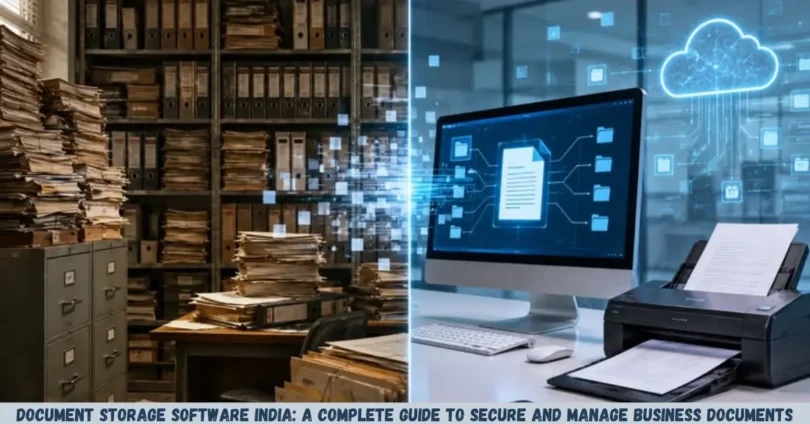
Document storage software India is a practical solution for businesses that want to store, organize, access, and manage digital documents in one secure place. From small businesses and startups to large enterprises, organizations can use document storage systems to reduce paperwork, simplify document sharing, and improve everyday workflows.
Businesses in India handle a wide range of documents, including invoices, employee records, contracts, customer information, financial statements, purchase orders, and project files. Managing these records through scattered folders, email attachments, and physical cabinets can make it difficult to find the right information when needed.
Document storage software helps solve these problems by providing centralized storage, search tools, access permissions, backup options, and document management features. Depending on the platform, businesses may also get version history, approval workflows, electronic signatures, and integrations with other applications.
This guide explains how document storage software works in India, its benefits and limitations, essential features to look for, security considerations, pricing factors, and the steps for choosing a suitable solution.
What Is Document Storage Software?
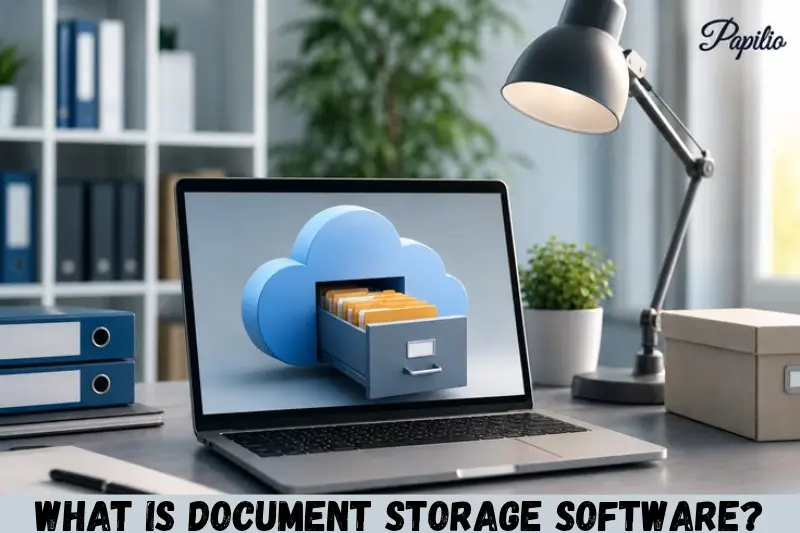
Document storage software is a digital platform that allows individuals and organizations to save, organize, retrieve, share, and protect electronic documents. Instead of keeping files in separate locations, users can manage them through a centralized system.
For example, an Indian accounting firm can use document storage software to organize client invoices, tax records, financial reports, and supporting documents. Authorized employees can locate the required files without searching through multiple email conversations or physical folders.
Some platforms focus mainly on cloud storage, while others provide advanced document management capabilities.
How Does Document Storage Software Work?
Most document storage systems follow a straightforward process:
- Upload documents: Add existing digital files, such as PDFs, spreadsheets, Word documents, images, and scanned records.
- Organize files: Arrange documents using folders, tags, categories, metadata, or naming conventions.
- Set permissions: Decide who can view, edit, download, share, or delete specific documents.
- Search and retrieve: Find files using keywords, document names, filters, or full-text search where supported.
- Share and collaborate: Give authorized colleagues or customers access to documents.
- Protect records: Use available security controls, backups, activity logs, and retention settings to help protect important information.
The exact features depend on the provider and subscription plan.
Why Do Businesses in India Need Document Storage Software?
Businesses need document storage software to manage growing volumes of information, reduce manual work, and make documents easier to access. A well-organized system can improve productivity while supporting better control over sensitive business records.
1. Reduce Paperwork and Manual Filing
Traditional paper-based filing requires physical storage space, manual labeling, and regular maintenance. Finding an old contract or invoice may take considerable effort if records are not properly organized.
Digital storage allows businesses to keep electronic copies of documents in searchable folders. Paper documents can also be scanned and uploaded, although the quality of the resulting files depends on the scanning process and whether optical character recognition (OCR) is available.
2. Find Documents More Quickly
A centralized repository makes it easier to locate business records using file names, keywords, tags, dates, and other search filters.
For example, a sales manager could search for a customer name to locate relevant quotations, purchase orders, and agreements, provided the documents are indexed appropriately.
3. Support Remote and Hybrid Work
Cloud-based document storage can allow authorized employees to access files from different locations and devices. This is useful for Indian businesses with remote teams, multiple offices, field employees, or external partners.
Access depends on the platform’s supported devices, internet connectivity, security settings, and organizational policies.
4. Improve Document Sharing
Employees frequently exchange files through email, messaging applications, and removable storage devices. This can lead to duplicate versions and uncertainty about which file is current.
A suitable document storage platform can provide controlled sharing links, collaborative editing, and version history. These features help teams work with consistent information.
5. Protect Important Business Records
Document storage platforms may provide encryption, multi-factor authentication, role-based access, audit logs, and backup facilities.
However, these protections are not identical across providers. Businesses should evaluate the available controls and configure them correctly rather than assuming every stored document is automatically secure.
Key Features to Look for in Document Storage Software India
The right software should match your organization’s document volume, workflow requirements, security needs, and budget. Before selecting a platform, evaluate the following features.
Centralized Document Storage
A centralized repository keeps documents in a managed location rather than distributing them across personal computers and unrelated cloud accounts.
Look for clear folder structures, category management, metadata support, and options for organizing files by department, client, project, or document type.
Advanced Search and OCR
Search functionality is essential when a business manages thousands of files.
Useful search capabilities include:
- Search by document name and keywords.
- Filter by date, file type, owner, or category.
- Search document contents where supported.
- Use OCR to recognize text inside scanned documents and images.
OCR can make scanned invoices and contracts easier to find, but accuracy may vary with image quality, handwriting, language, and document formatting.
User Roles and Access Permissions
Access controls help ensure that employees only see or modify documents relevant to their responsibilities.
For instance, an HR manager may need access to employee records, while a sales representative may only need customer quotations and sales agreements.
Choose software that supports individual accounts, role-based permissions, restricted sharing, and prompt removal of access when employees leave.
Version Control and Activity History
Version control records changes to documents and may allow users to restore earlier versions.
This is particularly useful when several employees work on contracts, policies, proposals, or financial reports. Activity logs can also help administrators understand who accessed or changed a document, depending on the system’s logging capabilities.
Backup and Recovery
A reliable backup strategy helps businesses recover documents after accidental deletion, technical failure, or certain security incidents.
Check whether the provider offers automated backups, version recovery, retention periods, and documented restoration procedures. Determine whether backups are isolated from the primary system and whether recovery arrangements meet your business continuity requirements.
Cloud synchronization alone should not be treated as a complete backup strategy because unwanted changes or deletions may synchronize across devices.
Integration With Business Applications
Integration reduces the need to transfer documents manually between systems.
Depending on the platform, useful integrations may include:
- Accounting and invoicing software.
- Customer relationship management systems.
- Email and calendar applications.
- Office productivity tools.
- Electronic signature services.
- Enterprise resource planning systems.
Confirm that the specific applications you use are supported and that the integration includes the functionality your team needs.
Mobile and Desktop Access
Mobile access can help employees retrieve documents while travelling or working at customer locations. Desktop access may be important for teams handling large files or complex document workflows.
Check whether the software offers web access, dedicated applications, offline access, and secure synchronization. Offline availability and synchronization behavior differ between providers.
Types of Document Storage Software Available in India
Document storage solutions generally fall into several categories. Understanding the differences can help you avoid paying for features you do not need.
Cloud-Based Document Storage
Cloud-based software stores documents on infrastructure managed by a service provider. Users typically access files through a web browser or application.
It can be suitable for startups, small businesses, professional service providers, and distributed teams.
Advantages:
- Access from supported locations and devices.
- Less need to maintain your own storage infrastructure.
- Easier collaboration and file sharing.
- Storage capacity that may be increased through a paid plan.
Limitations:
- Dependence on internet connectivity for many functions.
- Recurring subscription costs in many cases.
- Reliance on the provider’s security, availability, and service terms.
On-Premises Document Storage
On-premises solutions run on infrastructure managed by the organization, such as its own servers or private data center.
They may suit businesses with specialized infrastructure requirements, existing IT teams, or strict internal control policies.
Advantages:
- Greater direct control over infrastructure configuration.
- Ability to customize certain technical and access policies.
- Potential integration with internal systems.
Limitations:
- Hardware and maintenance expenses.
- Responsibility for security updates and backups.
- Need for skilled technical staff and disaster recovery planning.
On-premises storage does not automatically guarantee better security. Its protection depends on implementation, monitoring, access controls, and maintenance.
Document Management Systems
A document management system (DMS) goes beyond storing files. It may include approval workflows, document templates, revision history, retention rules, indexing, and records management.
These systems are particularly useful for businesses that need structured document processes rather than a simple place to save files.
Hybrid Document Storage
Hybrid storage combines cloud services with locally managed infrastructure. An organization may store routine files in the cloud while keeping selected systems or records within its own environment.
This approach can support specific operational requirements, but it also introduces additional complexity. Businesses must define how information moves between environments and how permissions, backups, and policies remain consistent.
Popular Document Storage Software Options for Indian Businesses
Several established platforms offer document storage or document management capabilities that Indian businesses can evaluate. The most appropriate choice depends on existing software, collaboration requirements, storage needs, and compliance obligations.
The options below are examples, not a ranking. Features, prices, availability, and plan limits can change, so verify current details directly with each provider.
Google Drive
Google Drive is a cloud storage service that supports file organization, sharing, and collaboration. It can be useful for small businesses, freelancers, educational organizations, and teams already using Google Workspace.
Its suitability depends on storage requirements, administrative controls, sharing policies, and the subscription plan selected.
Microsoft OneDrive and SharePoint
OneDrive supports individual and shared file storage within the Microsoft ecosystem, while SharePoint provides broader capabilities for team sites, shared content, and document management.
These services may be suitable for organizations that rely on Microsoft 365 applications and need structured collaboration across departments.
Dropbox Business
Dropbox offers cloud-based file storage, synchronization, sharing, and collaboration features. Businesses can assess it for teams that exchange large numbers of files or need a managed file-sharing environment.
Before choosing it, compare available administrative controls, storage allowances, recovery options, and integration requirements.
Zoho WorkDrive
Zoho WorkDrive provides team-oriented cloud file storage and collaboration capabilities. It may be worth evaluating for businesses that use other Zoho applications or want a centralized workspace for team documents.
Check the available plans, access controls, and integrations against your specific workflow.
Nextcloud
Nextcloud is a self-hostable platform that provides file storage, synchronization, and collaboration capabilities. It may be suitable for organizations that want more direct control over their deployment and have the technical resources to manage it.
Businesses should account for hosting, maintenance, updates, backups, security configuration, and ongoing support when evaluating the total cost.
Comparison of Document Storage Software Options
The following table summarizes the general positioning of these tools. It is not a substitute for checking current features and subscription details.
| Software | General use case | What to evaluate |
|---|---|---|
| Google Drive | Cloud file storage and collaboration | Sharing controls, storage limits, workspace integration |
| Microsoft OneDrive | Individual and team file storage | Microsoft 365 integration, synchronization, recovery |
| Microsoft SharePoint | Team content and document management | Permissions, document libraries, workflows |
| Dropbox Business | Business file sharing and synchronization | Collaboration, administration, recovery options |
| Zoho WorkDrive | Team storage and collaboration | Team folders, permissions, Zoho integrations |
| Nextcloud | Self-hosted or managed file collaboration | Hosting, technical maintenance, security configuration |
The best option is the one that meets your operational needs and security requirements at a sustainable total cost.
Benefits of Document Storage Software for Different Industries in India
Document storage software can support different business processes depending on the type of records an organization handles.
Small Businesses and Startups
Small businesses can use a shared document repository for quotations, invoices, customer records, purchase orders, and employee documents.
Centralized storage helps establish consistent filing practices as the company grows. Owners should also define access permissions and backup procedures before storing sensitive business information.
Accounting and Financial Services
Accounting firms and finance teams handle invoices, receipts, statements, supporting records, and client documentation.
A structured document management system can help organize records by client and financial period. Strong permissions, audit trails, retention rules, and secure client-sharing procedures are particularly important.
Healthcare Organizations
Hospitals, clinics, and healthcare providers may need to manage administrative forms, reports, billing documents, and other sensitive records.
Any selected solution should be assessed against applicable privacy requirements, access restrictions, retention policies, and the organization’s security obligations. Healthcare-related information deserves additional care because unauthorized disclosure can cause serious harm.
Educational Institutions
Schools, colleges, and training centers can store admission forms, student records, certificates, staff documents, and administrative policies.
Permissions can help separate student information from general teaching resources and public documents.
Logistics and Transportation
Transport companies and fleet operators can use document storage software for vehicle records, maintenance reports, delivery documents, insurance papers, invoices, and supplier agreements.
For example, a fleet manager could organize maintenance records by vehicle registration number and service date. This can make it easier to retrieve relevant information during inspections, maintenance planning, or internal reviews.
Legal and Professional Services
Law firms, consultants, and other professional service providers often handle contracts, case files, agreements, and confidential client correspondence.
They may benefit from granular permissions, document versioning, matter-based organization, audit logs, and carefully managed external sharing.
Is Document Storage Software Secure?
Document storage software can provide strong security controls, but no system is automatically secure simply because it stores documents digitally. Protection depends on the provider, configuration, user behavior, and ongoing administration.
Before selecting a platform, examine these security measures.
Encryption
Encryption helps protect information from unauthorized access during transmission and, where implemented, while stored. Ask the provider about its encryption practices, key management, and available options for customer-controlled encryption keys.
Multi-Factor Authentication
Multi-factor authentication (MFA) requires an additional verification method beyond a password. It can reduce the risk of account compromise, particularly when employees reuse passwords or fall victim to phishing.
Enable MFA for administrators and other users wherever supported, and consider stronger authentication methods for sensitive accounts.
Role-Based Access Control
Assign permissions according to job responsibilities. Avoid giving every employee administrator privileges or allowing unrestricted access to all business records.
Review access regularly, especially after role changes, contract endings, or employee departures.
Audit Logs and Monitoring
Audit logs can record activities such as file access, edits, sharing, and deletion. These records may help investigate incidents and identify inappropriate access.
Check which events are logged, how long logs are retained, and whether they can be exported or integrated with existing monitoring systems.
Backup and Disaster Recovery
Ask how the provider handles service disruptions, accidental deletion, and data recovery. Establish separate backup arrangements when necessary, and test whether important documents can actually be restored within the time your business requires.
Document Storage Software India and Data Protection Compliance
Businesses in India should evaluate document storage systems in the context of applicable privacy, cybersecurity, contractual, and record-retention obligations.
India’s Digital Personal Data Protection Act, 2023, establishes a legal framework for processing digital personal data, subject to its provisions and applicable implementation requirements. Organizations should verify the current status of relevant rules and commencement notifications before making compliance decisions.
A software provider alone cannot guarantee legal compliance. The organization using the software remains responsible for assessing its own activities and obligations.
Important Compliance Considerations
- Data location: Determine where documents and backups are stored, including whether the provider uses different regions or subprocessors.
- Access management: Restrict access to personal and confidential information according to business needs.
- Retention and deletion: Establish how long records must be kept and when they should be securely deleted.
- Data processing terms: Review the provider’s contract, privacy terms, responsibilities, and breach-notification arrangements.
- Auditability: Check whether the platform provides logs and documentation needed for internal reviews.
- Recovery and continuity: Confirm that important records can be restored if access is interrupted or information is lost.
Requirements vary according to the type of information, industry, and legal obligations. Businesses handling regulated or particularly sensitive records should seek appropriate legal and cybersecurity advice.
How Much Does Document Storage Software Cost in India?
The cost of document storage software in India depends on the provider, subscription plan, number of users, storage capacity, and required features. Some services offer limited free plans, while business-grade solutions generally charge for additional capacity, administration, collaboration, or advanced security capabilities.
There is no single price that applies to every organization.
Factors That Affect Pricing
Number of users: Some providers charge per user, while others use different pricing models.
Storage capacity: Larger repositories and high-volume file storage may require more expensive plans.
Advanced features: OCR, workflow automation, retention controls, advanced reporting, and compliance-related features may be limited to certain plans.
Implementation: Enterprise deployments may require migration assistance, configuration, training, or integration work.
Maintenance: Self-hosted platforms may involve infrastructure, technical support, security updates, and backup expenses.
How to Calculate the Total Cost
Before comparing subscriptions, estimate the complete cost over at least one year.
Include:
- Software subscriptions or licensing.
- Additional storage and backup services.
- Migration of existing documents.
- Employee training.
- Integration and customization.
- IT administration and maintenance.
- Future storage growth.
A low-cost plan may be sufficient for a small team with basic needs. A larger organization may benefit from investing in better administration, recovery, and security controls if those features reduce operational risk.
How to Choose the Right Document Storage Software in India
Choosing suitable software starts with understanding how your organization creates, stores, shares, and protects documents. Follow these steps to make a practical decision.
Step 1: Identify Your Document Management Needs
List the documents your organization handles, including contracts, invoices, employee records, customer files, and operational reports.
Estimate the current volume, expected growth, file sizes, and number of employees who need access.
Step 2: Decide Between Cloud, On-Premises, and Hybrid Storage
Choose cloud storage if managed infrastructure and convenient remote access are priorities.
Consider on-premises or hybrid solutions if your technical requirements, internal policies, or regulatory circumstances justify additional control over the deployment.
Evaluate security and operational responsibilities alongside convenience.
Step 3: Define Essential Features
Separate essential requirements from optional features.
For example, a small consulting business may need secure sharing, search, version history, and backups. A large enterprise may also need automated approvals, retention policies, advanced audit logs, and integration with existing systems.
Step 4: Review Security and Privacy
Read the provider’s security documentation, privacy policy, service terms, backup information, and data-location disclosures.
Confirm that the platform supports the access controls and recovery arrangements your organization needs.
Step 5: Compare Total Costs
Compare plans using the same assumptions about users, storage, support, and required features.
Do not select a platform based only on its advertised starting price. Consider migration costs and the resources required to maintain the system.
Step 6: Test the Software With a Small Team
Use a trial or pilot project, where available, to test real business documents and workflows.
Ask employees to upload files, search for records, share documents, restore earlier versions, and use mobile access if required.
A practical trial can reveal usability problems before the business commits to a larger deployment.
Step 7: Create a Migration and Training Plan
Before moving existing files, remove unnecessary duplicates, standardize naming conventions, and organize folders.
Test a small batch of files first. Confirm that permissions, document contents, metadata, and links remain correct after migration.
Provide basic training so employees understand how to store files securely and follow the new system.
Best Practices for Managing Documents Digitally
Good software works best when supported by consistent document management practices.
Use a Clear Folder Structure
Organize files by department, client, project, year, or document category. Choose a structure that reflects how employees search for information.
Avoid creating excessive folder levels that make documents difficult to find.
Establish Consistent File Names
Use descriptive names that help employees identify documents without opening them.
For example:
ClientName_Invoice_2026-10-13.pdf
A consistent naming convention can make manual searches easier and support more reliable document organization.
Assign an Owner to Important Documents
Identify who is responsible for maintaining contracts, policies, financial records, and other important documents.
Document ownership helps prevent outdated information from remaining in circulation.
Review Permissions Regularly
Check access rights periodically and remove permissions that are no longer required. Restrict public sharing for confidential records and use expiration dates on external links when supported.
Create a Document Retention Policy
Specify which records should be kept, for how long, and when they should be archived or deleted. Ensure the policy reflects applicable legal obligations and business requirements.
Test Recovery Procedures
A backup is useful only if the organization can restore the information it needs. Conduct periodic recovery tests and document the steps employees should follow during an incident.
Common Mistakes to Avoid When Choosing Document Storage Software
Organizations can reduce unnecessary costs and security risks by avoiding these common mistakes.
Choosing Software Based Only on Price
The cheapest subscription may lack important permissions, recovery features, or administration controls. Compare plans against actual business requirements instead of choosing the lowest advertised cost.
Ignoring Data Security
Weak passwords, excessive permissions, and unrestricted sharing can expose confidential information even when a provider offers strong security features.
Configure security settings before uploading sensitive documents.
Failing to Organize Existing Files
Moving thousands of poorly named or duplicated files into a new system does not automatically make them easier to manage.
Clean up the existing repository and create a consistent structure before migration.
Assuming Synchronization Equals Backup
File synchronization keeps copies aligned across devices or locations. It may also synchronize accidental deletions or unwanted changes.
Maintain a suitable backup and recovery strategy separate from ordinary synchronization.
Overlooking Employee Training
Employees may continue using personal drives, email attachments, or unapproved applications if the new platform is confusing.
Explain the correct process for uploading, sharing, editing, and archiving files.
Failing to Plan for Business Growth
A platform that works for five employees may not suit a company with hundreds of users and more complex workflows.
Evaluate storage expansion, administration, integration, and long-term costs before committing.
Frequently Asked Questions
1. What is the best document storage software in India?
The best option depends on your business size, budget, security requirements, and existing applications. Google Drive, Microsoft OneDrive, SharePoint, Dropbox Business, Zoho WorkDrive, and Nextcloud are examples worth evaluating. Compare storage limits, permissions, search, backup options, integrations, and total cost before selecting a platform.
2. Is free document storage software suitable for businesses?
Free document storage software can work for individuals, freelancers, and small teams with basic requirements. However, free plans may have limited storage, administration, collaboration, or recovery features. Before storing business-sensitive information, review the provider’s security controls, privacy terms, sharing options, and limitations to determine whether the service meets your needs.
3. Is cloud document storage safe for confidential business files?
Cloud document storage can be appropriate for confidential files when the provider offers suitable protections and the business configures them correctly. Look for encryption, multi-factor authentication, role-based permissions, audit logs, and reliable recovery options. Also review data-location disclosures, contractual terms, and sharing settings before uploading sensitive information.
4. What is the difference between document storage and document management software?
Document storage software primarily focuses on keeping files organized, accessible, and shareable. Document management software adds capabilities such as version control, approval workflows, indexing, retention rules, and activity tracking. Some platforms combine both functions, while others provide only basic storage. Choose according to the complexity of your document workflows.
5. How can a small business in India choose document storage software?
A small business should start by estimating its storage needs, number of users, document types, and security requirements. Compare affordable plans from established providers, check sharing and recovery features, and test the software with a small group. Consider annual costs, migration effort, employee training, and the ability to expand as the business grows.
Conclusion
Document storage software India helps businesses organize digital records, improve collaboration, retrieve information efficiently, and manage access to important documents. The right platform can support everyday tasks across accounting, healthcare, education, logistics, professional services, and many other industries.
However, choosing software requires more than comparing storage capacity or subscription prices. Businesses should evaluate security, permissions, search functionality, backups, integrations, privacy obligations, and long-term costs.
Start by listing your document management requirements and comparing two or three suitable platforms. Test the most promising option with real workflows, verify its security and recovery capabilities, and establish clear document management policies before migrating important records.