
Introduction
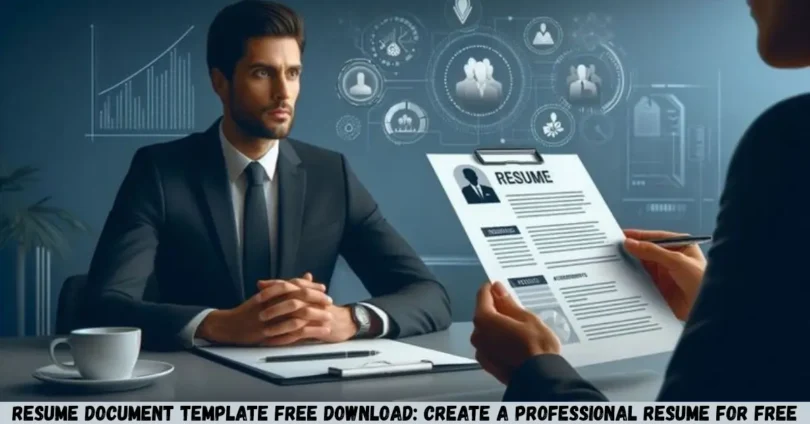
Resume document template free download options make it easier to create a professional resume without spending money on a designer or struggling with complicated formatting. Whether you are a fresher, college student, experienced professional, or job seeker in India, a ready-made resume template can help you present your qualifications, skills, education, and work experience clearly.
A good resume helps recruiters quickly understand your professional background and determine whether your profile matches a job opening. With a suitable document template, you can organize your information, customize the layout, and prepare a resume in Microsoft Word, Google Docs, or another compatible document editor.
In this guide, you will learn where to find free resume templates, how to choose the right format, how to create a resume step by step, and which details to include for Indian job applications. You will also discover common resume mistakes, practical formatting tips, and ways to make your resume more relevant to the job you want.
What Is a Resume Document Template?
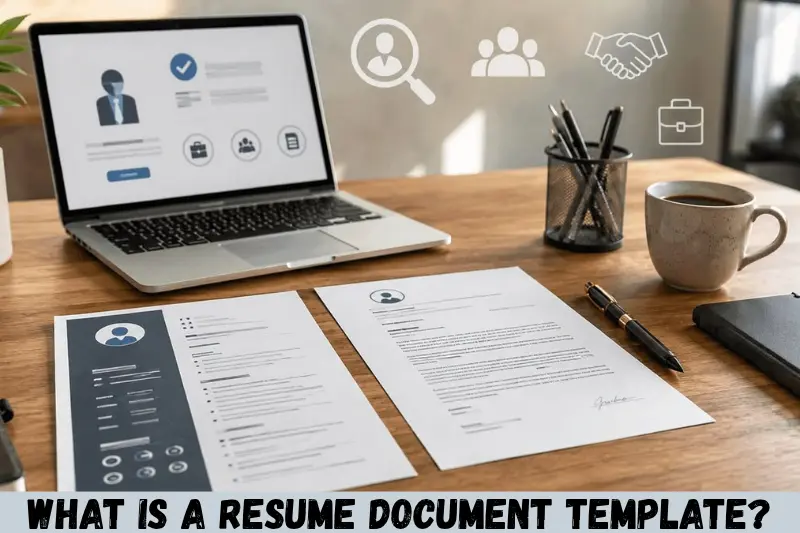
A resume document template is a pre-designed document that provides a structured layout for presenting your professional information. It typically includes sections for your name, contact details, career summary, skills, education, work experience, and relevant achievements.
Instead of designing a resume from scratch, you can download a template and replace the sample content with your own information.
Most free resume templates are available in formats such as:
- DOCX: An editable Microsoft Word document.
- Google Docs: A cloud-based document that you can customize online.
- PDF: A format suitable for sharing a finalized resume while preserving its layout.
- ODT: An editable document format supported by compatible office applications.
For most job seekers, an editable Word or Google Docs template is a practical starting point because it allows changes to the content and formatting before submitting the final resume.
Why Choose a Resume Document Template Free Download?
A resume document template free download can help job seekers prepare an organized application without paying for premium design services. It is especially useful for students, fresh graduates, and professionals who need to update their resumes regularly.
1. Save Time When Creating a Resume
Creating a resume from a blank page can take time, particularly if you are unfamiliar with document formatting. A template provides a ready-made structure, allowing you to focus on writing relevant information rather than adjusting margins, headings, and spacing.
You can add your education, skills, work history, and achievements to the existing sections and customize the layout as needed.
2. Maintain a Professional Appearance
A well-designed resume uses consistent fonts, clear headings, readable spacing, and logical section order. These elements make your information easier to scan.
A simple template is often more useful than a design filled with decorative graphics, multiple columns, or unnecessary colors.
3. Create a Resume Without Spending Money
Free resume templates help you prepare a job application without purchasing design software or paying a professional resume writer.
Before downloading a template, check whether it is genuinely free. Some websites provide free previews but charge for downloading or exporting the completed document.
4. Customize Your Resume for Different Jobs
One resume may not be suitable for every position. A template makes it easier to create different versions for different job applications.
For example, a marketing applicant might highlight campaign experience and communication skills, while a software developer might emphasize programming languages, technical projects, and development tools.
5. Make Future Updates Easier
Your resume should change as you gain new qualifications, complete projects, or develop professional experience.
An editable document template allows you to update these details without rebuilding the entire document.
Types of Free Resume Document Templates
Different resume formats serve different purposes. The right choice depends on your experience, career goals, industry, and employment history.


10
1. Simple Resume Template
A simple resume template focuses on readable text and straightforward formatting. It usually includes standard headings and avoids unnecessary design elements.
This format works well for freshers, office employees, administrative applicants, and professionals applying to organizations that prefer traditional resumes.
Best for: General job applications, entry-level positions, and straightforward professional profiles.
2. Modern Resume Template
A modern resume template uses subtle colors, clear typography, and carefully arranged sections. It can give your document a polished appearance while keeping the information organized.
Choose one that prioritizes readable text and does not rely heavily on icons or graphics to communicate important information.
Best for: Marketing, sales, business development, design-related roles, and many corporate positions.
3. Fresher Resume Template
A fresher resume template is designed for applicants with limited formal employment experience. It gives greater importance to education, internships, academic projects, certifications, and transferable skills.
Freshers should demonstrate what they can contribute rather than leaving large empty sections for work history.
Best for: College students, recent graduates, first-time job seekers, and internship applicants.
4. Experienced Professional Resume Template
This template prioritizes employment history, responsibilities, achievements, professional skills, and career progression.
Experienced candidates should use the available space to show relevant accomplishments rather than listing every task performed in previous positions.
Best for: Mid-level professionals, managers, team leaders, and experienced specialists.
5. ATS-Friendly Resume Template
An applicant tracking system (ATS) is software that employers may use to collect, organize, or help screen job applications. An ATS-friendly resume uses clear headings and a simple structure that is easier for document-parsing software to process.
No template can guarantee that an ATS will read or rank a resume correctly. However, conventional formatting can reduce avoidable parsing problems.
Best for: Online job applications, large employers, corporate hiring processes, and roles requiring applications through recruitment portals.
Where to Find a Resume Document Template Free Download
You can find free resume templates through document editors and established template libraries. Always review the download terms and confirm that the file can be edited using your preferred software.
Microsoft Word Resume Templates
Microsoft Word supports editable resume templates that you can customize with your personal information and employment history.
Visit the official Microsoft Create website and search for resume templates. Choose a suitable design, check the available download or editing options, and replace the sample text with your details.
Word is useful if you want to adjust headings, font sizes, page margins, and spacing.
Google Docs Resume Templates
Google Docs is a convenient option for people who prefer creating documents online. Its template gallery may include resume layouts that you can edit in your browser.
Visit Google Docs, open the template gallery, and look for a resume design. Availability may depend on your account, language, or region.
You can download your completed resume in a supported format, such as PDF or Microsoft Word, when the relevant export option is available.
Canva Resume Templates
Canva provides visually designed resume layouts, including options that may be available for free.
Visit Canva and select a layout appropriate for your profession. Before using a design, check whether its elements and download options require a paid plan.
Canva can be useful for visually oriented applications, but a heavily designed resume may not be ideal for every employer or ATS workflow.
Free Template Websites
Other document-template websites may offer downloadable resume files in Word, Google Docs, or PDF formats.
Before using an unfamiliar website, check the following:
- Whether the template is actually free.
- Whether registration or payment is required.
- Whether the file is editable.
- Whether the website clearly explains its licensing terms.
- Whether the download comes from a trustworthy source.
Avoid suspicious downloads, unexpected executable files, and websites that request unnecessary personal information.
How to Download and Use a Free Resume Document Template
Follow these steps to create a resume that is ready for customization and submission.
Step 1: Choose the Right Template
Start by identifying the purpose of your resume. A fresher applying for an internship may need a different layout from an experienced accountant or software engineer.
Choose a template with:
- Clear section headings.
- Readable fonts.
- Consistent spacing.
- Enough room for relevant information.
- A simple layout suitable for your intended application method.
Do not choose a template based on appearance alone. It should also support your content.
Step 2: Download the Editable File
Select a template from a trusted source and download the available document format.
If you intend to make regular changes, choose an editable DOCX file or a template you can edit in Google Docs. Keep the original template as a backup before making major changes.
Step 3: Add Your Contact Information
At the top of your resume, include your full name, phone number, professional email address, and relevant professional profile or portfolio links.
For Indian job applications, use a phone number where recruiters can reach you. You may include your city or location when relevant to the job.
Avoid adding unnecessary personal details such as religion, marital status, or government identification numbers. A photograph is generally unnecessary unless the employer or application instructions specifically request one.
Step 4: Write a Strong Professional Summary
A professional summary is a brief introduction to your background and the value you can offer an employer.
It should explain your current professional position, relevant strengths, and career focus.
Example for a fresher:
“Recent B.Com graduate with knowledge of accounting principles, spreadsheet tools, and financial documentation. Seeking an entry-level accounting role to apply analytical skills and develop practical industry experience.”
Example for an experienced professional:
“Customer support professional with experience handling customer inquiries, resolving service issues, and maintaining accurate records. Skilled in communication, problem-solving, and customer relationship management.”
Adapt the wording to reflect your actual qualifications. Do not claim experience or skills you cannot demonstrate.
Step 5: Add Your Education Details
Education is particularly important for students and freshers. Include your qualification, institution, and graduation year or expected completion date.
For example:
- Bachelor of Commerce (B.Com), ABC College, 2026
- Higher Secondary Certificate, XYZ School, 2023
Add your grades or percentage when relevant to the position, requested by the employer, or helpful to your application. Follow the employer’s specific instructions if it asks for a particular format.
Step 6: Include Relevant Skills
Your skills section should contain abilities that are relevant to the job description.
Examples include:
- Microsoft Excel and Word.
- Written and verbal communication.
- Data entry and documentation.
- Customer service.
- Programming languages relevant to a technical position.
- Research and analytical skills.
- Project coordination.
Avoid listing skills only because they appear frequently in sample resumes. Be prepared to explain or demonstrate the skills you include.
Step 7: Add Work Experience or Projects
If you have professional experience, list relevant positions with your job title, employer, employment dates, and key contributions.
Where possible, explain results instead of listing duties alone.
Basic description: Responsible for customer support.
Improved description: Responded to customer inquiries, documented service issues, and coordinated with internal teams to resolve requests.
If you are a fresher, use relevant internships, academic projects, volunteering, or practical training to demonstrate your abilities. Clearly identify these experiences rather than presenting them as full-time employment.
Step 8: Check Formatting and Spelling
Review the entire document before submitting it.
Check that:
- Headings follow a consistent style.
- Dates use a consistent format.
- Fonts are readable.
- Contact details are correct.
- Bullet points align properly.
- No sample placeholder text remains.
- Spelling and grammar are accurate.
Read the resume from beginning to end and consider asking someone you trust to review it.
Step 9: Save and Export Your Resume
Save an editable copy so you can update it later. Then export a PDF if the employer accepts or requests that format.
PDF is generally useful for preserving the appearance of a document across devices. If an employer specifically requests DOCX or another format, follow those instructions instead.
Use a clear file name, such as Rahul_Sharma_Resume.pdf, replacing the example with your own name.
What Should a Professional Resume Include?
A professional resume should contain the information an employer needs to evaluate your suitability for a position. The exact sections depend on your experience and the role.
| Resume section | What to include |
|---|---|
| Contact information | Name, phone, email, and relevant links |
| Professional summary | Short overview of qualifications and career focus |
| Work experience | Relevant roles, responsibilities, and achievements |
| Education | Degrees, institutions, and completion dates |
| Skills | Job-related technical and transferable abilities |
| Projects | Relevant academic, personal, or professional projects |
| Certifications | Relevant courses and professional credentials |
| Additional information | Relevant languages, volunteering, or awards |
You do not need to include every section. For example, a fresher may emphasize education and projects, while an experienced candidate may devote more space to work achievements.
How to Choose the Best Resume Template for Indian Job Applications
The best resume template is one that communicates your qualifications clearly and suits the role you are applying for. Indian employers work across many industries, so there is no single format that fits every application.
Choose a Format Suitable for Your Experience
Freshers should emphasize education, internships, projects, and relevant skills. Experienced candidates should prioritize professional achievements and relevant employment history.
For a career change, highlight transferable skills, relevant training, and projects that support your new career direction.
Keep the Layout Easy to Read
Use conventional headings such as “Work Experience,” “Education,” and “Skills.” Keep the most relevant information near the top of the document.
A one-page resume is often practical for freshers and candidates with limited experience. Professionals with substantial relevant experience may need two pages. Focus on relevance rather than forcing every resume into a particular length.
Match the Resume to the Job Description
Read the job advertisement and identify its main requirements. If the position calls for Excel, customer communication, or project coordination, explain your relevant experience with those skills.
Use accurate terminology from the job description where appropriate, but never add keywords that misrepresent your qualifications.
Consider ATS Compatibility
For applications submitted through online recruitment systems, prefer a straightforward layout with standard headings and selectable text.
Helpful practices include:
- Use a single-column layout when practical.
- Avoid putting essential contact information only in headers, footers, or text boxes.
- Use text rather than images to display qualifications.
- Avoid complex tables and decorative charts for essential information.
- Check that exported text remains readable and selectable.
These steps can improve document clarity, but employers use different systems, and no format guarantees successful parsing.
Resume Template for Freshers: A Practical Example
Freshers often worry about limited work experience. A well-organized resume can still demonstrate education, skills, projects, and readiness to learn.
Here is a simple structure you can adapt.
Full Name: Rahul Sharma
Contact Information: Phone number, professional email, city, and relevant portfolio link.
Career Objective: Recent graduate seeking an entry-level position where I can apply my communication, analytical, and organizational skills while contributing to team goals.
Education:
- Bachelor’s degree, institution name, graduation year.
- Higher secondary qualification, institution name, completion year.
Skills:
- Microsoft Office.
- Communication and teamwork.
- Research and documentation.
- Role-specific technical skills.
Academic Project: Describe the project objective, your contribution, tools used, and outcome.
Certifications: List relevant completed courses or certifications, including the issuing organization where useful.
Languages: Include languages you can genuinely use at the level relevant to the position.
Replace the example information with your own details. If you have completed an internship or relevant volunteer work, add it where it best demonstrates your suitability.
Resume Template for Experienced Professionals
An experienced professional should use a resume template that makes career progression, achievements, and relevant expertise easy to identify.
Consider the following structure:
Professional Summary: A concise overview of your experience, specialist knowledge, and career focus.
Work Experience: List your most recent relevant role first, followed by previous positions.
Key Achievements: Describe projects, improvements, responsibilities, or outcomes that demonstrate your contribution.
Technical and Professional Skills: Include tools, systems, methods, and capabilities relevant to the target role.
Education and Certifications: Add qualifications and credentials relevant to your career.
For example, instead of writing “Handled sales activities,” you could write “Managed customer follow-ups, prepared sales reports, and coordinated with the team to track prospective clients.”
If you have reliable figures that demonstrate your contribution, include them with appropriate context. Never invent percentages, revenue figures, customer counts, or performance improvements.
Common Resume Mistakes to Avoid
Downloading a good template is only the first step. The content must also be accurate, relevant, and easy to understand.
1. Using the Same Resume for Every Job
A generic resume may overlook the skills and experience that matter most to a particular employer.
How to avoid it: Adjust your professional summary, skills, and selected achievements to reflect each job description.
2. Adding Too Much Information
Long paragraphs, irrelevant details, and repeated responsibilities can make your resume harder to scan.
How to avoid it: Keep each section focused on information that supports your application.
3. Using Complicated Designs
Multiple columns, graphics, skill-rating bars, and decorative elements may look attractive but can distract from your qualifications or complicate text extraction.
How to avoid it: Use a clean layout unless the target role specifically benefits from a visual portfolio-style resume.
4. Including False or Exaggerated Claims
Incorrect employment dates, fabricated certifications, and inflated achievements can undermine your credibility.
How to avoid it: Verify every qualification, date, and claim before submitting your application.
5. Ignoring Spelling and Grammar
Small errors can make a resume look unfinished and may obscure important information.
How to avoid it: Use a spelling checker, review the document manually, and verify names, dates, and contact details.
6. Submitting the Wrong File Format
A document may display differently on another device, particularly when fonts or formatting features are unavailable.
How to avoid it: Follow the employer’s file-format instructions. When PDF is accepted, export the document and inspect the final version before sending it.
7. Adding Unnecessary Personal Details
Information that is unrelated to the job can take up valuable space and expose personal data unnecessarily.
How to avoid it: Include only appropriate, relevant details and follow any explicit employer requirements.
Tips for Making Your Resume More Effective
Use these practical tips to get more value from your resume document template free download.
- Prioritize relevant information: Place your strongest and most relevant qualifications where recruiters can find them quickly.
- Use action verbs: Words such as managed, developed, analyzed, organized, and coordinated can make experience descriptions clearer.
- Show evidence of your skills: Support important claims with projects, responsibilities, certifications, or verifiable results.
- Keep the design consistent: Use the same font family, heading style, date format, and spacing throughout the document.
- Use keywords naturally: Include relevant job-specific terminology only when it accurately describes your background.
- Maintain an editable master copy: Save a version you can update whenever your experience changes.
- Proofread the exported document: Review the final PDF or requested file to catch spacing problems and missing content.
- Use a professional email address: Choose an address that is appropriate for job applications.
- Follow application instructions: Respect the employer’s requested file type, naming convention, page limit, and submission method.
These practices help make your resume easier to read and more relevant to the position without relying on exaggerated claims or unnecessary design elements.
Free Resume Template Download: Word vs. Google Docs vs. Canva
Each option has different strengths. Your choice should depend on how you want to edit your resume and where you intend to submit it.
| Feature | Microsoft Word | Google Docs | Canva |
|---|---|---|---|
| Editing | Desktop or web, depending on access | Browser-based editing | Browser-based design editor |
| Common use | Traditional professional resumes | Simple editable resumes | Visually designed resumes |
| File options | DOCX and supported export formats | Google Docs and supported downloads | Supported download formats vary by design and plan |
| Customization | Detailed document formatting | Straightforward text editing | Flexible visual customization |
| Main consideration | Some features may require a subscription | Internet access is useful for online editing | Some elements may require payment |
| Suitable for | General professional applications | Students and general job seekers | Creative and visual applications |
The most suitable option is the one that lets you produce a clear, accurate, editable resume in the format your employer accepts. You do not need a premium design tool to create an effective job application.
Frequently Asked Questions
1. Where can I get a resume document template free download?
You can find free resume templates through Microsoft Create, Google Docs, Canva, and other reputable document-template websites. Choose an editable format such as DOCX or a compatible online document. Before downloading, confirm whether the template is genuinely free and whether you need an account or paid plan to export the finished resume.
2. Which resume format is best for freshers in India?
A simple, education-focused resume is a practical choice for freshers in India. Include your contact information, career objective or professional summary, education, relevant skills, academic projects, internships, and certifications. Keep the content honest and concise. If you apply online, a clean, single-column format can also help keep your information readable.
3. Can I create a professional resume without Microsoft Word?
Yes. You can create a resume using Google Docs or another compatible document editor. Google Docs offers online editing and supported download formats, while Canva provides visual design tools. Choose a service that meets your editing needs and check its free-plan limitations. Export your resume in the format requested by the employer.
4. Should I download my resume as a Word document or PDF?
Use the format specified in the job advertisement or recruitment portal. PDF is useful when you want to preserve the document’s visual layout, while Word documents can be convenient when an employer requests an editable file. If PDF is accepted, inspect the exported file to ensure the text, dates, links, and formatting appear correctly.
5. How long should a resume be for a job in India?
Resume length depends on your experience, industry, and the employer’s requirements. One page is often sufficient for freshers and candidates with limited experience. Professionals with extensive relevant work history may need two pages to explain their qualifications and achievements. Avoid adding irrelevant details simply to fill space, and follow any stated page limit.
Conclusion
A resume document template free download is a convenient way to prepare a professional resume for job applications, internships, and career opportunities in India. By choosing a suitable template, organizing your qualifications, highlighting relevant skills, and checking the final document, you can create a resume that communicates your background clearly.
Microsoft Word and Google Docs are practical options for editable resumes, while Canva can help when visual customization is important. Regardless of the tool you choose, prioritize accurate information, readable formatting, relevant achievements, and the employer’s application instructions.