
Introduction
An online file management system India helps individuals, startups, small businesses, and large organizations store, organize, access, and share digital files through the internet. Instead of depending entirely on paper records, scattered folders, or files stored on individual computers, users can manage important documents from a centralized digital platform.
Whether you need to organize office documents, manage customer records, share business reports, or collaborate with remote employees, an online file management system can make everyday work more efficient. The right solution helps reduce document confusion, improve accessibility, support team collaboration, and protect sensitive information through appropriate security controls.
In India, businesses across industries can benefit from digital document management as they handle invoices, contracts, employee records, project files, presentations, and other important information. However, choosing the right system requires careful consideration of storage capacity, security, pricing, file-sharing options, ease of use, and business requirements.
This guide explains what an online file management system is, how it works, its main features, its benefits and limitations, and how to choose a suitable solution for your needs.
What Is an Online File Management System?
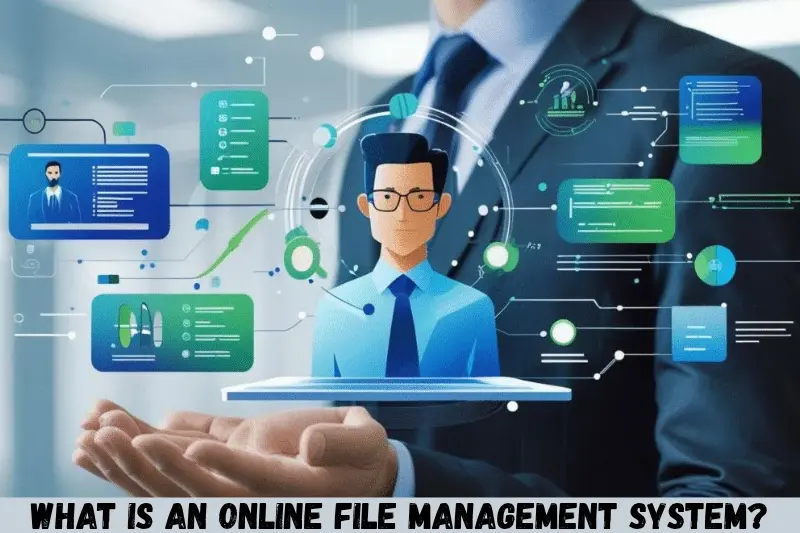
An online file management system is a digital platform that allows users to upload, store, organize, retrieve, and share files through an internet connection. Depending on the platform, it may also provide document collaboration, access permissions, version history, search tools, and administrative controls.
For example, a small business in India might use an online file management system to keep invoices, employee documents, marketing materials, and customer agreements in separate folders. Authorized team members can access the files they need without searching through multiple computers or exchanging numerous email attachments.
These systems are commonly available as cloud-based services, web applications, or business document management platforms.
How Does an Online File Management System Work?
An online file management system generally works by storing files on remote servers or cloud infrastructure and providing an interface through which authorized users can manage them.
The process typically involves the following steps:
- Create an account: Register for a suitable service or sign in to an existing business account.
- Upload documents: Add files from your computer, tablet, or mobile device.
- Organize files: Create folders, apply meaningful file names, and categorize documents.
- Set permissions: Decide who can view, download, edit, or share particular files.
- Access documents: Retrieve files through the website or supported application.
- Collaborate with others: Share links or invite team members when collaboration features are available.
- Maintain records: Use available version history, retention settings, and backup arrangements to manage documents responsibly.
The exact process depends on the platform. Some systems focus on simple cloud storage, while others provide advanced document workflows, approvals, audit records, and business process automation.
Why Do Businesses in India Need an Online File Management System?
Businesses need an organized way to manage the increasing number of digital documents created during everyday operations. An online file management system can provide a centralized location for information and make it easier for employees to find and share the files they need.
For Indian businesses, this can be particularly useful when teams work across different cities, employees access documents remotely, or customers and suppliers exchange records electronically.
1. Centralized Document Storage
A centralized system keeps business documents organized in one managed environment rather than spreading them across personal computers, email inboxes, and messaging applications.
For example, a company can create separate folders for finance, human resources, sales, customer support, and administration. Each department can then access the documents relevant to its responsibilities.
2. Easier Remote Access
Authorized users can access their files from different locations using supported devices and an internet connection.
This can help business owners, remote employees, field workers, and consultants retrieve important information without returning to the office to use a particular computer.
3. Improved Team Collaboration
Many online file management platforms allow multiple people to work with shared documents. Depending on the service, users may be able to comment, edit files, review changes, or share updated versions.
These features can reduce confusion when several employees need to work on the same report, proposal, or presentation.
4. Better Document Organization
A structured folder system, meaningful file names, metadata, and search tools make it easier to locate documents.
Instead of opening multiple files to find a particular invoice, an employee may be able to search using the customer name, invoice number, project title, or another available identifier.
5. Greater Control Over File Access
Business documents may contain confidential financial information, employee records, contracts, or customer details. An appropriate system can help administrators limit access to authorized people.
However, security depends on correctly configuring permissions, authentication, sharing settings, and other available safeguards.
Key Features of an Online File Management System India
The best online file management system for your organization should match your daily workflow, document volume, security requirements, and budget. Before choosing a platform, understand the features that can make file management easier and more reliable.
1. Cloud-Based File Storage
Cloud storage allows users to save files in an online environment rather than relying only on local computer storage.
Useful capabilities may include:
- Uploading and downloading files.
- Creating folders and subfolders.
- Storing different file formats.
- Accessing files through supported devices.
- Expanding storage as business needs grow.
Check the provider’s storage limits, file-size restrictions, supported formats, and additional storage costs before selecting a plan.
2. File Sharing and Collaboration
File sharing makes it easier to exchange documents with colleagues, clients, and business partners.
Look for options such as:
- Sharing files with specific users.
- Creating links with controlled access.
- Assigning viewing or editing permissions.
- Setting link expiration dates, where supported.
- Disabling public access or downloads, where available.
- Collaborating on documents in real time, if supported.
For confidential information, prefer restricted sharing over publicly accessible links.
3. Search and Filtering Tools
A useful search function can save time when your organization manages hundreds or thousands of documents.
Depending on the platform, you may be able to search by file name, file type, owner, date, folder, tags, or document content.
Some systems also support optical character recognition (OCR), which can extract searchable text from scanned documents and images. This capability is particularly useful when working with digitized paperwork, but availability varies by service.
4. Version History
Version history helps users track changes to supported files and, in some cases, restore earlier versions.
For example, if an employee accidentally replaces a business proposal with an incorrect draft, version history may make it possible to recover a previous version.
Before relying on this feature, check how long versions are retained, which file types are supported, and whether restoration is available under your subscription.
5. Access Permissions and User Management
An online file management system should provide suitable controls for deciding who can access specific documents.
Common permission levels include:
- Viewer: Can open or read a file.
- Commenter: Can add comments when supported.
- Editor: Can modify a document.
- Administrator: Can manage users, settings, or organizational access, depending on the platform.
Use the principle of least privilege: give each person only the access needed to complete their work.
6. Backup and Recovery Options
File storage and backup are related but different functions. Saving a file in the cloud does not automatically guarantee that it can be recovered after accidental deletion, account compromise, or other incidents.
Look for clear information about deleted-file recovery, retention periods, backup frequency, restoration procedures, and service-specific recovery limitations.
For critical business documents, maintain an appropriate backup strategy that does not depend entirely on a single account or storage location.
7. Mobile and Desktop Compatibility
Employees may need to manage files using desktop computers, laptops, smartphones, or tablets.
A suitable system should provide a practical experience on the devices your team uses. Check whether it offers a web interface, desktop synchronization, mobile applications, offline access, and automatic synchronization.
Offline access and synchronization are especially important for people who frequently work in locations with unreliable internet connectivity.
8. Security and Privacy Controls
Security is essential when storing contracts, invoices, identity documents, and other sensitive business records.
Useful protections may include:
- Encryption during data transfer and storage.
- Multi-factor authentication.
- Role-based access controls.
- Audit logs and activity tracking.
- Secure sharing settings.
- Suspicious-login notifications.
- Data retention and deletion controls.
Not every service includes every feature. Review the provider’s security documentation and verify that its controls meet your organization’s requirements.
Best Online File Management System Options in India
There is no single best online file management system for every Indian user. The right choice depends on whether you need basic storage, office collaboration, structured business document management, or more advanced administrative controls.
The following established services are useful starting points for comparison. Their availability, plans, and specific features should be verified directly before making a purchasing decision.
1. Google Drive
Google Drive is a cloud storage service that allows users to upload, organize, share, and access files online.
It is worth considering for individuals, students, freelancers, and businesses that want straightforward file sharing and integration with Google Workspace applications.
Key strengths:
- Online file storage and folder organization.
- File sharing with permission controls.
- Integration with Google Docs, Sheets, and Slides.
- Access through supported web and mobile applications.
- Collaboration features for compatible files.
Potential limitation: Available storage is shared with certain other Google services under applicable account arrangements, and business features depend on the selected plan.
2. Microsoft OneDrive
Microsoft OneDrive is designed for storing and synchronizing files across supported devices. It can be particularly useful for organizations that already use Microsoft 365 applications.
Key strengths:
- File synchronization between supported devices.
- Integration with Microsoft Office applications.
- File sharing and collaboration features.
- Access to files through the web and mobile applications.
- Version history and recovery features, subject to plan and configuration.
Potential limitation: Storage allowances, administrative controls, and collaboration features vary by subscription.
3. Dropbox
Dropbox provides cloud file storage, synchronization, and sharing capabilities.
It may suit freelancers, creative professionals, and teams that regularly exchange large collections of work files and need a consistent file-sharing workflow.
Key strengths:
- File synchronization across supported devices.
- Shared folders and links.
- Collaboration tools, depending on the plan.
- File recovery and version-related features under eligible plans.
- Integration with selected third-party applications.
Potential limitation: Storage capacity and advanced team-management features depend on the subscription.
4. Zoho WorkDrive
Zoho WorkDrive is a business-oriented file management platform for teams that need shared folders, access controls, and collaboration features.
It is worth evaluating for Indian small and medium-sized businesses looking for a team-focused document workspace, especially if they already use other Zoho products.
Key strengths:
- Team folders and shared workspaces.
- File access and collaboration controls.
- Centralized document organization.
- Administrative features for supported business plans.
- Integration with selected Zoho applications.
Potential limitation: Some advanced capabilities depend on the plan, and organizations should check compatibility with their existing software.
5. Box
Box offers cloud content management and file collaboration capabilities for individuals and organizations.
It may be appropriate for businesses that need controlled document sharing, administrative oversight, and integrations with other workplace applications.
Key strengths:
- Centralized file storage.
- Permission-based collaboration.
- Integration with supported productivity applications.
- Administrative and security capabilities on eligible plans.
- Document workflow options, depending on the product and subscription.
Potential limitation: Advanced business controls and workflow features may require higher-tier subscriptions.
Comparison of Online File Management Systems
| Platform | Best suited for | Main advantage | What to check |
|---|---|---|---|
| Google Drive | Individuals and collaborative teams | Google Workspace integration | Storage and sharing controls |
| Microsoft OneDrive | Microsoft 365 users | Office application integration | Subscription and recovery features |
| Dropbox | Freelancers and file-sharing teams | Synchronization and sharing | Storage limits and team features |
| Zoho WorkDrive | Small and medium-sized businesses | Team-focused file management | Plan limits and integrations |
| Box | Organizations with structured document needs | Content management and administration | Advanced controls and pricing |
The comparison is a general guide, not a ranking. The most suitable service is the one that meets your actual workflow, security, storage, and budget requirements.
Benefits of Using an Online File Management System
An online file management system can improve productivity by making business information easier to organize, access, and maintain. Its actual benefits depend on how well the platform fits your processes and how consistently your team uses it.
Saves Time on Document Search
A structured folder system and effective search tools reduce the time spent looking for files.
For example, a finance employee can organize invoices by financial year, supplier, and month instead of storing every document in a single folder.
Reduces Dependence on Email Attachments
Instead of repeatedly emailing updated copies of a document, a team can share a controlled link to the relevant file.
This can reduce confusion over which version is current and help prevent unnecessary duplication.
Supports Remote and Hybrid Teams
Authorized employees can access shared files from different locations without relying on a single office computer.
This can help teams coordinate work across branches, client sites, and home offices, subject to connectivity and access policies.
Improves Document Consistency
Standardized folder structures, naming conventions, and templates make it easier for employees to follow the same document-handling process.
For example, a company can create consistent templates for proposals, purchase orders, meeting notes, and project reports.
Helps Manage Business Growth
As a company grows, its document volume and number of users may increase. A scalable platform can help manage that growth without requiring every employee to maintain separate file collections.
However, storage upgrades, user licenses, administration, and migration can add costs as the organization expands.
How to Choose the Right Online File Management System in India
Choosing the right platform starts with understanding how you currently store and use documents. Avoid selecting a service solely because it offers a large storage allowance or an attractive introductory price.
Step 1: Identify Your Document Management Needs
List the types of files you manage and how people use them.
Consider whether you need to store invoices, customer records, legal documents, project files, images, presentations, or large media files.
Also identify how many people need access, how frequently documents change, and whether users must work together on the same files.
Step 2: Decide How Much Storage You Need
Estimate your current storage requirements and expected growth.
Consider the size of your existing files, the number of new documents created each month, and how long you need to retain old records.
Remember that some platforms count shared storage across multiple services or apply separate limits to individual users, file uploads, and organization-wide storage.
Step 3: Compare Pricing and Total Cost
Compare subscription costs with the features your organization actually needs.
Check:
- Monthly and annual billing.
- Per-user fees.
- Storage allowances.
- Charges for additional storage.
- Costs of advanced security and administration.
- Data migration and implementation expenses.
- Support and training options.
A free plan may be sufficient for personal use, but a business may need paid access controls, administrative tools, or additional storage.
Step 4: Review Security Requirements
Determine whether the system can protect your files according to their sensitivity.
Check authentication, encryption, permission management, audit logging, recovery options, and available administrative controls.
If you handle personal or regulated information, assess applicable Indian legal requirements, contractual obligations, and sector-specific rules. Seek appropriate professional guidance where necessary.
Step 5: Test Ease of Use
Before migrating all your documents, test the platform with a small group of users.
Ask them to upload files, create folders, locate documents, share links, change permissions, and restore a previous version if supported.
A system that is difficult to use may lead employees to create unauthorized copies or return to less secure sharing methods.
Step 6: Check Integrations
Your chosen platform should work well with the applications your business already uses.
These might include office productivity tools, accounting software, customer relationship management systems, project management applications, or document-signing services.
Verify that the required integration is available under your selected plan and supports your intended workflow.
Step 7: Review Support and Recovery
Understand how to obtain technical assistance and recover documents after accidental deletion or other incidents.
Review the provider’s support channels, service commitments, data export options, recovery policies, and account termination procedures.
Step 8: Run a Small Pilot
Test the system using non-sensitive sample documents before moving important business records.
A pilot helps identify access problems, synchronization issues, confusing folder structures, and unexpected costs before the platform becomes part of your daily operations.
How to Set Up an Online File Management System for Your Business
Setting up an online file management system requires more than creating an account and uploading documents. A clear organizational structure and consistent security rules make the platform more useful over time.
1. Create a Business Account
Choose an appropriate personal or business plan. For organizational use, a business account with centralized administration is often more suitable than relying on an employee’s personal account.
Assign administrative access carefully and enable additional authentication protections where available.
2. Design a Practical Folder Structure
Create folders based on departments, projects, clients, or document categories.
For example:
- Administration
- Finance and Accounts
- Human Resources
- Sales and Marketing
- Customer Documents
- Projects and Operations
- Legal and Compliance
The structure should match how your team searches for information. Avoid creating excessive nested folders that make documents harder to locate.
3. Establish File Naming Rules
Use consistent file names that explain the document’s purpose.
For example, a file could be named Invoice_ClientName_2026-10-13.pdf or ProjectProposal_Version02.docx.
Avoid vague names such as final.pdf, new-document.docx, or latest-final-updated.xlsx. Clear naming rules make files easier to identify and reduce accidental duplication.
4. Assign Permissions by Role
Give employees access according to their responsibilities.
Finance staff may need access to invoices and expense records, while sales staff may need access to customer proposals and approved marketing materials.
Review permissions regularly, particularly when employees change roles or leave the organization.
5. Migrate Existing Documents Carefully
Before moving files, remove unnecessary duplicates, identify outdated documents, and classify sensitive records.
Transfer documents in manageable batches and verify that file names, folder structures, and access permissions remain correct.
Do not delete the original copies until you have confirmed that the migration is complete and the required documents are accessible.
6. Train Your Team
Explain how to upload files, search for documents, share access safely, and report problems.
Provide written instructions for common tasks so that employees can follow consistent procedures.
7. Review the System Regularly
Schedule periodic checks for unused accounts, excessive permissions, duplicate files, expired sharing links, and storage growth.
A regular review helps maintain an organized workspace as the business and its document requirements change.
Is an Online File Management System Safe for Indian Businesses?
An online file management system can be safe when the provider offers appropriate security controls and the organization configures and uses them correctly. However, no platform should be treated as automatically secure simply because it stores files in the cloud.
The level of protection depends on the service, account settings, user behavior, and the sensitivity of the documents involved.
Essential Security Practices
Enable multi-factor authentication. Add another verification step beyond a password wherever the service supports it.
Use strong, unique passwords. Avoid sharing passwords between employees or reusing the same password across multiple services.
Restrict file-sharing links. Give access to specific people when documents contain confidential information. Review public links regularly.
Review user permissions. Remove access when it is no longer necessary and avoid giving every employee administrator privileges.
Keep recovery options in place. Understand how deleted files, corrupted documents, and compromised accounts can be handled.
Monitor account activity. Where available, review login records, sharing events, and administrative activity for suspicious behavior.
Train employees against phishing. A secure platform cannot fully protect an organization if users disclose credentials or approve fraudulent access requests.
Consider Indian Data Protection Requirements
Businesses handling personal data should evaluate their responsibilities under applicable Indian laws, including the Digital Personal Data Protection Act, 2023, and relevant rules and provisions in force at the time of use.
Requirements can depend on the type of information, the organization’s role, applicable commencement provisions, and other legal obligations. Do not assume that every cloud provider or storage location automatically satisfies every compliance requirement.
Before storing sensitive customer or employee information, review the provider’s privacy terms, data-handling practices, contractual commitments, retention settings, and relevant compliance documentation.
Common Mistakes to Avoid When Managing Files Online
Even a capable platform can become disorganized or risky if users follow poor document-management practices.
Storing Everything in One Folder
A single folder containing every document becomes difficult to navigate as files accumulate.
Use a logical structure based on departments, projects, clients, or document types. Keep the system simple enough that employees can understand it without extensive training.
Giving Everyone Full Access
Universal editing or administrator permissions increase the risk of accidental changes, unauthorized sharing, and unnecessary exposure of sensitive records.
Assign permissions according to each person’s responsibilities and review them periodically.
Relying Only on Cloud Storage for Backup
Cloud storage is not always equivalent to an independent backup. Synchronization may also replicate accidental deletions or unwanted changes.
Check the platform’s recovery capabilities and maintain separate backups where the importance of the data justifies them.
Ignoring Version History
Without a clear versioning process, employees may overwrite important documents or use outdated copies.
Use version history when available and establish clear naming or approval rules for documents that require formal review.
Using Unrestricted Sharing Links
Public links may expose documents beyond the intended audience.
Use restricted access, expiration dates, and download controls where appropriate. Review existing links instead of assuming they remain safe indefinitely.
Failing to Review Subscription Costs
A low-cost starting plan may become expensive when storage, users, and advanced features are added.
Estimate future requirements and review the total cost before committing to a long-term subscription.
Migrating Files Without Testing
Moving every document at once can create avoidable problems if the folder structure, permissions, or synchronization settings are incorrect.
Test with a small collection first, verify the results, and then proceed with the wider migration.
Who Should Use an Online File Management System?
An online file management system can benefit a wide range of users in India, but the ideal features differ according to the user’s work.
Small Businesses and Startups
Small businesses can use centralized storage for invoices, proposals, customer records, employee documents, and internal policies.
A simple system with secure sharing, search, and basic administration may be sufficient for a small team.
Freelancers and Independent Professionals
Freelancers can organize client briefs, contracts, invoices, design files, and completed projects.
Sharing selected folders or files helps them deliver work without sending repeated attachments.
Educational Institutions and Students
Students and educational teams can use online storage for assignments, research documents, course materials, and collaborative projects.
Access permissions are important when files contain student records or other confidential information.
Corporate Teams
Larger organizations may need department-level permissions, administrative controls, activity logs, integrations, retention policies, and more structured workflows.
They should evaluate these requirements before choosing a general-purpose storage service.
Remote Workers and Distributed Teams
Teams working across different locations can use shared folders and collaborative documents to coordinate tasks.
They should also confirm that offline access, synchronization, and mobile support meet their working conditions.
Online File Management System vs. Traditional File Storage
Traditional file storage generally relies on local computers, physical storage devices, office file servers, or paper-based records. An online file management system provides web-based access and may offer built-in sharing and collaboration tools.
Neither approach is automatically best for every situation.
| Factor | Online file management | Traditional local storage |
|---|---|---|
| Remote access | Available when supported and properly authorized | Often requires remote-access configuration |
| Collaboration | May support shared files and live editing | Often requires manual file exchange or additional tools |
| Initial setup | May be quick for standard cloud services | Can require local hardware or IT setup |
| Ongoing costs | Subscription and usage costs may apply | Hardware, maintenance, and administration costs may apply |
| Internet dependency | Usually required for full online access | Local files can often be accessed offline |
| Data control | Depends on provider terms and configuration | Depends on local infrastructure and administration |
| Recovery | Depends on available recovery and backup features | Depends on local backup and recovery arrangements |
For many organizations, a hybrid approach is practical. Frequently used documents can be stored in an online workspace, while additional protected backups or specialized records are maintained according to business requirements.
Tips for Better Online File Management
Follow these practical recommendations to keep your document workspace organized and secure.
- Create a standard folder structure: Use a consistent approach across departments and projects.
- Adopt clear naming conventions: Include meaningful identifiers such as project names, dates, or document types.
- Remove unnecessary duplicates: Keep approved versions easy to identify.
- Review access regularly: Check whether employees and external collaborators still need permission.
- Use search and metadata: Apply tags or document properties when supported and useful.
- Set retention rules: Keep documents for the appropriate period based on business and legal requirements.
- Check storage usage: Monitor growth and remove files that no longer need to be retained.
- Test recovery procedures: Confirm that important documents can be restored when needed.
- Train employees: Make secure sharing and document organization part of routine work.
- Plan for account changes: Ensure business-critical files are not dependent on a single employee’s personal account.
These practices help maintain a reliable document-management process even as your organization grows.
Frequently Asked Questions
1. What is the best online file management system in India?
The best system depends on your needs. Google Drive and Microsoft OneDrive are useful for general storage and productivity collaboration, while Dropbox, Zoho WorkDrive, and Box offer other approaches to file sharing and business document management. Compare current pricing, storage, permissions, security features, integrations, and recovery options before choosing a platform.
2. Can I use an online file management system for free in India?
Yes, several providers offer free personal plans or limited free storage. These can work for individuals, students, and basic document-sharing needs. However, free plans may have storage limits, fewer administrative controls, or restricted collaboration features. Businesses handling confidential records should evaluate whether a paid plan provides the security and management capabilities they require.
3. Is an online file management system secure for business documents?
It can be secure when the provider offers appropriate protections and users configure them correctly. Look for encryption, multi-factor authentication, access permissions, activity logs, and recovery options. Use restricted sharing links and review user access regularly. For confidential or regulated information, assess applicable legal requirements and the provider’s data-handling practices before uploading documents.
4. How much does an online file management system cost in India?
Costs vary by provider, subscription, storage allowance, and number of users. Some services offer free personal plans, while business plans may charge per user or according to organizational requirements. Check current India-specific pricing, taxes, annual billing conditions, additional storage fees, and advanced security costs rather than relying on outdated prices or introductory offers.
5. How can a small business implement an online file management system?
Start by identifying the documents your business manages, the people who need access, and your security requirements. Choose a suitable platform, create a clear folder structure, establish file-naming rules, and assign permissions. Test the system with sample documents before migrating existing files, train employees, and review access and recovery settings regularly.
Conclusion
An online file management system India can help individuals and businesses organize digital documents, improve file accessibility, simplify collaboration, and manage information more consistently. However, the right choice depends on your storage requirements, budget, security needs, team size, and existing software.
Google Drive, Microsoft OneDrive, Dropbox, Zoho WorkDrive, and Box are useful options to evaluate, but you should compare their current plans and features before making a decision.
For the best results, begin by listing your document-management requirements, testing two or three suitable platforms, and reviewing their security and recovery capabilities. Then establish clear folder structures, naming conventions, access permissions, and backup procedures.