
Introduction
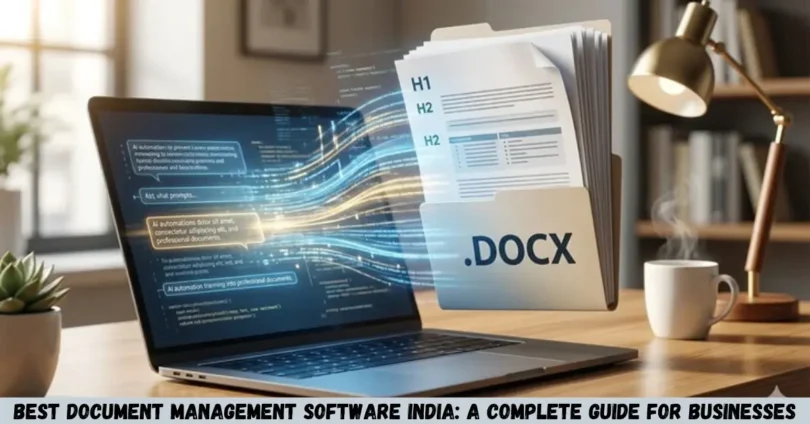
Best document management software India is a useful search for businesses, startups, educational institutions, and professionals looking for a better way to store, organize, manage, and share digital documents. The right software can reduce paperwork, improve collaboration, simplify document searches, and help teams manage important business records securely.
From small businesses managing invoices and contracts to large companies handling thousands of files, document management software offers practical solutions for everyday work. However, not every platform provides the same features, pricing, security options, or ease of use.
This guide covers some of the best document management software options for Indian users, their key features, advantages, limitations, and the factors you should consider before choosing a platform.
What Is Document Management Software?
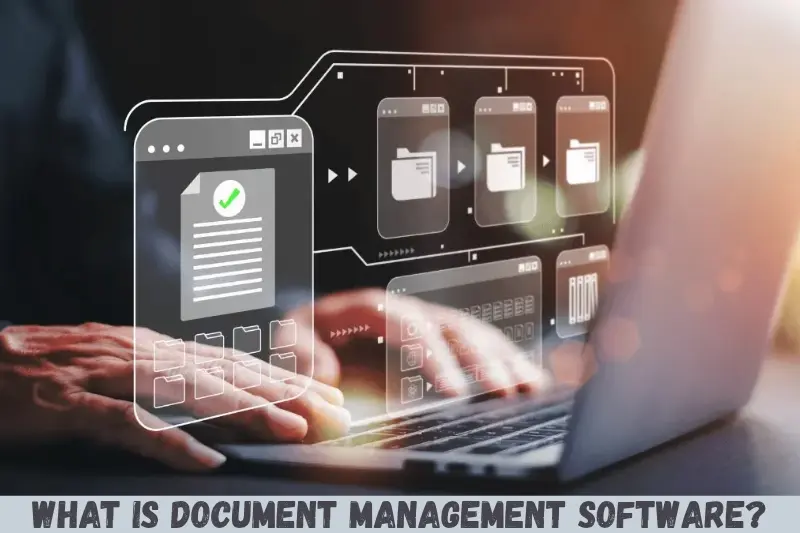
Document management software is a digital platform that helps users create, store, organize, retrieve, share, and control electronic documents from a central location. Many platforms also provide version history, access permissions, search tools, approval workflows, and document collaboration.
For example, a company can store employee records, purchase orders, invoices, contracts, and policy documents in one organized system instead of searching through multiple folders and email attachments.
Common capabilities include:
- Digital document storage and organization
- Full-text search and metadata tagging
- Document sharing and collaboration
- Version control and revision history
- User permissions and access restrictions
- Approval workflows and notifications
- Backup, retention, and audit records
The features available depend on the software and subscription plan.
Best Document Management Software India: Top 10 Options
The best document management software depends on your business size, document volume, security requirements, and budget. The following platforms serve different needs, from straightforward cloud storage to advanced enterprise document management.
1. Microsoft SharePoint
Microsoft SharePoint is a strong option for organizations that already use Microsoft 365. It helps teams manage shared documents, create departmental libraries, collaborate on files, and control access to business information.
Key features:
- Centralized document libraries
- Integration with Microsoft Word, Excel, and Teams
- Version history and document sharing
- Permission management
- Workflow automation through supported integrations
Best for: Small businesses, medium-sized organizations, and enterprises using Microsoft 365.
Limitations: Setting up permissions, libraries, and workflows can require planning and technical knowledge. Costs and available features depend on the Microsoft plan.
2. Google Drive
Google Drive is a convenient option for businesses and individuals who want cloud-based file storage and simple collaboration. It allows users to store documents, organize folders, and share files with selected people.
Key features:
- Cloud-based file storage
- Collaboration with Google Docs, Sheets, and Slides
- File sharing and access permissions
- Search and file organization
- Integration with Google Workspace
Best for: Freelancers, startups, students, and small businesses.
Limitations: Organizations requiring complex document approval, compliance controls, or advanced records management may need additional tools or a more specialized platform.
3. Zoho WorkDrive
Zoho WorkDrive is a cloud-based file management and collaboration platform designed for teams. It provides a shared workspace where employees can organize business documents and work together on files.
Key features:
- Team folders and shared storage
- File sharing and collaboration
- Access controls
- File version management
- Integration with selected Zoho applications
Best for: Indian startups, small and medium-sized businesses, and companies already using Zoho products.
Limitations: Available storage, administrative controls, and other features vary by subscription. Businesses should check whether the selected plan supports their document workflows.
4. M-Files
M-Files is a document management platform focused on organizing information using metadata and business context rather than relying entirely on traditional folders. This can help employees locate documents based on properties such as customer, project, document type, or status.
Key features:
- Metadata-based document organization
- Document version control
- Workflow and approval capabilities
- Access management
- Integration options for business systems
Best for: Organizations with complex document processes, regulated workflows, or large volumes of business records.
Limitations: Implementation may require process mapping, configuration, and employee training. Pricing and deployment requirements should be confirmed directly with the provider.
5. OpenText
OpenText provides enterprise information management solutions that can support document management, records management, content governance, and business workflows.
Key features:
- Enterprise content management
- Document lifecycle controls
- Records management capabilities
- Access and governance policies
- Integration with enterprise applications
Best for: Large companies, government-related organizations, and enterprises with demanding information management requirements.
Limitations: Enterprise deployments can involve significant implementation effort, administration, and cost. Smaller businesses may find a simpler service more practical.
6. DocuWare
DocuWare offers document management and workflow automation capabilities for organizations seeking to digitize paper-based processes. It can help businesses capture documents, organize records, and automate approvals.
Key features:
- Digital document storage
- Document indexing and retrieval
- Workflow automation
- Electronic document processing
- Access controls and audit capabilities
Best for: Finance teams, accounting departments, human resources, and businesses looking to reduce manual paperwork.
Limitations: Suitability depends on workflow complexity, integration requirements, and subscription costs. Businesses should assess implementation needs before making a decision.
7. Dropbox Business
Dropbox Business provides cloud file storage, synchronization, and collaboration features for teams that need reliable access to shared files.
Key features:
- File synchronization across devices
- Shared folders and file links
- Collaboration tools
- File recovery and version history on supported plans
- Administrative controls
Best for: Creative agencies, remote teams, consultants, and businesses that exchange large files.
Limitations: Advanced records management and complex approval processes may require integrations or a dedicated document management solution.
8. Adobe Acrobat
Adobe Acrobat is especially useful for organizations that work extensively with PDF documents. It supports PDF creation, editing, conversion, review, and electronic signature workflows through supported products and plans.
Key features:
- PDF creation and editing
- Document conversion
- Comments and review tools
- Electronic signature capabilities in supported offerings
- Document protection options
Best for: Legal professionals, administrative teams, consultants, and businesses handling contracts or PDF forms.
Limitations: Acrobat is primarily a PDF productivity solution, so it may not replace a complete enterprise document repository or records management platform on its own.
9. LogicalDOC
LogicalDOC is a document management platform designed to help organizations store, classify, search, and manage documents. Depending on the edition, it can support different deployment and workflow requirements.
Key features:
- Document indexing and search
- Version management
- Document classification
- Collaboration and access controls
- Workflow features in supported editions
Best for: Organizations seeking a dedicated document management system with options suited to different technical requirements.
Limitations: Businesses should compare the capabilities of each edition, available integrations, support arrangements, and the resources needed for administration.
10. ONLYOFFICE
ONLYOFFICE offers document editing and collaboration tools, with deployment options and integrations that may suit organizations seeking greater control over their working environment.
Key features:
- Online document editing
- Spreadsheet and presentation tools
- Team collaboration
- Integration with selected file management platforms
- Self-hosted options for supported products
Best for: Teams that need collaborative office documents and want to evaluate cloud or self-hosted deployment options.
Limitations: Document editing and collaboration are not identical to full records management. Organizations with complex retention policies, compliance needs, or approval workflows may need additional software.
Comparison of the Best Document Management Software in India
The following table summarizes which tools may suit different business requirements. The right choice depends on whether you need basic cloud storage, document collaboration, or advanced document control.
| Software | Best suited for | Main strength |
|---|---|---|
| Microsoft SharePoint | Medium and large businesses | Document governance and Microsoft integration |
| Google Drive | Individuals and small teams | Easy sharing and collaboration |
| Zoho WorkDrive | Startups and SMEs | Team file management |
| M-Files | Document-heavy organizations | Metadata-based organization |
| OpenText | Large enterprises | Enterprise content management |
| DocuWare | Process-driven businesses | Document workflows |
| Dropbox Business | Remote teams | File synchronization and sharing |
| Adobe Acrobat | PDF-heavy workflows | PDF editing and signatures |
| LogicalDOC | Dedicated DMS requirements | Document indexing and management |
| ONLYOFFICE | Collaborative office work | Document editing and collaboration |
Benefits of Using Document Management Software
Document management software helps businesses organize information, reduce manual work, and establish more consistent document handling practices.
1. Faster Document Retrieval
Employees can search for files by name, keyword, category, or other available metadata instead of checking multiple folders and email conversations.
For example, an accounts employee can search for a supplier invoice using its reference number or vendor name.
2. Improved Document Security
Access permissions allow administrators to control who can view, edit, download, or share particular files. More advanced systems may provide audit logs and additional security controls.
These features are especially useful when handling confidential contracts, financial information, and employee records.
3. Better Team Collaboration
Employees can access shared documents, review changes, and collaborate without repeatedly emailing separate copies. Version history can also help teams identify previous revisions and avoid confusion about the latest file.
4. Reduced Paperwork
Digital document storage can reduce dependence on physical filing cabinets, printing, and manual document distribution. Businesses can also scan existing paper records and organize them electronically.
However, organizations should establish proper backup, retention, and access procedures rather than assuming that digitization alone guarantees safety.
5. More Efficient Workflows
Some platforms automate repetitive activities, including document approvals, reminders, and routing files to the appropriate employees.
For instance, a purchase invoice could be sent to a manager for approval before being forwarded to the accounts department.
How to Choose the Best Document Management Software in India
Selecting suitable software requires more than comparing feature lists. Businesses should evaluate their actual document processes and future requirements.
1. Identify Your Business Requirements
Start by listing the documents you manage regularly, such as:
- Invoices and accounting records
- Employee files and HR documents
- Customer contracts and agreements
- Policies and internal reports
- Project documents and business proposals
- Compliance and audit records
A freelancer may need simple file storage, while a financial services company may require detailed audit trails, controlled access, and retention management.
2. Compare Cloud-Based and On-Premises Solutions
Cloud-based software stores documents on infrastructure managed by the service provider, subject to its deployment model and contract. It can be convenient for remote teams and businesses that want less server maintenance.
On-premises software runs on infrastructure controlled by the organization. It may offer greater direct control over the environment but requires internal resources for maintenance, security, and backups.
Some vendors also offer private-cloud or hybrid deployments.
3. Review Security Features
Before selecting a platform, check whether it supports:
- Role-based access permissions
- Multi-factor authentication
- Encryption in transit and at rest
- Document version history
- Audit logs and activity tracking
- Backup and recovery procedures
- Retention and deletion policies
Not every product or subscription includes every feature. Confirm availability with the vendor before purchasing.
4. Check Integration Options
Your document management platform should work with the tools your team already uses. These may include email, accounting software, customer relationship management systems, office applications, and electronic signature services.
Integration can reduce duplicate data entry and help employees access relevant documents from their existing workflows.
5. Evaluate Pricing and Total Cost
Software expenses may include subscription fees, storage upgrades, implementation, migration, training, customization, and technical support.
Ask vendors for a complete quotation based on your number of users, storage needs, and required features. Check whether the quoted price includes taxes and whether billing is available in Indian rupees.
6. Test the Software Before Committing
Whenever possible, use a free trial or request a product demonstration. Test common tasks such as uploading files, searching for documents, assigning permissions, restoring previous versions, and approving a document.
A short practical test can reveal usability problems that are difficult to identify from marketing materials alone.
Document Management Software for Different Industries in India
The most suitable solution varies by industry because each sector manages different types of information.
Small Businesses and Startups
Small businesses often benefit from simple tools such as Google Drive or Zoho WorkDrive. These platforms can be suitable for shared files, team collaboration, business proposals, and everyday administrative documents.
Companies with more complicated approval or retention requirements should evaluate dedicated document management systems.
Accounting and Finance Firms
Accounting firms manage invoices, tax documents, receipts, financial statements, and client records. They should prioritize search, permissions, version control, reliable backups, and appropriate retention policies.
For firms with frequent approval processes, workflow automation can also be valuable.
Healthcare Organizations
Hospitals and clinics may handle sensitive patient-related records, administrative documents, policies, and operational files. They should evaluate strict access controls, auditability, data protection, and applicable legal requirements.
The chosen platform should be assessed for the organization’s actual clinical and administrative workflows.
Legal Firms
Law firms manage contracts, case files, evidence, agreements, and confidential client documents. Useful capabilities include document versioning, secure sharing, full-text search, and controlled access.
Specialized legal document systems may be preferable when matter management and contract lifecycle processes are essential.
Manufacturing Companies
Manufacturers often manage standard operating procedures, technical drawings, quality records, supplier documents, and inspection reports.
A suitable platform should make approved versions easy to find and help prevent employees from relying on outdated instructions.
Educational Institutions
Schools, colleges, and training institutions manage student records, admission forms, examination documents, staff files, and administrative policies. Centralized storage and clear permissions can improve record organization and reduce manual paperwork.
Important Security and Compliance Considerations for Indian Businesses
Document management software can support information governance, but using a particular platform does not automatically make an organization compliant with every applicable law.
Indian businesses should identify the legal and contractual requirements relevant to their industry and the types of information they process.
Consider the following:
- Personal data protection: Review applicable requirements under India’s Digital Personal Data Protection Act, 2023, and relevant rules and commencement notifications.
- Financial records: Confirm the retention and audit requirements applicable to your business and industry.
- Access management: Restrict confidential documents to authorized employees.
- Data retention: Define how long different categories of documents should be kept and when they should be securely deleted.
- Data location: Ask where information is stored and whether your contractual or regulatory obligations impose location requirements.
- Disaster recovery: Confirm how backups are maintained and how documents can be restored after an incident.
For regulated organizations, involve the relevant legal, compliance, and IT teams before choosing a system.
Common Mistakes to Avoid When Choosing Document Management Software
Businesses sometimes purchase software without defining how employees will use it. Avoid these common mistakes.
Choosing Software Based Only on Price
A low-cost platform may lack essential security, automation, or administrative features. Compare the total cost with the operational requirements it needs to meet.
Ignoring Employee Training
Even good software can be ineffective if employees do not know how to organize files, assign access permissions, or follow naming conventions.
Provide basic training and clear instructions before moving important business documents.
Migrating Files Without a Plan
Moving every file into a new system without checking duplicates, outdated records, or folder structures can create unnecessary confusion.
Clean up existing records, define categories, and test the migration before transferring the full document library.
Overlooking Backup and Recovery
Cloud storage and document management are not substitutes for a tested recovery strategy. Understand how the provider handles backups, accidental deletion, service interruptions, and data restoration.
Failing to Review Access Permissions
Employees should receive only the access they need for their roles. Review permissions periodically, particularly when employees change departments or leave the organization.
Frequently Asked Questions
1. Which is the best document management software in India?
The best option depends on your requirements. Google Drive and Zoho WorkDrive can suit smaller teams, while Microsoft SharePoint offers extensive collaboration and governance capabilities. M-Files and DocuWare may be better suited to organizations that need specialized document organization or workflow automation.
2. Is document management software suitable for small businesses?
Yes. Small businesses can use document management software to organize invoices, customer records, contracts, and internal documents. Cloud-based options can be particularly convenient because they reduce the need to maintain dedicated servers. Choose a plan that meets your storage, security, collaboration, and budget requirements.
3. Is free document management software available in India?
Yes. Some providers offer free plans, limited free tools, or trial periods. Availability and restrictions vary, so check the current terms. Free plans may have limitations on storage, users, administrative controls, integrations, or advanced security features. Businesses handling confidential records should evaluate these limitations carefully.
4. Is cloud-based document management software secure?
Cloud-based document management software can offer strong security when configured and managed correctly. However, security depends on the provider, subscription, user permissions, authentication settings, backup procedures, and organizational practices. Review the provider’s security documentation and test recovery procedures before storing sensitive business information.
5. How much does document management software cost in India?
Pricing varies according to the provider, number of users, storage capacity, deployment method, and required features. Some tools offer free entry-level plans, while enterprise platforms may require customized quotations and implementation services. Request current pricing directly from vendors and compare the complete cost rather than only the advertised subscription fee.
Conclusion
Choosing the best document management software India requires a clear understanding of your organization’s document volume, collaboration needs, security requirements, and budget.
Google Drive and Zoho WorkDrive are worth evaluating for straightforward team file management. Microsoft SharePoint can be a strong choice for organizations using Microsoft 365, while M-Files, DocuWare, and OpenText are options to investigate for more specialized or enterprise-level requirements.
Before making your final decision, shortlist two or three platforms, test them with real business documents, review their security and retention capabilities, and compare their complete costs. This practical approach will help you choose software that fits your workflow and can grow with your organization.