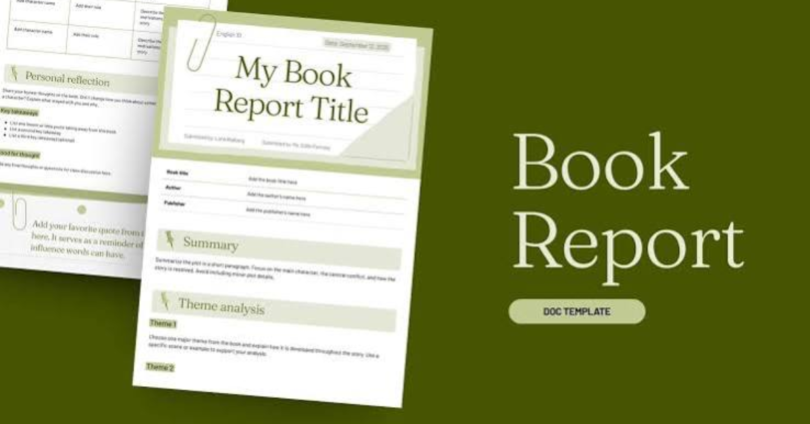

Download free word document templates to create professional business documents, reports, invoices, proposals, resumes, meeting agendas, and other important files without designing everything from scratch. Microsoft Word templates provide ready-made layouts that users can customize with their own text, headings, tables, colors, and branding. Whether you run a small business, work as a freelancer, manage a team, or study at school, the right template can help you prepare clear and organized documents more efficiently.
Free Word document templates are especially useful for people who want professional formatting without hiring a designer or spending hours adjusting margins and fonts. Many templates are available in editable DOCX format, while others can be downloaded as DOC files or adapted for compatible word-processing applications.
In this guide, you will learn where to find free Word templates, which types are useful for business, how to download and edit them, and what to check before using a template for professional purposes.
What Are Free Word Document Templates?
Free Word document templates are pre-designed files that provide a ready-made structure for creating documents in Microsoft Word or compatible software. They usually include formatted headings, paragraphs, tables, placeholders, page layouts, and other design elements.
Instead of starting with a blank page, you can open a template, replace the sample content, and save your customized document.
For example, a business proposal template might include sections for a project overview, services, pricing, timeline, and terms. You only need to enter the details relevant to your client and project.
Common template formats include:
- DOCX: The modern Microsoft Word document format.
- DOC: An older Microsoft Word document format that remains useful for compatibility with some legacy software.
- DOTX: A Word template format designed for creating new documents with reusable formatting.
Most users should look for editable DOCX files because they are widely supported by modern word-processing applications.
Why Download Free Word Document Templates?
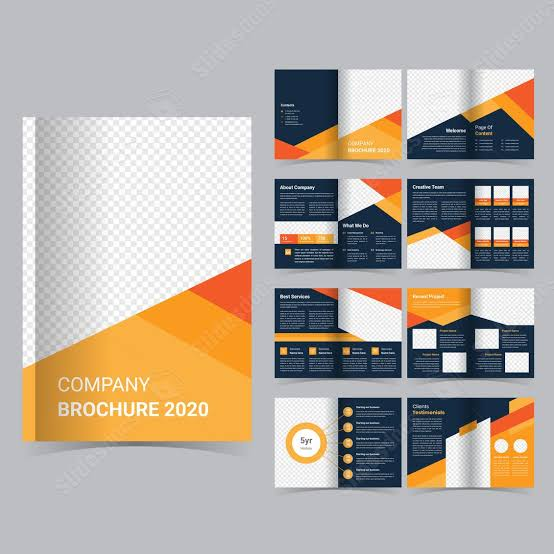
Free templates help individuals and businesses create consistent documents without spending unnecessary time on formatting. They are particularly valuable when documents need to look professional but design resources are limited.
Save Time on Document Creation
Creating a document from scratch involves choosing fonts, adjusting spacing, arranging headings, and setting margins. A ready-made template reduces this initial work.
For example, a freelancer preparing several client proposals can reuse the same proposal layout instead of formatting each document separately.
Maintain a Professional Appearance
Well-designed templates use consistent headings, spacing, typography, and page layouts. These elements make information easier to read and help present your business professionally.
A consistent document style can also support brand recognition when you use your business name, logo, and approved brand colors appropriately.
Reduce Formatting Errors
Templates provide a predefined structure that helps users organize information in the correct order. A meeting agenda, for instance, may include sections for discussion topics, responsible team members, and action items.
However, templates cannot guarantee accuracy. You should still review the document for missing information, incorrect calculations, spelling mistakes, and outdated details.
Customize Documents for Different Needs
Most editable Word templates allow you to change text, fonts, colors, tables, images, and other formatting elements. You can adapt a general template to match your company’s requirements.
You can also save a customized version as a reusable template for future projects.
Best Types of Free Word Document Templates for Business
Businesses use different documents for communication, planning, financial administration, and daily operations. Choosing the correct template helps ensure that each document includes the information its audience needs.
1. Business Proposal Templates
A business proposal template helps you explain a service, product, project, or partnership opportunity to a potential customer.
A useful proposal usually contains:
- Company and client information
- Project summary and objectives
- Description of proposed services
- Project timeline and deliverables
- Pricing and payment terms
- Relevant conditions and next steps
Freelancers, consultants, marketing agencies, and small business owners can use proposal templates to present their offers clearly.
Before sending a proposal, confirm that the pricing, scope of work, delivery dates, and payment conditions match your actual agreement.
2. Business Plan Templates
A business plan template helps organize a company’s goals, target customers, operating strategy, and financial expectations.
Typical sections include an executive summary, market analysis, products or services, marketing strategy, operational plan, and financial projections.
Entrepreneurs can use these templates when preparing an initial business plan or reviewing an existing strategy.
Remember that a template provides structure, not market research. Financial projections and market assumptions should be based on reliable information relevant to your business.
3. Invoice Templates
An invoice template provides a structured way to request payment for products or services.
A practical invoice should include:
- Business name and contact information
- Client details
- Invoice number and issue date
- Description of products or services
- Quantity, rate, and total amount
- Applicable taxes, if required
- Payment deadline and accepted payment methods
Freelancers, guest-posting providers, consultants, and other service businesses may find invoice templates useful for recording client transactions.
Check local tax requirements before relying on a general invoice template for official accounting purposes.
4. Business Report Templates
Business report templates help present findings, performance information, project updates, and recommendations in an organized format.
A report may contain an introduction, objectives, findings, supporting data, conclusions, and recommended actions.
For example, a digital marketing agency could use a report template to summarize website traffic, completed activities, campaign progress, and future priorities.
Always verify figures and clearly explain what the data represents. A professional layout cannot compensate for inaccurate information.
5. Meeting Agenda and Minutes Templates
Meeting templates help teams prepare for discussions and document important decisions.
A meeting agenda generally includes the meeting date, participants, discussion topics, time allocations, and objectives. Meeting minutes record what was discussed, which decisions were made, and who is responsible for each action.
These templates are useful for remote teams, office meetings, project planning, and client consultations.
For better results, assign an owner and deadline to each important action item.
6. Resume and Cover Letter Templates
Resume and cover letter templates help job applicants present their experience, qualifications, skills, and achievements in a clear format.
A resume template may include contact information, professional summary, employment history, education, skills, and certifications.
Choose a simple, readable layout that highlights relevant experience. Avoid including unnecessary personal information or decorative elements that distract from your qualifications.
If you apply through an online recruitment system, consider using a straightforward layout with standard headings and minimal graphics because complex formatting may not always be interpreted correctly by applicant tracking software.
7. Project Proposal and Project Plan Templates
Project templates help teams define objectives, responsibilities, deadlines, resources, and expected outcomes.
A project plan may include milestones, tasks, assigned team members, risks, and progress updates.
Small businesses can use these documents to manage website launches, marketing campaigns, product development, and internal improvement projects.
Make sure that deadlines and responsibilities are realistic and that everyone understands the expected deliverables.
Where to Download Free Word Document Templates
You can find free Word templates through official software providers and reputable template websites. Before downloading, review the file format, usage permissions, and any requirements for creating an account.
Microsoft Create
Microsoft Create offers templates and design resources for various productivity needs, including Word documents. Availability and editing requirements may vary by template.
Visit the official website at https://create.microsoft.com/ and browse the available document templates.
Search for terms such as business proposal, resume, report, invoice, or meeting agenda. Choose a suitable design and follow the instructions provided for opening or downloading it.
Google Docs Template Gallery
Google Docs provides templates that can be edited online. Although these are not all native Microsoft Word templates, you can create a document in Google Docs and download a compatible copy in Word format when the export option is available.
Visit https://docs.google.com/document/ and explore the template gallery.
This option can be convenient when you work in a browser or collaborate with team members online. Review the downloaded file in your preferred word processor to ensure that the formatting remains correct.
Reputable Third-Party Template Websites
Various websites provide business forms, resumes, proposals, and other editable documents. Some offer free downloads, while others use a combination of free and paid resources.
Before downloading from a third-party website, check:
- Whether the template is genuinely free.
- Whether commercial use is permitted.
- Whether attribution is required.
- Whether editing requires a particular application or subscription.
- Whether the file comes from a trustworthy source.
Do not assume that every template labeled free can be used for every commercial purpose.
How to Download Free Word Document Templates Step by Step
Downloading and using a Word template is usually straightforward. Follow these steps to create a document that meets your requirements.
Step 1: Choose the Right Template
Identify the document you need to create. For example, choose an invoice template for billing, a proposal template for client offers, or a report template for presenting results.
Select a layout that fits your audience and the amount of information you need to include.
Step 2: Open a Trusted Website
Visit Microsoft Create or another reputable template provider. Use the website’s search feature to find relevant designs.
Review the template preview, file type, and download conditions before proceeding.
Step 3: Download the File
Follow the website’s instructions to download the document. If the template opens directly in Word or a browser-based editor, use the available download or save option.
On a computer, the downloaded file may appear in your Downloads folder unless you selected a different location.
Step 4: Open the Template in Word
Double-click the downloaded DOCX file or open Microsoft Word and select the file from your computer.
If you do not have Microsoft Word, a compatible application such as LibreOffice Writer or Google Docs may provide an alternative. Some formatting differences may occur between applications.
Step 5: Replace the Placeholder Text
Replace sample text with your actual business details, headings, contact information, dates, and other relevant content.
Delete any instructions or example content that should not appear in the final document.
Step 6: Customize the Formatting
Adjust the logo, brand colors, fonts, spacing, and tables where necessary. Keep the document readable and avoid adding too many decorative elements.
For longer documents, use Word’s built-in heading styles to create a consistent structure.
Step 7: Save and Review the Document
Save your customized document with a clear filename. Keep an editable DOCX copy for future changes.
Before sharing, check spelling, page breaks, table alignment, links, totals, and contact details. Export to PDF when you need to preserve the layout for viewing or printing, provided the recipient accepts that format.
Free Word Templates vs. Paid Templates
Both free and paid templates can help you create professional documents. The right option depends on your budget, design requirements, and intended use.
| Feature | Free Word Templates | Paid Word Templates |
|---|---|---|
| Initial cost | No purchase price for genuinely free templates | Usually require payment |
| Design options | Vary by provider and template | May include specialized design collections |
| Customization | Often editable | Often editable |
| Commercial usage | Depends on the license | Depends on the license |
| Support | May be limited or unavailable | May include support, depending on the seller |
| Best suited for | Everyday documents and budget-conscious users | Specific branding or specialized design requirements |
A free template can be sufficient for routine business documents. A paid template may be worthwhile when it offers a specific design, useful functionality, or licensing terms that meet your needs.
Neither price category automatically guarantees accuracy, quality, or legal suitability.
Tips for Choosing Professional Word Document Templates
Choosing the right template is about more than appearance. The document should make information easy to understand and support its intended purpose.
Choose a Clear and Readable Design
Use readable fonts, sufficient spacing, and logical headings. Avoid designs with excessive graphics, tiny text, or distracting colors.
A professional document should prioritize clarity over decoration.
Check Compatibility
Choose DOCX files when possible if you plan to work with modern versions of Microsoft Word. If you use alternative software, test the template before investing time in customization.
Review tables, page numbers, headers, footers, and special fonts because these elements may appear differently across applications.
Review Licensing Terms
A template may be free to download but restricted in how it can be redistributed, resold, or used commercially.
Read the provider’s terms before using the template in a paid service or distributing it to customers.
Protect Confidential Information
When preparing business documents, avoid sharing sensitive customer information through untrusted websites or public document links.
For financial, employment, or client records, use appropriate access permissions and secure storage practices.
Create Reusable Business Templates
If your business regularly prepares similar documents, customize a suitable template and save a clean master copy.
For example, a marketing agency can maintain separate master templates for client proposals, campaign reports, invoices, and project briefs. Reusing approved layouts can improve consistency while allowing each document to reflect the client’s specific needs.
Common Mistakes to Avoid When Using Word Templates
Even a good template needs careful editing. Avoid these common problems before sending or publishing your document.
Leaving placeholder text in the final file: Search for sample names, instructions, and unfinished fields before sharing the document.
Using an unsuitable layout: A colorful design intended for a creative portfolio may not suit a formal financial report or business contract.
Ignoring formatting issues: Check page breaks, tables, margins, and fonts after editing or opening the file in different software.
Assuming every template is legally valid: General templates may not satisfy your country’s legal, tax, or regulatory requirements. Obtain qualified advice for documents with significant legal consequences.
Overloading the document with design elements: Too many colors, fonts, shapes, and images can make the content harder to read.
Forgetting to check the license: Verify that your intended personal or commercial use is permitted before relying on a downloaded template.
Failing to save an editable copy: Keep the original DOCX file even if you also distribute the document as a PDF.
Frequently Asked Questions
1. Where can I download free Word document templates?
You can find free Word document templates through Microsoft Create and other reputable document-template providers. Google Docs also offers editable templates that can be exported to Word format. Choose the source based on your document type, check the available file format, and review the licensing conditions before using the template for personal or business purposes.
2. Are free Microsoft Word templates editable?
Yes, many free Microsoft Word templates are editable. DOCX files typically allow you to replace text, adjust headings, change fonts, edit tables, and add business details. The available editing features depend on the file and the software you use. Some templates may contain protected elements or formatting that requires additional adjustments.
3. Can I use free Word templates for commercial purposes?
Some free Word templates permit commercial use, while others restrict redistribution, resale, or particular business applications. Always review the license supplied by the template provider. If you use a template to create proposals, invoices, marketing documents, or client reports, make sure your intended use complies with the applicable terms.
4. Can I download Word templates without Microsoft Word?
Yes, you can download Word-compatible templates without having Microsoft Word installed. Depending on the file and your device, you may be able to edit DOCX files using Google Docs or LibreOffice Writer. Some formatting may change when files move between applications, so review the finished document before printing or sending it to a client.
5. What is the best Word template for a small business?
The best template depends on your business requirements. A service provider may need invoices and proposals, while a company with several employees may also need meeting agendas, project plans, and reports. Start with a simple, readable design that includes the necessary sections, supports your workflow, and can be reused without introducing unnecessary formatting or licensing problems.
Conclusion
Downloading free Word document templates is a practical way to create organized, professional documents for business, work, education, and everyday tasks. From proposals and invoices to reports, resumes, and meeting agendas, the right template gives you a useful starting point and reduces repetitive formatting work.
To get the best results, choose a trusted source, select an appropriate DOCX template, customize it with accurate information, and review the final file before sharing it. Pay particular attention to compatibility, licensing, confidentiality, and any legal or financial requirements that apply to your document.
Your next step: Visit Microsoft Create, search for the type of business document you need, and customize a suitable free template for your next project.