
Professional Document Templates for Business, Work, and Everyday Use
Professional document templates help businesses, freelancers, and individuals create organized, polished documents without designing every page from scratch. From business proposals and invoices to reports, resumes, contracts, and project plans, the right template provides a consistent structure that makes information easier to prepare, read, and share.
For small business owners, consultants, marketing agencies, and independent professionals, document templates can reduce repetitive formatting work and support a consistent brand identity. Instead of starting with a blank page, you can select a suitable layout, add your information, and customize it for your needs.
Professional document templates are available in several formats, including Microsoft Word DOCX files, Excel spreadsheets, PowerPoint presentations, and PDF documents. Each format serves a different purpose, so choosing the right one depends on how you intend to create, edit, and distribute your document.
This guide explains the main types of professional document templates, their business benefits, where to find them, how to customize them, and which mistakes to avoid when preparing documents for clients and colleagues.
What Are Professional Document Templates?
Professional document templates are pre-designed files that provide a structured layout for creating business and personal documents. They may include headings, tables, text fields, page numbers, branding elements, and instructions that help users organize information correctly.
For example, a business proposal template might contain sections for a project overview, services, pricing, timeline, and terms. You can replace the sample text with your own information while keeping the original structure.
Common document template formats include:
- DOCX: Suitable for editable letters, reports, proposals, and other text-based documents.
- PDF: Useful for sharing documents while preserving their intended layout, with editing capabilities depending on the file and software.
- XLSX: Appropriate for budgets, financial records, schedules, and data tables.
- PPTX: Designed for presentations, sales pitches, and business meetings.
- Google Docs and Sheets templates: Useful for online editing and collaboration.
A professional template is more than an attractive design. It should help users present accurate information clearly and make the document suitable for its intended audience.
Why Are Professional Document Templates Important for Businesses?
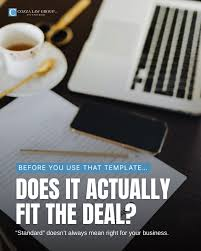
Professional templates help businesses standardize routine paperwork, reduce formatting effort, and present information consistently. They are especially valuable when employees or service providers create similar documents regularly.
Save Time and Improve Productivity
Creating documents from scratch requires time for formatting, arranging sections, and checking presentation details. Templates provide a ready-made structure that reduces this repetitive work.
For example, a digital marketing agency can reuse a client proposal template by updating the client’s requirements, deliverables, timeline, and pricing for each project.
This allows the team to spend more time preparing useful content and less time adjusting document layouts.
Create a Consistent Brand Identity
Consistent document design helps a business maintain a recognizable appearance across its communications.
You can customize templates with your company logo, approved colors, business name, contact details, and preferred typography. Using these elements consistently across proposals, invoices, reports, and presentations creates a more unified experience for clients.
However, branding should remain subtle enough that it does not distract from the document’s main purpose.
Reduce Formatting Mistakes
Templates help users follow a predefined structure, making it easier to include important sections and arrange information logically.
For instance, an invoice template may contain fields for the invoice number, customer details, service description, amount due, and payment deadline.
A template cannot guarantee that every detail is correct, so review the information, calculations, and requirements before sending the document.
Improve Communication
Well-organized documents make it easier for readers to find relevant information. Clear headings, short paragraphs, readable fonts, and properly arranged tables improve usability.
A concise business proposal, for example, should allow a potential client to understand the service, expected outcome, pricing, and next steps without searching through unnecessary details.
Support Business Growth
As a business grows, it may need to produce more proposals, reports, onboarding documents, and internal records.
Reusable templates help establish a repeatable process for preparing these documents. They can also support team training by giving employees an approved starting point.
Businesses should periodically review their templates to ensure that contact information, policies, prices, and other important details remain current.
Best Types of Professional Document Templates
The most useful template depends on your industry, daily tasks, and business goals. The following options cover many common professional requirements.
1. Business Proposal Templates
Business proposal templates help professionals present their services, recommendations, and project costs to potential customers.
A useful proposal typically includes:
- Company and client information
- Project overview and objectives
- Description of services
- Deliverables and project timeline
- Pricing and payment terms
- Relevant conditions
- Contact details and next steps
Freelancers, consultants, marketing agencies, and service providers can use proposals to explain what they offer and how they intend to deliver it.
For example, an SEO professional can prepare a proposal describing keyword research, on-page optimization, content support, link-building activities, reporting, and agreed pricing.
Customize every proposal to reflect the client’s actual needs. Avoid promising results that you cannot reasonably guarantee.
2. Invoice Templates
Invoice templates help businesses request payment for products or services. A standardized invoice also supports organized transaction records.
A professional invoice usually includes the business name, customer details, invoice number, issue date, service descriptions, quantities, rates, totals, applicable taxes, and payment terms.
Freelancers and small agencies can use invoice templates to bill clients for completed projects or agreed services.
Before sending an invoice, verify the calculations, payment information, and any tax details required in your jurisdiction.
3. Business Report Templates
Business report templates help organize findings, performance data, project updates, and recommendations.
A typical report contains an introduction, objectives, results, supporting information, conclusions, and recommended actions.
For example, a marketing agency can prepare a monthly report covering completed activities, website traffic, search visibility, content performance, and upcoming priorities.
Make sure the reporting period is clear and the figures are accurate. Explain limitations when the data does not support a definite conclusion.
4. Resume and Cover Letter Templates
Resume and cover letter templates help job applicants present their qualifications, experience, and skills in a readable format.
A resume template may include contact information, a professional summary, work experience, education, skills, and certifications.
Choose a design that highlights relevant qualifications rather than using excessive graphics or decorative elements. If you are applying through an online recruitment system, a simple layout with standard headings may be easier for applicant tracking software to process.
5. Business Letter Templates
Business letter templates provide a consistent structure for formal communication with clients, suppliers, employees, and business partners.
Common uses include appointment letters, service inquiries, complaint letters, reference letters, and formal requests.
A business letter typically contains the sender’s information, date, recipient details, subject, greeting, message, closing, and signature.
Keep the language professional, direct, and appropriate for the relationship and purpose.
6. Project Plan Templates
Project plan templates help teams define objectives, responsibilities, deadlines, milestones, and expected deliverables.
They are useful for managing website launches, marketing campaigns, product development, client onboarding, and internal projects.
A practical project plan should make it clear who is responsible for each task, when the task is due, and how progress will be evaluated.
If a project requires frequent real-time updates, a spreadsheet or project management application may be more convenient than a static document.
7. Meeting Agenda and Minutes Templates
Meeting templates help teams prepare for discussions and record important decisions.
An agenda lists topics to discuss, participants, meeting objectives, and time allocations. Meeting minutes document key decisions, assigned tasks, and follow-up actions.
These templates can help businesses conduct more focused meetings and maintain a record of agreed responsibilities.
For best results, assign an owner and deadline to each important action item.
8. Business Plan Templates
A business plan template helps entrepreneurs organize their goals, target market, services, marketing strategy, operations, and financial expectations.
It can provide a starting point for launching a new business, reviewing an existing strategy, or preparing information for potential partners.
However, a template does not replace market research or financial analysis. Base your assumptions on relevant evidence and revise the plan when circumstances change.
Where to Find Professional Document Templates
You can find professional templates through established software providers and reputable document websites. Some offer free downloads, while others provide premium designs or require subscriptions for particular features.
Microsoft Create
Microsoft Create offers templates and resources for documents and productivity tasks.
Visit https://create.microsoft.com/ to explore available designs for Word, Excel, PowerPoint, and other supported applications.
Search for business proposals, reports, resumes, invoices, or presentations. Check the template’s format and editing requirements before selecting it.
Google Docs and Google Sheets
Google’s productivity tools support online document creation and collaboration. Their template options can be useful for business letters, reports, budgets, and project records.
Visit https://docs.google.com/document/ or https://docs.google.com/spreadsheets/ to explore the available tools.
You can share documents with collaborators and control access permissions. If you need to send a Microsoft Office file, check the export options and review the downloaded file for formatting differences.
Canva
Canva offers design tools for creating presentations, business documents, marketing materials, and other visual content.
Visit https://www.canva.com/ and search for the type of professional document you need.
Review the available template features, export options, and licensing terms. Some designs and assets may require a paid plan.
Adobe Acrobat
Adobe Acrobat provides tools for working with PDF documents, including viewing, filling forms, signing, and editing features that depend on the product.
Visit https://www.adobe.com/acrobat.html to explore available options.
PDF templates are particularly useful when you need to distribute documents with a consistent page layout. Confirm that the editing features meet your requirements before relying on a particular workflow.
Third-Party Template Websites
Other websites provide templates for business forms, contracts, proposals, resumes, and reports.
Before downloading a template, check whether it is genuinely free, which file format it uses, whether commercial use is permitted, and whether attribution or registration is required.
For legal, financial, or employment documents, verify that the template suits your circumstances and jurisdiction rather than assuming a generic file will meet every requirement.
How to Choose the Right Professional Document Template
Choosing the right template involves matching its design and functionality to the document’s purpose.
Consider Your Document’s Purpose
Start by identifying what you need the document to accomplish. A sales proposal needs to communicate value and pricing, while an internal report should prioritize findings, evidence, and recommended actions.
Choose a template that supports the information your audience needs.
Check File Format and Compatibility
Select a file format that works with your preferred software.
| Format | Best Use | Main Consideration |
|---|---|---|
| DOCX | Letters, proposals, and reports | Easy to edit in compatible word processors |
| Final documents and forms | Editing options depend on the file and software | |
| XLSX | Budgets and data records | Supports formulas and structured data |
| PPTX | Presentations and sales pitches | Designed for slide-based communication |
| Google Docs | Collaborative writing | Requires suitable online access and permissions |
If you expect frequent revisions, choose a format that supports efficient editing. If recipients mainly need to view or print the document, PDF may be more appropriate.
Evaluate Readability and Design
Look for clear headings, appropriate spacing, readable fonts, and a logical content hierarchy.
Avoid templates with crowded layouts, excessive decorative elements, or unnecessary sections. A document should be easy to understand even when a reader has limited time.
Check Customization Options
Make sure you can change the elements you need, such as text, tables, logos, colors, and contact information.
If you intend to reuse the template, confirm that the structure can accommodate different clients or projects without extensive redesign.
Review Licensing and Privacy
A free download does not automatically permit unrestricted commercial use or redistribution.
Read the licensing terms and avoid uploading confidential business information to unfamiliar online editing services. Use appropriate access permissions when sharing documents with clients or colleagues.
How to Customize Professional Document Templates Step by Step
You can adapt most editable templates by following a simple workflow.
- Select a suitable template. Choose one that matches your document type, audience, and required content.
- Download or open the file. Use the official download option or open the template in its supported application.
- Replace placeholder content. Add accurate business information, dates, names, descriptions, and other required details.
- Apply your branding. Add your logo and use consistent brand colors and typography where appropriate.
- Organize the content. Remove unnecessary sections and make important information easy to locate.
- Review accuracy. Check spelling, figures, dates, contact details, links, and any relevant terms.
- Save the finished document. Keep an editable master copy and export a PDF when a fixed layout is useful.
- Check the final file. Reopen it to ensure that formatting, page breaks, tables, and images appear correctly.
This process helps you maintain consistency while adapting the content to each specific situation.
Common Mistakes to Avoid When Using Document Templates
Templates are useful starting points, but the finished document still requires careful review.
Using the same content for every client: Keep the overall structure consistent while tailoring the details to each client’s needs.
Leaving placeholder text in place: Remove sample names, instructions, example figures, and unfinished fields before sharing the document.
Choosing design over readability: Excessive colors, decorative fonts, and complicated layouts can make information harder to understand.
Ignoring outdated information: Review contact details, prices, policies, and terms before reusing an older template.
Assuming a template is legally sufficient: Contracts, employment documents, and financial forms may require professional review or jurisdiction-specific changes.
Overlooking licensing terms: Confirm that your intended use complies with the template provider’s conditions.
Failing to check the final format: Review the document after exporting or sharing it, especially if it contains tables, graphics, or interactive fields.
Frequently Asked Questions
1. What are professional document templates used for?
Professional document templates provide ready-made structures for business proposals, invoices, reports, resumes, letters, project plans, and other documents. They help users organize information consistently and reduce repetitive formatting work. Businesses can customize templates with their own content and branding while retaining a layout suited to the document’s purpose.
2. Where can I download free professional document templates?
You can explore Microsoft Create, Google Docs, Canva, and other reputable template websites. Availability, editing features, and licensing terms vary by provider. Before downloading, confirm that the template uses a compatible file format and that the available version permits your intended personal or commercial use.
3. Can I use professional document templates for my small business?
Yes. Small businesses can use templates for invoices, proposals, reports, meeting minutes, business letters, and project planning. Customize each document with accurate information and suitable branding. For legal agreements, tax records, or regulated business paperwork, verify applicable requirements before using a general template.
4. Are professional document templates available in Word and PDF formats?
Yes. Professional templates are available in DOCX, PDF, XLSX, PPTX, and other formats. Word files are convenient for editing text, spreadsheets work well for structured data, and PDFs help preserve document layouts. Choose the format based on the software you use and whether recipients need to edit, complete, or simply view the document.
5. How can I make a document template look more professional?
Use readable fonts, clear headings, consistent spacing, and a logical content structure. Add your business logo and brand colors where appropriate, but avoid unnecessary decoration. Replace all placeholder text, check factual accuracy, and review the finished file before sharing it. Consistency and clarity matter more than visual complexity.
Conclusion
Professional document templates help businesses, freelancers, and individuals prepare polished documents with less repetitive work. From invoices and business proposals to reports, resumes, and project plans, templates provide a useful starting point for organizing information and maintaining consistent formatting.
The best results come from choosing a template that fits your purpose, using a compatible file format, customizing the content carefully, and reviewing the final document before sharing it. Always check licensing terms and any legal or financial requirements relevant to your situation.
Your next step: Choose one document your business prepares regularly, such as an invoice, client proposal, or project report. Find a suitable template, customize it with your business information, and save a clean master copy for future use.