
Introduction
Document templates help individuals, students, freelancers, and businesses create professional documents without starting from scratch. They provide a ready-made structure for organizing information, formatting content, and presenting important details clearly. From business letters and resumes to invoices, reports, and project plans, document templates make everyday writing tasks easier and more consistent.
Whether you need a document for personal use, education, or business, choosing the right template can save time and improve the overall appearance of your work. This guide explains what document templates are, the different types available, their benefits, how to use them, and what to consider before choosing one.
What Are Document Templates?
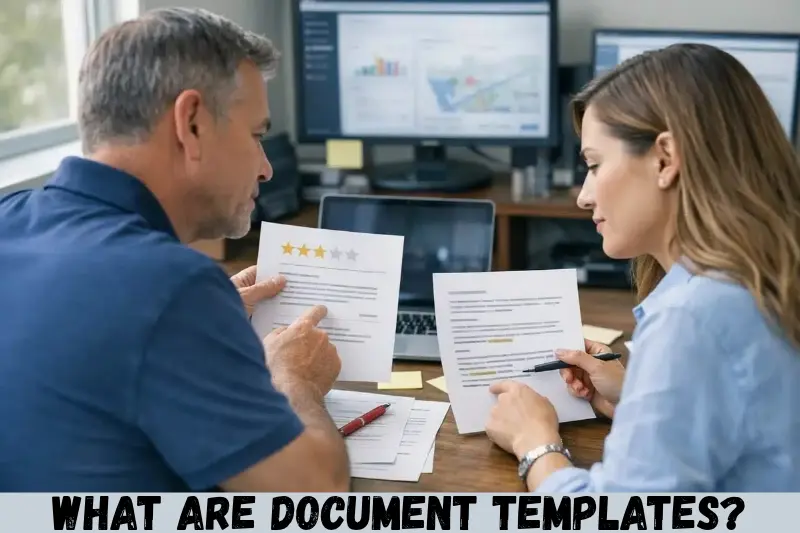
Document templates are pre-designed files that provide a reusable structure for creating specific types of documents. They usually include headings, sections, formatting, placeholders, and other elements that users can customize according to their needs.
For example, a resume template may contain sections for contact details, professional experience, education, and skills. Instead of designing the layout yourself, you can add your information to the existing structure.
Document templates are available in different formats, including Microsoft Word, Google Docs, PDF, and spreadsheet files. Some templates are editable, while others are designed primarily for printing or sharing.
Types of Document Templates
Different document templates serve different purposes. Selecting the appropriate type helps you organize information effectively and create documents that match your requirements.
1. Business Document Templates
Business document templates help organizations prepare routine paperwork using a consistent format. They are useful for small businesses, startups, freelancers, and established companies.
Common examples include:
- Business proposals
- Company reports
- Meeting agendas
- Project plans
- Business letters
- Partnership agreements
- Company policy documents
A business proposal template, for example, can include sections for the project overview, objectives, proposed services, pricing, timeline, and terms. You can customize these sections for each client rather than designing a new document every time.
2. Resume and Cover Letter Templates
Resume and cover letter templates help job seekers present their qualifications in an organized and readable format. They typically include sections for work experience, education, skills, achievements, and contact information.
A suitable template can help you highlight relevant information without spending unnecessary time on layout and formatting.
When choosing a resume template, consider the following:
- Use a clean and professional layout.
- Keep headings clear and easy to identify.
- Select readable fonts and appropriate spacing.
- Customize the content for each job application.
- Avoid excessive graphics that may affect readability or applicant tracking system (ATS) parsing.
A template should support your qualifications, not replace the need for accurate and relevant information.
3. Invoice and Financial Document Templates
Invoice templates help businesses and freelancers prepare payment requests in a consistent format. They commonly include seller details, customer information, invoice numbers, service descriptions, amounts, taxes where applicable, payment terms, and due dates.
Other financial document templates include expense reports, budget planners, quotation forms, and payment receipts.
For example, a freelance designer can use an invoice template to record the services provided to a client, the agreed price, and the payment deadline. Before sending the invoice, the user should check the calculations and confirm that all required details are correct.
4. Educational Document Templates
Educational document templates are useful for students, teachers, tutors, and educational institutions. They provide structured layouts for preparing assignments, lesson plans, study schedules, and academic reports.
Popular options include:
- Assignment templates
- Lesson plan templates
- Research report templates
- Study planners
- Class timetables
- Presentation outlines
- Reading logs
Students can use these templates to organize their work, while teachers can adapt lesson plan templates for different subjects and classes.
Always follow your institution’s formatting and submission guidelines, especially when preparing academic assignments or research documents.
5. Legal and Administrative Document Templates
Legal and administrative templates provide a starting structure for routine formal documentation. Examples include meeting minutes, permission letters, declarations, consent forms, and basic agreement drafts.
However, a template does not automatically make a document legally valid. Legal requirements vary depending on the document, jurisdiction, and circumstances. For important contracts, employment matters, property transactions, or other significant legal issues, seek advice from a qualified professional.
6. Personal Document Templates
Personal document templates help people organize everyday responsibilities and personal information. They can be used at home, during travel, or when managing individual projects.
Examples include:
- Personal budget planners
- Daily schedules
- Travel itineraries
- Personal letters
- Household expense trackers
- Event planning checklists
- Goal-setting worksheets
These templates are often simple and flexible, allowing users to adjust the layout according to their personal preferences.
Benefits of Using Document Templates
Document templates offer several practical advantages for individuals and organizations. Their main benefit is that they provide a reusable structure, making document creation easier and more consistent.
1. Save Time and Effort
Templates eliminate the need to create every document from the beginning. You can use an existing layout, add the required information, and make adjustments where necessary.
For example, a small business that prepares multiple quotations can reuse one quotation template instead of designing a new format for every customer.
2. Maintain Consistent Formatting
Consistent formatting makes documents easier to read and gives them a professional appearance. Templates help maintain uniform headings, fonts, spacing, and section order across different files.
This is particularly useful for businesses that regularly prepare reports, proposals, invoices, and client communications.
3. Improve Productivity
When the basic structure is already prepared, users can focus more on the information they need to communicate. This can simplify repetitive administrative tasks and help teams follow a standard process.
4. Reduce Common Formatting Errors
A well-designed template includes the necessary sections and provides a clear structure for entering information. This can reduce the likelihood of forgetting important fields or using inconsistent formatting.
However, templates cannot guarantee accuracy. Users must still check names, dates, calculations, references, and other details before sharing a document.
5. Support Professional Communication
Professional document templates make it easier to present information clearly. A well-organized report, formal letter, or business proposal can help readers understand the purpose of the document and locate important details.
The most effective template is one that suits the intended audience and keeps unnecessary design elements to a minimum.
How to Use Document Templates
Using document templates is straightforward, even if you have limited experience with document editing software. The exact process depends on the platform and file format, but the general steps remain similar.
Step 1: Identify Your Requirements
First, decide what type of document you need to create. Consider its purpose, intended audience, required information, and preferred format.
For example, if you want to apply for a job, look for a resume template. If you need to request payment from a customer, choose an invoice template.
Step 2: Choose a Suitable Template
Find a template that matches your requirements. You can explore built-in templates in document editing applications or download suitable files from reputable websites.
Check whether the template supports the file format you need and whether it is free or requires payment.
Step 3: Open the Template in an Appropriate Application
Open the file in compatible software, such as Microsoft Word or Google Docs. Some templates can be edited directly online, while others need to be downloaded first.
If you receive a PDF template, check whether it is editable or intended for printing. You may need a suitable PDF editor to change its contents.
Step 4: Replace the Placeholder Information
Remove sample text and enter your own details. Update headings, contact information, dates, descriptions, and other relevant sections.
For a business proposal, this might include the client’s name, project requirements, estimated cost, delivery schedule, and payment conditions.
Make sure that no example information or placeholder text remains in the final document.
Step 5: Customize the Design
Adjust the template to suit your needs without making it unnecessarily complicated. You can change fonts, colours, spacing, headings, and section order when appropriate.
If you are creating a formal business or academic document, prioritize readability and follow any applicable formatting guidelines.
Step 6: Review and Save the Document
Proofread the document before using it. Check spelling, grammar, calculations, dates, formatting, and the accuracy of the information.
Save an editable copy in the original file format. If you need to share a document that should retain its layout, consider exporting it as a PDF.
Where Can You Find Document Templates?
You can find document templates through office software, online template libraries, and specialist document websites. The best source depends on the type of document you want to create.
Microsoft Word
Microsoft Word offers templates for resumes, letters, reports, business documents, and other common tasks. Users can select a suitable layout and customize it using the application’s editing tools.
Official resources: Microsoft Create
Google Docs
Google Docs provides templates for common document types, including resumes, letters, and reports. Templates can be edited online and are useful for people who want to access their documents across devices.
Official resources: Google Docs
Canva
Canva offers customizable layouts for a range of personal and professional documents. Its design tools are useful when visual presentation is important, such as for proposals, portfolios, and branded business documents.
Official resources: Canva
Other Online Template Libraries
Specialist websites may offer templates for invoices, contracts, project management, administration, and personal planning.
Before downloading a file, review the website’s reputation, licensing terms, privacy practices, and file format. Avoid downloading suspicious attachments or providing sensitive information to unfamiliar websites.
Document Templates: Free vs Paid Options
Both free and paid document templates can be useful. The right choice depends on your budget, design requirements, and intended use.
| Feature | Free Templates | Paid Templates |
|---|---|---|
| Cost | Usually available at no charge | Require a purchase or subscription in some cases |
| Design options | Vary by source | May offer more specialized layouts |
| Customization | Depends on the file and software | Depends on the product and licence |
| Support | May be limited | May be included, depending on the provider |
| Commercial use | Check the licence | Check the licence and usage restrictions |
Free templates are often sufficient for everyday documents, school assignments, and basic business needs. Paid templates may be useful when you need a specific design or a larger collection of coordinated layouts.
Do not assume that a free template is automatically permitted for every commercial purpose. Always review its licence before using it professionally.
Tips for Choosing the Right Document Templates
Choosing a suitable template helps you create a document that is clear, practical, and appropriate for its purpose.
Keep these tips in mind:
- Prioritize readability: Choose clear fonts, sensible spacing, and logical headings.
- Match the purpose: Use a resume template for job applications and a report template for presenting findings.
- Check compatibility: Make sure the file works with your preferred software.
- Look for editable sections: Confirm that you can change the text, layout, and other elements you need to customize.
- Review required fields: Ensure the template includes all necessary information.
- Protect sensitive information: Avoid uploading confidential documents to untrusted websites.
- Check usage rights: Confirm whether the template allows personal, educational, or commercial use.
- Keep a master copy: Save an untouched version if you plan to reuse the template regularly.
A simple, relevant template is usually more useful than an elaborate design that makes information difficult to find.
Common Mistakes to Avoid When Using Document Templates
Templates make document creation easier, but careless use can still lead to problems.
Using the Same Template for Every Purpose
A resume, invoice, formal letter, and research report have different requirements. Using one layout for all of them can make your documents less effective.
Choose a template that matches the purpose and expectations of the reader.
Forgetting to Update Placeholder Text
Some templates contain sample names, dates, addresses, instructions, or fictional information. Leaving these details unchanged can make a document look unfinished or create confusion.
Review the entire file before sharing it.
Overcomplicating the Design
Excessive colours, decorative fonts, large graphics, and unnecessary sections can distract readers from the main message.
Keep the design appropriate to the document and its audience.
Ignoring Mobile and Print Compatibility
A template that looks good on a computer may display differently on a mobile device or when printed. Check page breaks, margins, tables, and font sizes before distributing the document.
Failing to Check Accuracy
Templates provide structure, not verified content. Always confirm that the information is correct and that the document meets any applicable business, academic, or legal requirements.
Frequently Asked Questions
1. What are document templates used for?
Document templates are used to create structured documents quickly and consistently. Common uses include preparing resumes, invoices, business proposals, reports, letters, meeting agendas, and academic assignments. They provide a reusable layout that users can customize with their own information, reducing repetitive formatting work and helping documents maintain a clear, organized appearance.
2. Where can I download free document templates?
You can explore free document templates through Microsoft Create, Google Docs, and other reputable template libraries. Availability varies by platform and template type. Before downloading a file, check its format, editing requirements, usage licence, and compatibility with your software to ensure that it meets your needs.
3. Can I edit document templates in Microsoft Word?
Yes, many document templates can be edited in Microsoft Word. Open a compatible template, replace the placeholder text, adjust the formatting, and save your customized document. Some templates may have compatibility limitations or restricted editing features, so check the file type before using it.
4. Are document templates suitable for business use?
Yes, document templates can be useful for preparing business letters, invoices, reports, proposals, project plans, and internal records. They help businesses maintain consistent formatting and streamline routine paperwork. However, users should verify the accuracy of the content and confirm that the template meets applicable business, regulatory, and licensing requirements.
5. What should I check before using a document template?
Check whether the template matches your purpose, supports your preferred software, and contains the necessary sections. Review its formatting, editing options, and licence conditions. Before sharing the completed document, proofread the content, verify important details, remove sample information, and check that confidential data is handled appropriately.
Conclusion
Document templates provide a practical way to create organized, professional documents for personal, educational, and business purposes. From resumes and invoices to reports and proposals, the right template can simplify formatting, improve consistency, and reduce repetitive work.
To get the most from document templates, choose a layout that matches your requirements, customize it carefully, and verify all information before sharing the finished file. Start with a suitable template from a trusted source, save an editable master copy, and reuse it whenever the same document structure is needed.