
Introduction
Professional document templates help individuals and businesses create organized, consistent, and attractive documents without starting from scratch. Whether you need a business proposal, a formal letter, a project report, a résumé, or an invoice, the right template can simplify the process and improve the final presentation.
This guide explains what professional document templates are, which types are useful for different situations, how to select the right format, and how to customize templates for your needs. You will also learn about common mistakes, essential design principles, and practical ways to create documents that are easy to read and share.
What Are Professional Document Templates?
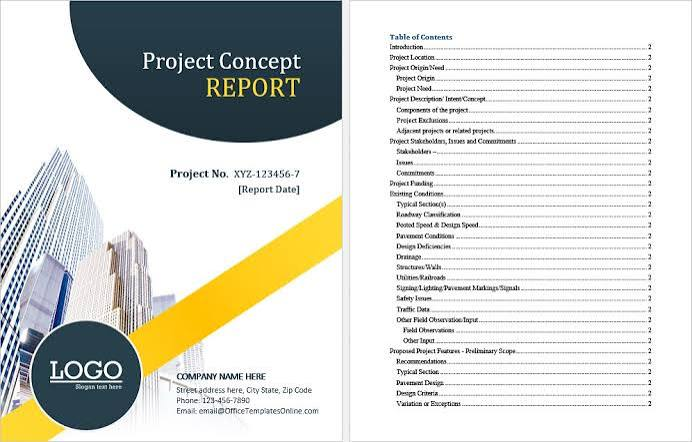
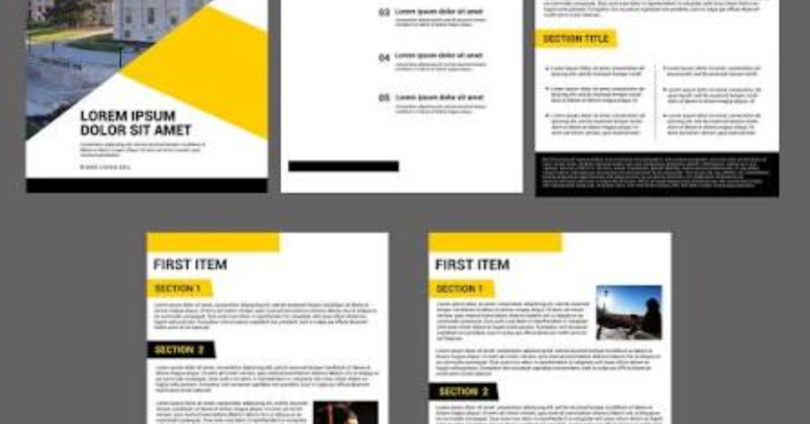
Professional document templates are pre-designed layouts that provide a ready-made structure for creating documents. They usually include headings, formatting, spacing, fonts, and designated areas for text, tables, signatures, or other information.
Instead of designing every document from the beginning, users can select a suitable template and replace the sample content with their own information.
For example, a small business owner can use an invoice template to prepare customer bills, while a job seeker can use a résumé template to organize education, skills, and work experience.
How Do Document Templates Work?
Most templates are designed for software such as Microsoft Word, Google Docs, Microsoft Excel, or other document-editing applications. Some are available as downloadable files, while others can be edited directly online.
The basic process is straightforward:
- Select a template that matches your document’s purpose.
- Open it in a compatible application.
- Replace the placeholder text with accurate information.
- Adjust headings, formatting, and branding where necessary.
- Review the completed document and save it in the appropriate format.
A well-designed template provides structure, but the quality of the final document still depends on the accuracy, clarity, and relevance of its content.
Why Are Professional Document Templates Important?
Professional document templates make document creation easier by combining a consistent layout with a practical structure. They are particularly useful when people need to prepare similar documents regularly.
Save Time and Effort
Creating a document from a blank page can require decisions about fonts, margins, headings, spacing, and page layout. Templates reduce this initial work.
For instance, a marketing agency that prepares several client proposals can reuse a standard proposal template. Employees only need to update the client’s requirements, services, pricing, and project timeline.
This approach makes routine document preparation more efficient.
Maintain a Consistent Appearance
Consistency matters when a business sends proposals, reports, letters, and invoices to customers. Using related templates helps maintain the same visual identity across different documents.
Organizations can use consistent colors, logos, fonts, and heading styles to make their communications look organized and recognizable.
However, consistency does not mean every document must look identical. A financial report may require a different layout from a promotional brochure or a formal letter.
Improve Readability and Organization
A clear template separates information into meaningful sections. Readers can quickly identify the document’s purpose, important details, and next steps.
Useful design elements include descriptive headings, short paragraphs, appropriate spacing, readable fonts, and tables when they genuinely improve understanding.
Templates can also help users avoid forgetting important sections, such as payment terms on an invoice or project objectives in a proposal.
Reduce Repetitive Formatting Work
When documents follow a standard structure, users spend less time adjusting layouts. This is especially helpful for administrative teams, freelancers, consultants, educators, and businesses that create recurring paperwork.
Nevertheless, templates should be reviewed regularly. An outdated template can repeatedly introduce the same formatting errors or incorrect information into new documents.
Popular Types of Professional Document Templates
Different documents serve different purposes. The best template is one that supports the information the reader needs rather than simply looking attractive.
1. Business Document Templates
Business document templates help organizations communicate with clients, suppliers, employees, and business partners.
Common examples include:
- Business proposals
- Company profiles
- Project plans
- Meeting agendas
- Business letters
- Executive summaries
- Standard operating procedures
A business proposal template, for example, may include a project overview, client requirements, proposed services, deliverables, pricing, and terms.
These sections help the business present its offer in a logical order and make it easier for the recipient to evaluate the proposal.
2. Professional Letter Templates
Letter templates provide a consistent structure for formal communication. They are useful when writing to customers, employers, suppliers, government offices, or other organizations.
Common types include cover letters, recommendation letters, complaint letters, application letters, and business correspondence.
A professional letter generally includes the recipient’s details where appropriate, a clear subject or purpose, a concise message, and a suitable closing.
The tone should match the situation. A complaint letter may need to be firm and factual, while a thank-you letter should sound appreciative and courteous.
3. Résumé and Cover Letter Templates
Résumé templates help job seekers present their qualifications in an organized format. Cover letter templates provide a structure for explaining why a candidate is interested in a particular position.
A résumé may include:
- Contact information
- Professional summary
- Relevant employment history
- Education and certifications
- Skills related to the target role
A useful résumé template prioritizes readability and relevant information. Job seekers should avoid choosing designs that hide important details behind decorative graphics or complicated layouts.
When applying online, a simple, single-column format is often a practical starting point because some applicant tracking systems may have difficulty interpreting complex layouts.
4. Report and Research Templates
Report templates are helpful for presenting findings, progress updates, business performance, research, or project results.
Depending on the purpose, a report may include an introduction, objectives, methodology, findings, discussion, recommendations, and conclusion.
For example, a monthly marketing report might summarize campaign activity, website traffic, lead generation, completed tasks, and recommended improvements.
A strong report template makes it easier to compare information over time. However, users must ensure that charts, figures, dates, and conclusions are accurate.
5. Invoice and Financial Document Templates
Invoice templates help freelancers and businesses request payment for products or services. Related financial templates include expense reports, quotations, purchase orders, and payment records.
An invoice commonly includes:
- Seller and customer details
- Invoice number
- Issue date and payment due date
- Description of products or services
- Quantities, prices, and applicable taxes
- Total amount due
- Payment instructions
Requirements vary by country, industry, and transaction type. Businesses should verify applicable tax, recordkeeping, and invoicing rules rather than assuming that a generic template meets every legal requirement.
6. Meeting and Project Management Templates
Meeting templates help teams prepare agendas, record decisions, and assign responsibilities. Project templates can help organize objectives, deadlines, milestones, budgets, and task ownership.
A meeting-minutes template might contain the meeting date, attendees, discussion topics, decisions, assigned tasks, and deadlines.
These templates are most useful when they clearly identify what needs to happen next. A document that records a long discussion but does not capture decisions or responsibilities may provide limited practical value.
How to Choose the Right Professional Document Template
Choosing an appropriate template begins with understanding the document’s purpose, audience, and intended use.
Identify Your Main Objective
First, determine what the document needs to accomplish. Are you trying to inform a customer, request payment, apply for a job, report results, or explain a project?
The answer will determine the sections and formatting you need.
For example, a quotation should make pricing and service details easy to find. A résumé should emphasize relevant qualifications. A project report should organize progress, issues, and recommendations.
Consider Your Audience
A document prepared for a corporate client may require a formal presentation, while an internal team checklist can be more functional and straightforward.
Consider the reader’s familiarity with the topic, the amount of detail required, and whether the document will be read on a phone, computer, or printed page.
Use language and formatting that make the information accessible to the intended audience.
Check Software Compatibility
Before downloading a template, confirm that it works with your preferred application.
Common formats include:
- DOCX: Editable documents compatible with Microsoft Word and many other word processors.
- Google Docs: Online documents that can be edited and shared through a Google account.
- XLSX: Spreadsheet files commonly used for calculations, budgets, and structured records.
- PDF: Useful for sharing a fixed-layout document, although editing may require additional software.
A PDF is often appropriate for a finalized proposal or résumé, while an editable DOCX file is more convenient when you expect to revise the document frequently.
Evaluate the Design
A professional template should be attractive without distracting from its content.
Look for readable typography, balanced spacing, logical headings, suitable margins, and enough room for the information you need to include.
Avoid designs that depend on excessive colors, decorative elements, or tiny text. A simple layout often works better than an elaborate one.
How to Customize Professional Document Templates
Customizing a template means adapting its layout and content to your specific requirements while preserving the elements that make it useful.
Step 1: Select a Suitable Template
Start with a template designed for your intended document type. Check whether it includes the necessary sections and whether the layout can accommodate your information.
Do not choose a template only because its preview looks impressive. Make sure its structure supports your actual task.
Step 2: Replace Placeholder Information
Remove sample names, addresses, dates, instructions, and fictional details. Replace them with verified information relevant to your situation.
Pay special attention to fields that may be easy to overlook, such as footer text, document titles, contact details, and payment instructions.
Step 3: Apply Your Branding
For business documents, add your company name, logo, approved colors, and contact information where appropriate.
Keep branding consistent without allowing it to overpower the content. If you prepare documents for different clients, maintain separate versions to avoid mixing company details.
Step 4: Improve Formatting and Readability
Use heading styles consistently and maintain a clear hierarchy between the title, main sections, and supporting information.
Break long passages into shorter paragraphs. Use bullet points for related items and tables for information that benefits from direct comparison.
Check page breaks, alignment, line spacing, and the placement of signatures or tables before finalizing the document.
Step 5: Proofread and Verify Details
Review the document for spelling mistakes, missing information, incorrect dates, broken links, and inconsistent formatting.
For financial, contractual, or official documents, verify all relevant amounts, names, terms, and required fields. Seek qualified professional advice when a document involves legal or regulatory obligations.
Step 6: Save and Share the Correct Version
Keep an editable master copy if you expect to reuse the template. Save the finished document in a suitable format for its recipient.
For example, a Word document may be convenient for collaborative editing, while a PDF can preserve the intended layout when sharing a final version.
Use clear file names, such as Client-Proposal-October-2026.pdf, and ensure that you share only the information the recipient is authorized to access.
Where Can You Find Professional Document Templates?
Professional document templates are available through office software, online template libraries, and document-design platforms. The right source depends on your requirements, budget, and preferred workflow.
Microsoft Word and Microsoft Create
Microsoft Word offers tools for creating and formatting documents, while Microsoft Create provides templates and design resources for different personal and professional purposes.
These options can be useful for letters, résumés, reports, proposals, and other business documents. Check the available template’s format and licensing conditions before using it commercially.
Google Docs
Google Docs supports online document creation, editing, and collaboration. Its template options can help users prepare common documents without installing specialized desktop publishing software.
It can be particularly convenient for teams that need to review drafts, leave comments, or work on documents together.
Canva
Canva provides visual design templates that may be suitable for company profiles, proposals, presentations, and other documents where appearance is important.
Users should consider whether a highly designed layout is appropriate for the document’s purpose. Some formal documents are easier to read and process when they use a simpler format.
Free and Paid Template Libraries
Some websites provide free downloads, while others sell premium templates or offer subscriptions.
Before downloading, check:
- Whether the template is editable.
- Which applications and file formats it supports.
- Whether commercial use is permitted.
- Whether attribution is required.
- Whether the file comes from a trustworthy source.
- Whether fonts, images, or other included assets have separate licensing restrictions.
A paid template is not automatically better than a free one. Evaluate its usability, compatibility, quality, and licensing terms before making a decision.
Free vs. Paid Professional Document Templates
Both free and paid templates can be useful. The better option depends on the complexity of your work and the level of customization you need.
| Feature | Free Templates | Paid Templates |
|---|---|---|
| Cost | Usually free to access | May require a purchase or subscription |
| Design options | Often suitable for common tasks | May offer more specialized layouts |
| Customization | Depends on the file and platform | Depends on the file and platform |
| Support | May be limited | May be included, but varies |
| Licensing | Terms still need checking | Terms still need checking |
| Best use | Everyday documents and basic needs | Specialized or branded document workflows |
For occasional personal use, a free template may be sufficient. Businesses with recurring document requirements may benefit from paid options if they provide genuine improvements in design, functionality, or workflow.
Neither option guarantees accuracy or compliance. Every template needs to be reviewed before use.
Common Mistakes to Avoid When Using Document Templates
Templates make formatting easier, but careless use can create avoidable problems.
Leaving Placeholder Text in the Document
Sample names, instructions, or example figures can make a document look unfinished and may cause confusion. Search the final file for words such as “Company Name,” “Insert Date,” or “Lorem ipsum” before sharing it.
Using Too Many Fonts and Colors
Excessive formatting reduces consistency and can make the document difficult to read. Choose a small set of complementary styles and use them consistently.
Ignoring Mobile Readability
Some recipients review documents on smartphones. Very small text, wide tables, and complicated layouts can be inconvenient on smaller screens.
Check the document at different screen sizes when possible, particularly if it will be shared digitally.
Reusing Outdated Information
A template may contain an old logo, expired pricing, previous contact details, or outdated terms. Review the master template periodically and update information that changes.
Overlooking Privacy and Security
Templates sometimes contain hidden comments, tracked changes, metadata, or sensitive information from previous versions. Review the document before sharing it externally.
Use appropriate access permissions for collaborative files, and avoid placing confidential information in publicly accessible links.
Assuming a Template Guarantees Compliance
A professionally designed document is not automatically legally valid, tax-compliant, accessible, or suitable for every industry. Confirm any requirements that apply to the document and the jurisdiction where it will be used.
Best Practices for Creating High-Quality Professional Documents
To get the most value from professional document templates, follow a few practical principles.
- Prioritize clarity: Make the document’s purpose and key information easy to identify.
- Use consistent formatting: Apply heading styles, fonts, spacing, and alignment consistently.
- Keep content relevant: Include the information the reader needs without unnecessary detail.
- Check accessibility: Use readable text, descriptive headings, and sufficient contrast. Add alternative text to meaningful images when supported.
- Protect sensitive information: Review permissions, comments, metadata, and confidential details before sharing.
- Maintain master copies: Keep approved templates separate from completed client documents.
- Review templates regularly: Update branding, contact information, processes, and other changing details.
- Test the final file: Check how the document looks when opened, printed, or converted to another format.
These practices help make documents more reliable, reusable, and easier to understand.
professional document templates
Frequently Asked Questions About Professional Document Templates
1. What are professional document templates used for?
Professional document templates are used to create organized documents for business, employment, education, administration, and personal tasks. Common examples include invoices, proposals, résumés, reports, meeting minutes, and formal letters. They provide a ready-made structure that users can customize with their own information, helping maintain consistent formatting and reduce repetitive design work.
2. Where can I download professional document templates for free?
You can explore free template options through Microsoft Create, Microsoft Word, Google Docs, and other reputable template libraries. Availability and licensing vary by platform and template. Before downloading, check the file format, editing requirements, commercial-use permissions, and source reliability to ensure the template suits your intended purpose.
3. Are professional document templates suitable for business use?
Yes, professional document templates can be suitable for business use when they meet the organization’s needs and are customized correctly. Businesses commonly use them for proposals, invoices, reports, and client communications. However, they should verify factual details, branding, licensing, confidentiality, and any applicable legal or regulatory requirements before using a template for official business purposes.
4. Which file format is best for professional documents?
The best file format depends on how the document will be used. DOCX is useful when further editing is required, while PDF is often preferable for sharing a finalized document with consistent formatting. XLSX is suitable for calculations and structured financial information. Choose a format that your recipients can open and that supports the document’s intended function.
5. How can I make a document template look more professional?
Use a clean layout, readable fonts, consistent headings, balanced spacing, and accurate content. Add relevant branding without overcrowding the page, remove all placeholder text, and proofread the finished document. Before sharing, check alignment, page breaks, links, accessibility, and confidential information. A simple, well-organized design is often more effective than excessive decoration.
Conclusion
Professional document templates provide a practical way to create clear, consistent, and well-organized documents for business and everyday use. From résumés and formal letters to invoices, project reports, and proposals, the right template can simplify formatting and make important information easier to understand.
To get the best results, choose a template that matches your purpose, customize it carefully, verify its content, and review its licensing and privacy requirements. Start with a document you use regularly, create a clean master template, and refine it as your needs change. This simple approach can help you build a reliable collection of professional documents that saves time while maintaining quality.