
Introduction
Editable document templates help individuals, students, freelancers, and businesses create professional documents without starting from scratch. These ready-made layouts allow users to change text, update details, adjust formatting, and personalize content according to their needs.
Whether you need a business letter, invoice, resume, report, agreement, or project proposal, editable document templates can make the document creation process simpler and more organized. They are particularly useful for people who want to save time while maintaining a consistent and professional appearance.
In this guide, you will learn what editable document templates are, which types are available, how to customize them, where to use them, and how to choose the right template for your requirements.
What Are Editable Document Templates?
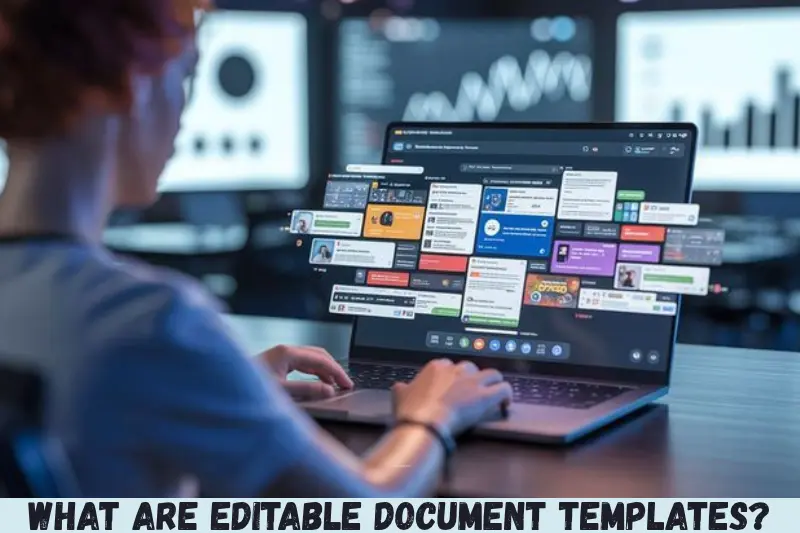
Editable document templates are pre-designed documents that users can modify to suit their specific needs. They usually contain predefined layouts, headings, text sections, tables, and formatting that can be customized using compatible software.
For example, a business invoice template may already include sections for the company name, customer details, product descriptions, prices, taxes, and the final amount. Instead of creating the entire invoice manually, you can replace the sample information with your own details.
Editable templates are commonly available in formats such as:
- DOCX: Suitable for Microsoft Word and compatible word-processing applications.
- Google Docs: Useful for editing and collaborating online.
- PDF: Editable when the file supports form fields or is opened in compatible PDF editing software.
- ODT: An open document format supported by applications such as LibreOffice.
- XLSX: Useful for spreadsheets, budgets, invoices, and financial records.
- PPTX: Suitable for presentations, proposals, and business reports.
The best format depends on how you plan to edit, share, print, or store the finished document.
Why Are Editable Document Templates Useful?
Editable document templates are useful because they reduce repetitive work and provide a consistent starting point for creating documents. Instead of designing every page yourself, you can focus on the information that matters.
1. Save Time on Document Creation
Creating a document from a blank page can involve choosing fonts, arranging headings, setting margins, and organizing content. A ready-made template provides much of this structure in advance.
For example, a freelancer preparing monthly invoices can reuse the same invoice template and update the client information, services, and payment details each month.
2. Maintain a Professional Appearance
Well-designed templates use consistent typography, spacing, headings, and page layouts. These elements help make documents easier to read and present information clearly.
Businesses can also use branded templates featuring their logo, company colors, and contact details to create a consistent appearance across letters, reports, and proposals.
3. Reduce Formatting Errors
Templates can help reduce common formatting problems, such as inconsistent headings, uneven spacing, and missing sections.
However, a template cannot guarantee that every document will be accurate. Users should still check names, dates, calculations, spelling, and other important information before sharing the final version.
4. Simplify Repeated Tasks
Many people create similar documents regularly. Examples include job applications, meeting agendas, project reports, quotations, and customer communications.
An editable template allows you to reuse an established structure while changing the information relevant to each situation.
5. Support Team Collaboration
Online document templates can make collaboration easier when multiple people need to review or update the same file.
For example, a project team can use a shared report template to collect updates from different departments. Everyone follows the same structure, making the final report easier to combine and review.
Types of Editable Document Templates
Different templates serve different purposes. Choosing the right type depends on your industry, audience, and intended use.
Business Document Templates
Business templates help organizations handle routine administrative and professional tasks.
Common examples include:
- Business letters
- Meeting agendas and minutes
- Project proposals
- Business plans
- Company reports
- Quotation templates
- Purchase orders
- Client communication documents
These templates are particularly useful for small businesses, startups, consultants, and freelancers that want organized documentation without designing every file independently.
Personal Document Templates
Personal templates help individuals manage everyday responsibilities and important information.
Popular options include:
- Personal budget planners
- Daily schedules
- Travel itineraries
- Personal letters
- Household expense trackers
- Goal-setting worksheets
- Event planning documents
A personal budget template, for instance, can include sections for monthly income, fixed expenses, variable expenses, savings, and remaining funds.
Resume and Cover Letter Templates
Resume templates provide a structured way to present professional experience, education, skills, and achievements.
Cover letter templates help applicants organize their introduction, relevant qualifications, interest in a role, and closing statement.
When using these templates, customize the content for each opportunity. Avoid leaving sample text or including skills and qualifications that do not reflect your actual experience.
Invoice and Financial Templates
Financial templates help users organize transactions and record business activities.
Common examples include:
- Sales invoices
- Expense reports
- Budget planners
- Payment receipts
- Quotation forms
- Cash flow worksheets
- Financial summaries
Spreadsheet formats are often appropriate when calculations are required. Check formulas, applicable tax rules, currency settings, and totals before using financial documents.
Educational Document Templates
Students, teachers, and educational institutions can use templates to organize academic work.
Examples include:
- Assignment cover pages
- Lesson plans
- Research reports
- Study schedules
- Reading logs
- Classroom worksheets
- Project reports
Educational templates can help students present information consistently while leaving room for original research, analysis, and writing.
Legal and Administrative Templates
Administrative templates can help organize information for formal communication and routine recordkeeping.
Examples include application letters, authorization forms, declarations, meeting records, and basic agreement drafts.
Legal documents require particular care. A generic template may not reflect the laws, jurisdiction, or specific circumstances that apply to your situation. Important agreements should be reviewed by a qualified legal professional when appropriate.
Where Can You Find Editable Document Templates?
You can find editable document templates through office software, online productivity platforms, design websites, and specialist template libraries.
The right source depends on your preferred file format, editing requirements, budget, and privacy needs.
Microsoft Word Templates
Microsoft Word is a practical option for creating and editing text-based documents. It supports structured layouts, tables, headings, page numbering, and reusable document files.
Word templates are suitable for resumes, reports, letters, proposals, and many business documents. Save frequently reused layouts in an appropriate template format when supported by your version of the software.
Google Docs Templates
Google Docs provides browser-based document editing and collaboration. It is useful for people who want to access documents from different devices and share files with colleagues.
Users can create a document from a suitable template, replace the sample content, and share access with others. Review sharing permissions before sending a document containing private or business information.
LibreOffice Templates
LibreOffice offers document-editing tools and supports formats such as ODT and DOCX. It can be a useful choice for people who prefer desktop software and open document formats.
Before distributing a document created in one application to users of another, check whether fonts, tables, page breaks, and other formatting elements remain intact.
Online Template Libraries
Online template libraries offer a range of document layouts for personal and professional use. Some provide free templates, while others require payment or a subscription.
Before downloading a file, review its licensing terms, supported format, editing requirements, and source reliability. Avoid downloading unexpected executable files or enabling macros from untrusted sources simply to use a document template.
How to Edit and Customize Document Templates
Customizing editable document templates is usually straightforward when you choose a compatible file format and follow a few basic steps.
Step 1: Choose the Right Template
Start by identifying the purpose of your document. A job application, project proposal, invoice, and meeting report each require different information and formatting.
Select a template that includes the sections you need without unnecessary design elements.
Step 2: Download or Open the File
Open the template in compatible software. For example, use a word processor for a DOCX file, a spreadsheet application for an XLSX file, or a suitable PDF editor for an editable PDF.
If the template is stored online, make a copy before editing when possible. This helps preserve the original version for future use.
Step 3: Replace the Sample Content
Update placeholder text with your own information. This may include names, dates, addresses, contact details, descriptions, prices, and other relevant information.
Remove instructions and sample entries that should not appear in the finished document.
Step 4: Adjust the Design
Customize the document to match your requirements. You may need to:
- Change fonts and font sizes.
- Adjust headings and paragraph spacing.
- Add your company logo.
- Update brand colors.
- Insert or remove tables.
- Modify margins and page numbering.
Keep the layout readable and avoid adding unnecessary decorative elements to formal documents.
Step 5: Review the Content
Proofread the document carefully. Check spelling, grammar, dates, names, calculations, hyperlinks, and contact information.
If the document contains financial or legal details, verify them independently rather than relying solely on the template.
Step 6: Save and Export the Final Document
Save an editable copy in the appropriate format so you can make future changes. If the recipient only needs to view or print the document, you may also export it as a PDF.
Open the final file before sharing it to ensure the formatting is correct and no sample content remains.
Editable Document Templates: Free vs. Paid Options
Both free and paid editable document templates can be useful. The better choice depends on the complexity of your project and the features you require.
| Feature | Free Templates | Paid Templates |
|---|---|---|
| Cost | Usually free to access | May require a purchase or subscription |
| Design choices | Vary by source | May offer additional styles and layouts |
| Customization | Depends on the format | Depends on the format and license |
| Support | May be limited | May be included, depending on the provider |
| Commercial use | Check the license | Check the license |
| Best for | Everyday and basic needs | Specialized or design-focused projects |
Free templates are often sufficient for routine letters, simple reports, budgets, and basic invoices. Paid templates may be worth considering when you need a particular design, a coordinated set of branded documents, or specialized functionality.
Do not assume that every free template permits commercial use or that every paid template includes unlimited usage rights. Always review the applicable license.
Best Practices for Using Editable Document Templates
Following a few practical guidelines can help you create documents that are more accurate, readable, and reusable.
Keep Formatting Consistent
Use consistent fonts, heading styles, margins, and spacing throughout the document. A simple layout is usually easier to maintain than a design with many competing styles.
Personalize the Content
Treat a template as a starting point rather than a finished document. Adapt the language, sections, and examples to the reader and purpose.
For example, a proposal for a new client should address that client’s requirements instead of retaining generic text intended for another project.
Protect Sensitive Information
Documents may contain phone numbers, addresses, financial details, employee records, or customer information.
Use trusted storage and sharing services, restrict access where appropriate, and remove confidential information from sample files before distributing them. Check document properties and comments if the file will be shared externally.
Maintain a Master Copy
Keep a clean, original version of templates that you use regularly. Create a separate copy whenever you prepare a new document.
This prevents accidental changes to the original layout and makes future work more consistent.
Check Accessibility and Readability
Use descriptive headings, readable font sizes, meaningful link text, and appropriate table structures. Avoid relying on color alone to communicate important information.
Accessible formatting can make documents easier to use for people with different reading and assistive technology needs.
Common Mistakes to Avoid When Using Editable Document Templates
Templates can simplify document creation, but careless customization can create problems.
Leaving Placeholder Text Unchanged
Some templates contain sample names, dummy addresses, example figures, or instructions. Leaving these details in the final document can make it look incomplete or unprofessional.
Review the entire file before sending it.
Choosing an Incompatible File Format
A template may not display correctly in every application. Fonts, page breaks, tables, and advanced formatting can change when a document is opened in different software.
Use a compatible format and review the final output on the intended platform.
Overcomplicating the Design
Excessive colors, decorative fonts, large graphics, and complicated tables can distract readers from important information.
Choose a design that supports the document’s purpose. Professional documents generally benefit from clear structure and restrained formatting.
Ignoring Licensing Conditions
Some templates restrict redistribution, resale, or commercial use. Downloading a template does not automatically give you the right to resell it or distribute the original file.
Review the license before using templates for business purposes or including them in products you sell.
Failing to Verify Important Information
A template can contain outdated instructions, unsuitable clauses, incorrect formulas, or irrelevant examples.
Check every important detail before relying on the document. Templates improve structure, but they do not replace professional judgment or necessary verification.
Frequently Asked Questions
1. What are editable document templates used for?
Editable document templates are used to create documents without designing every element from scratch. Common uses include business letters, resumes, invoices, reports, proposals, budgets, and educational worksheets. Users can replace sample content, adjust formatting, and save the completed document in a suitable format for editing, sharing, or printing.
2. Where can I download free editable document templates?
You can find free templates through Microsoft Office resources, Google Docs, LibreOffice resources, and reputable online template libraries. Availability and usage rights vary by provider. Before downloading a template, check its file format, editing requirements, licensing conditions, and source reliability to make sure it meets your needs.
3. Can I edit document templates on my mobile phone?
Yes, many document templates can be edited on mobile devices using compatible applications. Word-processing apps, spreadsheet apps, and online document editors support different file types. However, complex layouts may be harder to adjust on a small screen, so review the document on a larger display before printing or sharing it.
4. Which file format is best for editable document templates?
DOCX is a practical choice for many text-based documents, while Google Docs works well for browser-based collaboration. XLSX is useful for spreadsheets and calculations, and ODT suits workflows based on open document formats. PDF is appropriate for sharing finalized documents, but editing requires suitable tools or editable form fields.
5. Are editable document templates suitable for business use?
Yes, editable document templates can help businesses prepare invoices, proposals, reports, letters, and other routine documents consistently. However, users should customize the content, verify financial details, and check licensing restrictions. Documents involving legal obligations, regulated activities, or sensitive information may require additional review before they are used professionally.
Conclusion
Editable document templates offer a practical way to create organized, professional documents for personal, educational, and business purposes. They reduce repetitive formatting work, encourage consistency, and provide a convenient starting point for common tasks.
To get the best results, choose a suitable template, use compatible editing software, personalize the content, and verify all important details before sharing the final document. Consider free options for everyday needs and paid alternatives when their features justify the cost.