
Downloadable Document Templates: Simplify Your Business Workflow
Downloadable document templates help businesses, freelancers, and professionals create organized, professional documents without starting from scratch. From invoices and business proposals to project reports and meeting agendas, these ready-made files make everyday administrative tasks easier. This guide explains what downloadable document templates are, their main benefits, the most useful types, how to choose the right format, and how to customize them for your business needs.
Whether you manage a small business, work independently, or handle office administration, the right templates can help you save time, maintain consistency, and present information clearly. Understanding how to select, edit, and manage these resources can also reduce repetitive work and improve your document workflow.
What Are Downloadable Document Templates?
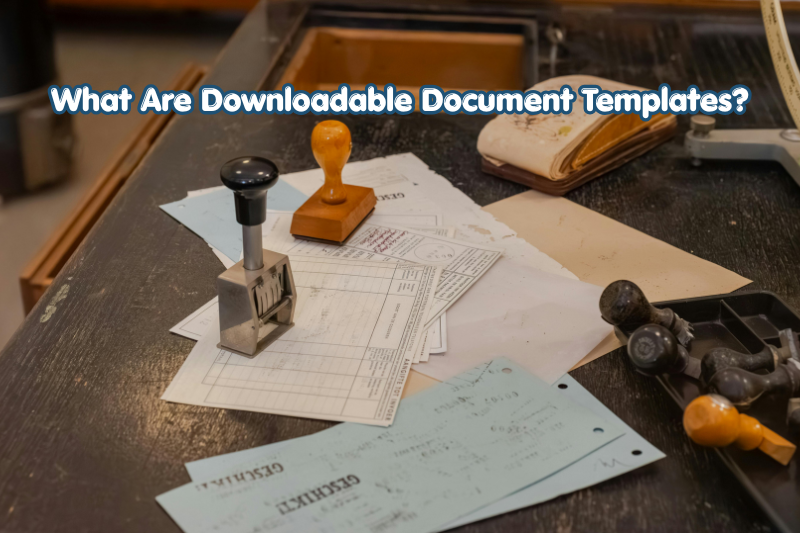
Downloadable document templates are pre-designed files that users can download, edit, and reuse for specific tasks. They provide a ready-made structure with headings, fields, formatting, and sometimes example content.
Instead of designing every document manually, users can replace placeholder text with their own information and create a finished document more efficiently.
Common examples include:
- Business plans and proposals
- Invoices and payment receipts
- Employment letters and job descriptions
- Project reports and progress updates
- Meeting agendas and minutes
- Marketing plans and business letters
- Budget sheets and expense reports
Templates may be available in Microsoft Word, Google Docs, Microsoft Excel, Google Sheets, PDF, and other file formats. The best choice depends on whether the document needs editing, calculations, collaboration, or printing.
How Do Document Templates Work?
Most templates follow a simple process. A user downloads a suitable file, opens it with compatible software, replaces the sample content, checks the formatting, and saves the completed document.
For example, a freelancer can download an invoice template, enter the client’s name, list the services provided, add payment terms, and save the invoice as a PDF for delivery.
The template provides the structure, while the user supplies the accurate information.
Why Are Downloadable Document Templates Important for Businesses?
Downloadable document templates help businesses standardize routine paperwork and reduce the time spent creating common documents. They are particularly useful when employees repeatedly prepare similar reports, letters, invoices, or proposals.
1. Save Time on Repetitive Tasks
Creating a document from a blank page requires decisions about layout, headings, spacing, and content structure. A template provides these elements in advance.
For example, a small marketing agency can use a standard client proposal template for multiple projects. The team only needs to update the project scope, pricing, timeline, and deliverables.
This makes routine document preparation more efficient.
2. Maintain a Professional Appearance
Consistent formatting helps a business present information clearly. Templates can use the same fonts, colors, logo placement, headings, and contact details across different documents.
A consistent appearance is especially helpful for customer-facing materials such as proposals, invoices, quotations, and company letters.
However, a professional design cannot replace accurate information or good writing. Both are necessary for an effective document.
3. Improve Accuracy and Organization
Well-designed templates include fields for important information, helping users remember what to include.
An expense report, for instance, might provide spaces for the transaction date, expense category, amount, payment method, and receipt reference.
These fields make missing information easier to identify before a document is submitted or approved.
4. Support Team Collaboration
Businesses often require several employees to prepare or review documents. Shared templates create a common starting point and help everyone follow the same process.
Cloud-based templates in tools such as Google Docs and Microsoft 365 can also support collaboration, comments, and version management, depending on the platform and account settings.
5. Reduce Design Costs
Businesses do not always need a designer to create routine internal documents. Free or reasonably priced templates can provide useful layouts for common administrative needs.
Specialized documents, complex branding, and regulated business paperwork may still require professional assistance.
Types of Downloadable Document Templates Every Business Should Know
The most useful template depends on the task, industry, and size of the organization. Some templates support financial administration, while others help with planning, communication, hiring, or reporting.
Business Planning Templates
Business planning templates help entrepreneurs organize goals, strategies, budgets, and operational activities.
Useful examples include:
- Business plan templates
- Business model worksheets
- SWOT analysis templates
- Marketing strategy templates
- Annual planning documents
- Business development plans
A startup could use a business plan template to outline its target customers, products, revenue model, expected expenses, and growth objectives.
These templates offer a framework, but the business must supply realistic assumptions and relevant research.
Financial and Accounting Templates
Financial templates help businesses record transactions, track expenses, prepare estimates, and communicate payment information.
Common examples include:
- Invoice templates
- Quotation templates
- Receipt templates
- Expense tracking sheets
- Budget planning spreadsheets
- Cash flow worksheets
Spreadsheet templates can be especially helpful when they include formulas for totals, taxes, or balances. Users should still verify calculations before relying on them for financial decisions.
Human Resources Templates
Human resources templates support employee administration and workplace communication.
Common options include:
- Job description templates
- Employee onboarding checklists
- Interview evaluation forms
- Leave request forms
- Performance review templates
- Training schedules
For example, an onboarding checklist can help a manager track equipment distribution, account setup, required paperwork, and introductory training.
Employment contracts and formal HR policies require additional care because legal requirements differ by jurisdiction.
Marketing and Sales Templates
Marketing templates help businesses organize promotional activities and communicate with customers.
Useful resources include:
- Marketing campaign plans
- Content calendars
- Sales proposals
- Customer feedback forms
- Email marketing plans
- Social media reporting documents
A content calendar template can organize publishing dates, topics, target keywords, assigned writers, and approval status. This is useful for marketing teams managing multiple campaigns.
Project Management Templates
Project management templates help teams plan work, assign responsibilities, and monitor progress.
Examples include:
- Project plans
- Task trackers
- Project timelines
- Risk assessment registers
- Meeting agendas
- Meeting minutes
- Project status reports
These documents make responsibilities and deadlines easier to understand. For larger projects, a template may need to be combined with dedicated project management software.
Choosing the Right File Format for Your Templates
Choosing the right file format is important because not every document needs the same editing or sharing capabilities.
| Format | Best use | Main consideration |
|---|---|---|
| DOCX | Letters, proposals, reports | Requires compatible word-processing software |
| Google Docs | Collaborative documents | Usually requires internet access for cloud-based work |
| XLSX | Budgets, calculations, trackers | Formulas and data need checking |
| Google Sheets | Shared lists and spreadsheets | Access permissions must be configured |
| Final documents and printing | Editing may require additional software | |
| PPTX | Presentations and training materials | Layout can vary across software |
When Should You Use Word or Google Docs Templates?
Use Word or Google Docs when you need to write, revise, format, and share text-based documents.
These formats are suitable for business letters, reports, proposals, employee guides, and project summaries. Google Docs is convenient for real-time collaboration, while Word can be useful for offline editing and documents with more specific formatting requirements.
When Should You Use Excel or Google Sheets Templates?
Use spreadsheet templates when your document includes numerical data, calculations, lists, or recurring records.
Budget sheets, expense trackers, sales logs, and inventory lists are common examples. Before using a spreadsheet for important decisions, check formulas, currency settings, dates, and input fields.
When Is PDF the Better Choice?
PDF is generally suitable when you want to distribute a document with a relatively stable layout.
It works well for completed reports, printable forms, brochures, and final versions of proposals. If recipients must enter information into a form, look for an editable or fillable PDF rather than a standard read-only document.
How to Download and Customize Document Templates
Downloading a template is straightforward, but reviewing it carefully is essential before using it for real business activities.
Step 1: Identify Your Business Requirement
Start by deciding exactly what you need to create.
For example, if you want to send a price estimate to a potential client, search for a business quotation template rather than a general business document.
A clear purpose makes it easier to select a suitable resource.
Step 2: Choose a Reliable Source
Download templates from reputable providers, established productivity software platforms, or trusted business resource websites.
Before downloading, check whether the resource is free or paid, which software it supports, and whether its license permits commercial use.
Avoid suspicious download buttons and unexpected executable files when you only need a document.
Step 3: Select the Correct Format
Choose the file type that works with your software and intended workflow.
For editable text, DOCX or Google Docs may be appropriate. For calculations, choose XLSX or Google Sheets. For sharing a finished document, PDF is often a practical option.
Step 4: Replace the Placeholder Content
Open the file and replace all sample information with your own details.
Depending on the template, this may include:
- Business name and logo
- Contact details
- Client information
- Project descriptions
- Dates and deadlines
- Prices and payment terms
- Relevant notes and instructions
Remove any example content that does not apply to your situation.
Step 5: Customize the Design
Adjust fonts, colors, spacing, and headings to match your business identity while keeping the document easy to read.
Avoid adding too many colors, decorative elements, or unnecessary sections. Clear presentation is more important than visual complexity.
Step 6: Review and Save the Final Document
Check spelling, grammar, figures, dates, names, links, and page layout.
Make sure the document does not contain outdated contact details, hidden comments, or private information from a previous version.
Save an editable master copy, then export a separate PDF when a fixed-layout version is needed.
Where Can You Find Downloadable Document Templates?
You can find downloadable document templates through productivity platforms, design services, and business resource websites. The best source depends on the document type, editing requirements, and licensing terms.
Microsoft Create
Microsoft Create offers templates for supported Microsoft applications, including documents, spreadsheets, and presentations. It can be a useful starting point for users working with Word, Excel, and PowerPoint.
Visit the official resource at Microsoft Create.
Google Docs and Google Sheets
Google’s template gallery provides starting points for common documents and spreadsheets. These templates are particularly useful for people who prefer browser-based editing and collaboration.
Open Google Docs or Google Sheets and look for the template gallery or available templates.
Canva
Canva provides customizable designs for presentations, business documents, proposals, and other visual materials. Available download formats and editing features can vary by design and account plan.
Explore the platform at Canva.
Other Business Template Websites
Specialized websites may offer business forms, project planning resources, HR documents, and industry-specific templates.
Before downloading from any provider, review its terms, privacy practices, file compatibility, and update history where available. A polished appearance alone does not guarantee that a template is accurate or legally suitable.
Are Free Downloadable Document Templates Good Enough for Business?
Free downloadable document templates can be sufficient for many routine business tasks. Their suitability depends on the complexity of the document and the consequences of getting it wrong.
Free templates are often appropriate for meeting agendas, basic project trackers, content calendars, and simple internal reports.
Paid templates may offer more design options, specialized layouts, additional file formats, or bundled resources. However, paying for a template does not automatically make it more accurate or reliable.
Before choosing either option, consider:
- Whether the template covers all required fields
- Whether it is easy to customize
- Whether commercial use is permitted
- Whether the content is current
- Whether expert review is necessary
For contracts, tax documents, employment agreements, and regulated industry forms, obtain appropriate professional guidance when needed.
Common Mistakes to Avoid When Using Document Templates
Templates are useful, but incorrect customization can create confusion or business risks.
Leaving Placeholder Text in the Final Document
Sample names, example prices, instructions, and dummy dates should be removed before sharing the document. Even one overlooked placeholder can make a business appear careless.
Ignoring Licensing Restrictions
Not every free template can be redistributed, resold, or modified for every purpose. Read the provider’s license and terms before using a template commercially.
Overcomplicating the Design
Excessive colors, decorative fonts, and unnecessary sections can make a document harder to understand. Keep the layout focused on the information readers need.
Failing to Check Formulas
Spreadsheet templates may contain incorrect, incomplete, or unsuitable formulas. Check totals and calculations using sample figures before relying on the spreadsheet.
Using Outdated Information
A previously saved template may contain old prices, addresses, policies, branding, or legal references. Review master templates periodically and update them when business requirements change.
Sharing Sensitive Information Accidentally
Templates sometimes contain hidden comments, tracked changes, sample customer details, or document metadata. Review the file before sending it externally, particularly when it includes confidential business information.
Best Practices for Managing Business Document Templates
A well-organized template library makes it easier to find the right document and keep it current.
Follow these practical steps:
- Create clear folders: Separate financial, marketing, HR, project management, and administrative templates.
- Use descriptive filenames: Names such as
Client_Proposal_Template.docxare easier to identify thanDocument_Final2.docx. - Keep master copies: Store approved originals separately from completed documents.
- Control access: Give employees access only to the files and folders they need.
- Review templates regularly: Update branding, contact information, policies, and standard wording.
- Maintain version history: Use version numbers or dates when major changes are made.
- Test before sharing: Open the file on an appropriate device and check that the layout, links, and calculations work as intended.
These practices are particularly valuable for growing businesses where multiple employees prepare similar documents.
Frequently Asked Questions
1. What are downloadable document templates used for?
Downloadable document templates are used to create business documents without designing every page from scratch. Common uses include preparing invoices, proposals, reports, budgets, meeting agendas, marketing plans, and HR forms. Users can customize the provided structure with their own information and save the finished document in a suitable format.
2. Where can I download free business document templates?
You can explore Microsoft Create, Google Docs and Sheets template galleries, and selected resources on Canva. Some business websites also provide free forms and worksheets. Always review the file format, licensing conditions, and download source before using a template for business or commercial purposes.
3. Which document template format is best for a small business?
The best format depends on the task. Word or Google Docs works well for letters and proposals, while Excel or Google Sheets is suitable for budgets and trackers. PDF is useful for sharing finalized documents. A small business may benefit from keeping editable master copies and exporting PDFs for distribution.
4. Can I customize downloadable document templates for commercial use?
Many templates allow customization, but commercial usage rights vary by provider and license. Some resources permit business use, while others restrict redistribution, resale, or particular modifications. Read the terms before using a template in client projects, paid products, or materials distributed to customers. Seek professional review for specialized legal documents.
5. Are downloadable document templates safe to use?
Templates from reputable sources are generally a better choice than files from unknown websites, but no download should be treated as automatically safe. Check the source, use trusted security software, and avoid unexpected executable files. Before sharing customized documents, remove confidential information, review permissions, and verify all content.
Conclusion
Downloadable document templates provide a practical way for businesses, freelancers, and professionals to create consistent, organized documents with less repetitive effort. From financial spreadsheets and HR forms to business proposals and project reports, the right template can support a more efficient workflow.
To get the best results, select a trusted source, choose the correct file format, customize the content carefully, and review the finished document before sharing it. Start by identifying the document your business uses most frequently, then build a small, well-organized library of reusable templates. This simple step can make everyday administration easier while maintaining a professional standard.