
Introduction
Free document templates make it easier to create professional documents without starting from scratch. Whether you need a resume, business letter, invoice, project report, or meeting agenda, a ready-made template can save time and help you organize information clearly.
Students, job seekers, freelancers, small business owners, and office professionals in India can use free document templates for personal, educational, and professional purposes. Many templates are available in editable formats compatible with popular word-processing applications.
In this guide, you will learn about the different types of document templates, where to find them, how to customize them, and what to consider before using them.
What Are Free Document Templates?
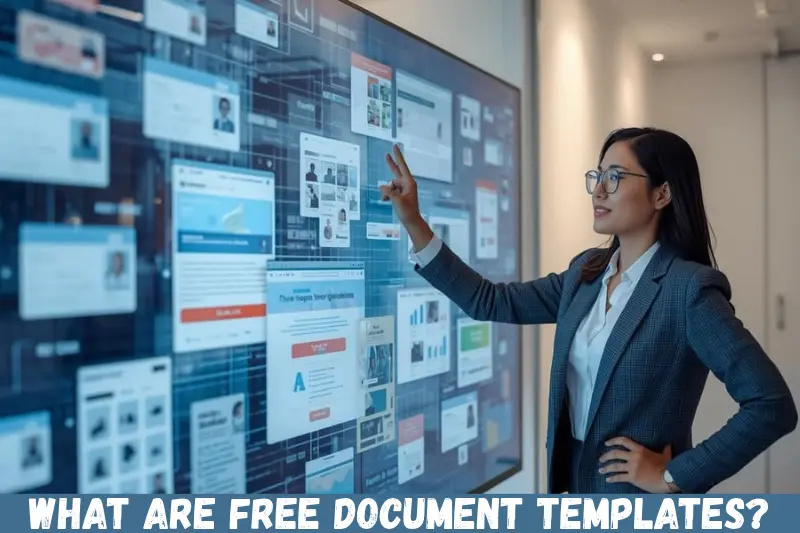
Free document templates are pre-designed files that provide a ready-made structure for creating documents. They typically include headings, formatting, placeholders, tables, and other elements that users can customize according to their needs.
For example, instead of designing a resume from the beginning, you can download a resume template, replace the sample information with your own details, and save the finished document.
Common template formats include DOCX, DOC, PDF, and ODT. Some platforms also provide templates that can be edited directly in a web browser.
Free templates are useful because they reduce repetitive formatting work and help users maintain a consistent appearance across documents.
Types of Free Document Templates You Can Use
Different documents serve different purposes. Choosing a template that matches your requirements helps you create a more organized and professional result.
1. Resume and CV Templates
Resume and CV templates help job seekers present their qualifications, skills, education, and work experience in a structured format.
They are particularly useful for fresh graduates, experienced professionals, and people changing careers.
A good resume template should include:
- Contact information
- Professional summary or career objective
- Education and qualifications
- Work experience
- Relevant skills
- Certifications and achievements
For Indian job seekers, it is helpful to select a template that suits the industry and job role. Keep the information accurate, concise, and relevant to the position.
2. Business Letter Templates
Business letter templates provide a professional format for formal communication. They can be used by companies, freelancers, employees, and individuals.
Common examples include application letters, complaint letters, request letters, recommendation letters, and formal business correspondence.
These templates usually include the sender’s details, date, recipient’s details, subject, greeting, message, closing, and signature.
Using a suitable business letter template helps maintain a clear structure and ensures that important information is easy to find.
3. Invoice and Billing Templates
Invoice templates help freelancers, consultants, contractors, and small businesses prepare organized payment documents.
A typical invoice includes the seller’s details, customer information, invoice number, issue date, description of services or products, quantities, prices, taxes where applicable, and the total amount payable.
For businesses in India, make sure the invoice meets the tax and documentation requirements applicable to the transaction. A free template may need customization to include relevant GST details or other required information.
4. Business Report Templates
Business report templates provide a structured way to present findings, performance information, project updates, and recommendations.
They are useful for managers, business owners, students, and employees who need to communicate information clearly.
Common sections include an introduction, objectives, findings, analysis, recommendations, and conclusion.
A well-organized report template makes it easier for readers to understand the purpose of the report and identify its most important points.
5. Meeting Agenda and Minutes Templates
Meeting templates help teams prepare for discussions and record decisions.
A meeting agenda typically includes the meeting date, participants, topics, time allocation, and objectives. Meeting minutes record what was discussed, the decisions made, and any follow-up actions.
These templates are suitable for office meetings, school projects, business discussions, and community organizations.
Using the same format for recurring meetings can also make records easier to review later.
6. Project Proposal Templates
Project proposal templates help individuals and organizations explain a proposed project before work begins.
They commonly include the project overview, objectives, scope, timeline, required resources, estimated budget, risks, and expected outcomes.
Students can use proposal templates for academic projects, while businesses can adapt them for client proposals, service agreements, or internal initiatives.
Always customize the content to match the specific project instead of relying on generic sample text.
7. Personal and Educational Document Templates
Free document templates are also useful for everyday and academic tasks.
Examples include:
- Assignment and essay templates
- Study planners
- Research paper layouts
- Personal budget sheets
- Cover letters
- Application forms
- Daily and weekly planners
These templates provide a starting point for organizing information. Before submitting academic or official documents, review the required formatting guidelines and make sure the final version meets them.
Where to Find Free Document Templates
You can find free document templates through office software, online document editors, and websites offering downloadable files. The best source depends on the document type, preferred format, and licensing conditions.
Microsoft Create
Microsoft Create offers templates for various personal, educational, and professional purposes, including documents designed for Microsoft Word.
Visit the official website at https://create.microsoft.com/ to explore available templates.
Check whether a template is available for free and whether you need a Microsoft account or compatible software to edit it.
Google Docs Template Gallery
Google Docs provides a template gallery for creating documents such as resumes, letters, and reports.
Visit https://docs.google.com/document/ to access Google Docs and explore its available templates.
This option is convenient for people who prefer working online. Documents can be edited in a browser, and collaboration features can help multiple people work on the same file.
Canva
Canva provides a collection of customizable designs, including document layouts, resumes, proposals, and other business materials.
Visit https://www.canva.com/ to explore its templates.
Some designs and features require a paid plan, so check the availability of free elements before choosing a template. Canva is particularly useful when visual presentation is important.
LibreOffice Templates
LibreOffice supports common document formats and offers access to templates through its template resources and community.
Visit https://www.libreoffice.org/ to learn about the software.
This can be a useful option for people who prefer desktop software and want to work with documents without depending entirely on a browser-based editor.
Other Template Websites
Other websites may provide downloadable templates for specific industries or document types. Before downloading a file, check the website’s reputation, file format, licensing conditions, and whether the template requires a subscription.
Prefer reputable sources and avoid websites that ask you to install unfamiliar software to access a simple document.
How to Choose the Right Free Document Template
The right template should match your purpose, be easy to edit, and present information clearly.
Consider the following factors before downloading a template.
Match the Template to Your Purpose
Start by identifying the document you need to create. A resume requires a different structure from an invoice, business proposal, or academic report.
Choose a template designed for the intended purpose rather than selecting one only because it looks attractive.
Check the File Format
Make sure the template works with your preferred software.
DOCX is commonly used with Microsoft Word and is supported by several other word processors. PDF is useful for sharing a finished document, but editing it may require additional tools. ODT is a document format supported by LibreOffice and some other applications.
If you need to edit the template regularly, choose an editable format whenever possible.
Review the Design and Readability
A professional document should be easy to read. Look for clear headings, consistent fonts, suitable spacing, and an organized layout.
Avoid templates with excessive colors, decorative elements, or complicated formatting when the document is intended for formal or official use.
Check the Licensing Conditions
Not every template available online can be used for every purpose.
Some templates permit personal use only, while others allow commercial use or require attribution. Read the applicable terms before using a template in paid work or redistributing it.
Consider Compatibility
A template may look different when opened in another application. Fonts, tables, page margins, and spacing can change depending on the software.
Open the template in your preferred application and review its appearance before using it.
How to Download and Use Free Document Templates
Using free document templates is straightforward when you follow a few basic steps.
Step 1: Identify your document requirements.
Decide whether you need a resume, letter, invoice, report, proposal, or another document. Make a list of the information the final document must contain.
Step 2: Choose a trusted template source.
Visit a reputable website or open the template gallery in your preferred office application. Search for a template that matches your document type.
Step 3: Select the appropriate format.
Choose an editable file format if you need to change the text, layout, or tables. Confirm that the file is compatible with your software.
Step 4: Download or open the template.
Depending on the platform, you may be able to download the file, create an online copy, or open the template directly in an editor.
Step 5: Replace the sample information.
Remove placeholder text and add your own details. Update headings, dates, contact information, tables, and other relevant sections.
Step 6: Review the formatting.
Check page breaks, font sizes, alignment, spelling, grammar, and spacing. Make sure the document looks consistent from beginning to end.
Step 7: Save and export the final document.
Keep an editable copy for future changes. If you need to share a final version, export it as a PDF when appropriate and check the exported file before sending it.
Benefits of Using Free Document Templates
Free document templates offer several practical advantages for individuals and organizations.
Save Time
A ready-made layout reduces the time required to arrange headings, margins, tables, and sections. You can focus more on the content instead of formatting every element manually.
Reduce Formatting Errors
Templates provide a consistent starting point. They can help prevent missing sections, uneven headings, and inconsistent spacing, although you should still review the finished document.
Improve Professional Presentation
A suitable template helps organize information in a clear and readable way. This can be particularly useful for resumes, proposals, business letters, and reports.
Support Students and Small Businesses
Students can use templates for assignments and project reports, while small businesses can adapt them for invoices, quotations, meeting notes, and routine correspondence.
Free options can be especially helpful when a professional layout is needed without spending money on design services.
Make Documents Easier to Reuse
Once you have customized a template, you can keep a clean master copy for future use. This is useful for recurring reports, monthly invoices, and regular meeting records.
Always duplicate the master file before editing it for a new purpose.
Limitations of Free Document Templates
Although free templates are useful, they may not meet every requirement.
Some templates offer limited customization, while others contain design elements that require paid subscriptions. Certain downloads may also have licensing restrictions or compatibility problems.
A template may not meet specific legal, tax, academic, or company requirements without additional changes.
For example, a generic invoice template might not include all the details required for a particular Indian business transaction. Similarly, a resume design may not be suitable for an applicant tracking system if it uses complex tables, graphics, or unusual layouts.
To avoid these problems, review the template carefully, verify any relevant requirements, and customize the document before using it.
Tips for Getting Better Results with Free Document Templates
A few simple practices can make your documents more effective.
- Keep the layout simple: Use readable fonts, clear headings, and consistent spacing.
- Replace all placeholders: Check for sample names, dates, instructions, and dummy figures that remain in the file.
- Use consistent formatting: Apply the same heading styles, font choices, and alignment throughout the document.
- Protect sensitive information: Avoid sharing documents containing personal, financial, or confidential business details with untrusted services.
- Check spelling and accuracy: Review names, addresses, calculations, dates, and other important details before sending the document.
- Save an editable copy: Keep the original file so you can make future changes without rebuilding the document.
- Use PDF when appropriate: PDF can help preserve the final layout when sharing a document, although the recipient’s requirements should determine the preferred format.
- Review licensing terms: Confirm that your intended use is permitted, especially for commercial projects.
These habits help you get more value from free document templates while reducing avoidable mistakes.
Common Mistakes to Avoid When Using Free Document Templates
Choosing a template is only the first step. The way you customize it affects the quality of the final document.
Using a Template Without Customizing It
Leaving placeholder text or generic sample content can make a document appear incomplete. Replace all sample information with accurate details relevant to your situation.
Choosing Design Over Function
An attractive template may be difficult to read or edit. For business communication and job applications, prioritize clarity and usability over decorative elements.
Ignoring Formatting Changes
Documents may look different after being opened in another application or exported to PDF. Review the final file to identify shifted text, broken tables, or unexpected page breaks.
Downloading Files From Untrusted Websites
Unknown downloads can expose your device to security risks. Use reputable sources, avoid suspicious installers, and scan downloaded files when appropriate.
Forgetting to Check Requirements
A general template may not meet an employer’s application instructions, an institution’s formatting rules, or applicable business documentation requirements. Review those requirements before finalizing your document.
Frequently Asked Questions
1. Where can I download free document templates?
You can find free document templates through Microsoft Create, Google Docs, Canva, LibreOffice resources, and other reputable websites. Available formats and features vary by platform. Before downloading a template, check whether it is genuinely free, supports your preferred software, and permits your intended use.
2. Can I edit free document templates in Microsoft Word?
Yes, many templates are available in DOCX or DOC format and can be edited in Microsoft Word. Some templates can also be opened in compatible word processors. After editing, review the layout, fonts, tables, and page breaks to ensure that the document displays correctly.
3. Are free document templates suitable for business use?
Yes, many free templates are suitable for business documents such as proposals, reports, invoices, and letters. However, suitability depends on the template’s quality, licensing terms, and your business requirements. Review the content carefully and add any necessary information before using a template for professional or commercial purposes.
4. Can I use free document templates for commercial projects?
Some free templates allow commercial use, while others restrict usage or require attribution. Read the license or terms provided by the original creator before using a template in paid client work, marketing materials, or business documents. Do not assume that a free download automatically permits resale or redistribution.
5. Which file format is best for document templates?
The best format depends on how you intend to use the document. DOCX is useful for editing, ODT works well with compatible open-source office software, and PDF is generally suitable for sharing a finalized document. If you expect to make frequent changes, keep an editable master copy and export a PDF when needed.
Conclusion
Free document templates provide a practical way to create organized documents for education, job applications, personal tasks, and business activities. From resumes and business letters to invoices and project reports, the right template can save time and improve presentation.
To get the best results, choose a reputable source, select a compatible file format, customize the content, and review the final document before sharing it. Start by identifying the document you need, then explore trusted template libraries to find a suitable design that meets your requirements.