
Printable document templates help businesses create organized, professional documents without designing every page from scratch. From invoices and receipts to business reports, employee forms, meeting notes, and client agreements, these ready-made layouts make everyday paperwork easier to manage. This guide explains what printable document templates are, which types businesses need, how to choose the right format, and how to customize, print, and use them effectively.
Whether you run a small business, work as a freelancer, manage an office, or operate an online company, the right templates can help you maintain consistent records and communicate clearly with customers and employees.
What Are Printable Document Templates?
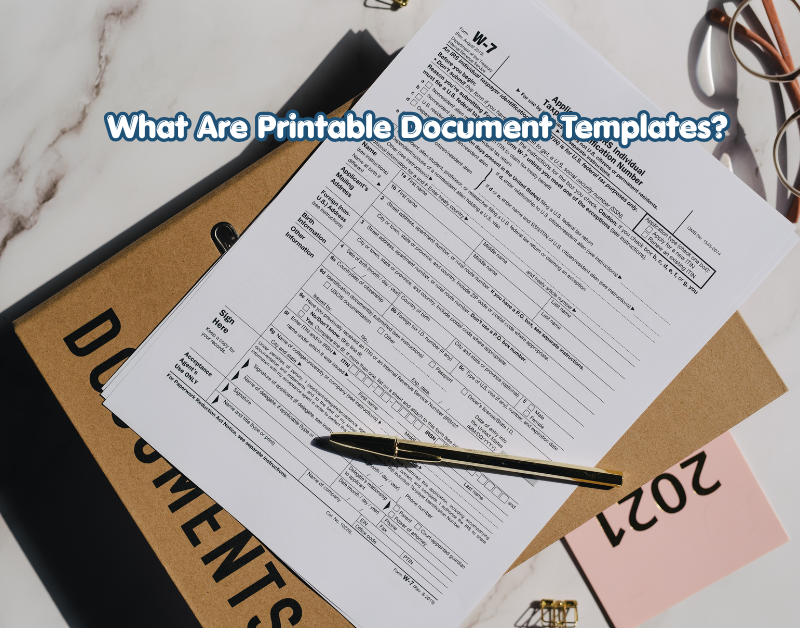
Printable document templates are pre-designed files that users can customize with their own information and print on paper. They usually include headings, fields, tables, labels, and spaces for details such as names, dates, prices, signatures, and descriptions.
Instead of creating a document from a blank page, you can select a suitable template, enter your information, and prepare it for printing.
How Do Printable Templates Work?
Most templates follow a simple process:
- Choose a template that matches your business task.
- Download the file in a compatible format.
- Replace sample text with your information.
- Check the layout, spelling, and calculations.
- Print the document or save a digital copy for your records.
For example, a freelance designer can use an invoice template to list services, payment terms, invoice numbers, and the total amount due. A shop owner can use a receipt template to record customer purchases.
Common File Formats
Printable templates are available in several file formats, and each format serves a different purpose.
- PDF: Useful for preserving the page layout and printing consistently.
- Microsoft Word: Suitable for editing text, headings, and document sections.
- Microsoft Excel: Helpful for invoices, budgets, expense reports, and tables containing calculations.
- Google Docs: Convenient for editing and sharing documents online.
- Google Sheets: Useful for business records that require formulas, lists, or collaborative editing.
The best format depends on whether you need to edit text, calculate figures, share information, or preserve an exact page design.
Why Do Businesses Use Printable Document Templates?
Businesses use printable templates to reduce repetitive work, improve consistency, and organize important information. A reusable layout makes it easier to prepare similar documents for different customers, projects, or departments.
Save Time on Routine Tasks
Creating every invoice, meeting agenda, or employee form from scratch takes unnecessary time. A reusable template provides the basic structure, so you only need to update the relevant details.
For example, a business that sends regular invoices can reuse the same layout while changing the customer name, invoice date, service description, and amount.
The template does not eliminate the need to check your work, but it reduces repeated formatting tasks.
Maintain a Professional Appearance
A consistent document style helps a business present information clearly. Using the same fonts, logo placement, headings, and spacing across documents creates a recognizable professional identity.
This is particularly useful for businesses that regularly communicate with customers, suppliers, contractors, and employees.
Improve Record-Keeping
Templates can encourage users to collect the same essential information every time. An expense form might include the date, amount, category, payment method, and receipt reference.
When these details are recorded consistently, it becomes easier to review transactions, locate information, and prepare reports.
However, templates alone do not guarantee accurate records. Businesses still need suitable procedures for checking, storing, and protecting their documents.
Reduce Formatting Errors
A well-designed template provides a consistent structure and clearly labeled fields. This helps users understand where information belongs and reduces the chance of leaving out routine details.
For example, an order form with separate fields for product quantity, unit price, shipping information, and customer details is easier to complete than an unstructured page.
Types of Printable Document Templates for Business
Different business activities require different documents. Choosing the correct template helps ensure that information is presented in a useful and appropriate format.
1. Invoice Templates
An invoice template helps businesses request payment for products or services. It provides a structured way to display transaction details.
A professional invoice commonly includes:
- Business name and contact information
- Customer or client details
- Invoice number and issue date
- Description of products or services
- Quantity, unit price, and total
- Applicable taxes and discounts
- Payment methods and due date
Practical example: A guest-posting provider can create an invoice that identifies the website placement, agreed service, price, and payment terms. Any promised link attributes or placement conditions should be described accurately.
Invoice requirements vary by jurisdiction, so businesses should confirm any mandatory tax or billing details that apply to them.
2. Receipt Templates
Receipt templates provide a record that a payment has been received. They are useful for retail shops, service providers, consultants, and other businesses that accept payments.
A receipt may include the transaction date, receipt number, amount paid, payment method, items or services purchased, and remaining balance if applicable.
A receipt should reflect an actual transaction. It should not be used as a substitute for an invoice when a payment is still outstanding.
3. Business Report Templates
Business report templates help organize findings, progress updates, performance summaries, and recommendations.
Common sections include:
- Report title and reporting period
- Summary of important findings
- Goals and completed activities
- Results and supporting evidence
- Problems or risks
- Recommendations and next steps
For instance, a digital marketing agency could use a monthly report template to present website traffic, search visibility, completed tasks, and planned improvements.
Any figures included in a report should come from reliable records or clearly identified measurement tools.
4. Employee and HR Forms
Human resources templates help businesses organize routine employee-related information.
Examples include:
- Employee information forms
- Leave request forms
- Attendance sheets
- Training records
- Performance review forms
- Equipment handover forms
These documents may contain personal information. Businesses should collect only the details they genuinely need and store completed forms securely.
Employment agreements, disciplinary notices, and other legally significant documents require extra care. A general template may not satisfy local employment laws.
5. Business Proposal Templates
A proposal template helps explain a service, project, or business idea to a potential customer or partner.
A useful proposal generally includes the client’s requirements, proposed solution, scope of work, deliverables, estimated costs, timeline, assumptions, and next steps.
Practical example: An SEO freelancer could use a proposal template to outline keyword research, on-page SEO, technical checks, content planning, and link-building services.
The proposal should distinguish between planned activities and guaranteed outcomes. Search rankings and organic traffic cannot be guaranteed simply by following a particular SEO process.
6. Meeting Agenda and Minutes Templates
Meeting templates help teams prepare for discussions and record important decisions.
An agenda template can include the meeting date, participants, discussion topics, time allocation, and objectives. A minutes template records decisions, assigned responsibilities, deadlines, and follow-up actions.
These templates are especially useful for recurring meetings because employees can follow a familiar structure.
7. Purchase Order and Order Form Templates
Purchase orders document requests to buy products or services. Order forms collect the information needed to process a customer’s request.
Depending on the business, these templates may include item descriptions, quantities, prices, delivery details, supplier information, and approval fields.
A purchase order should not automatically be treated as proof that a supplier has accepted the order. Businesses should follow their normal approval and confirmation procedures.
8. Budget and Expense Templates
Budget and expense templates help businesses track spending, estimate costs, and compare planned expenses with actual results.
A budget worksheet may include income, operating expenses, salaries, marketing costs, equipment, and savings targets. An expense form can record individual purchases and attach supporting receipts.
Spreadsheet templates are often the better option when calculations are required. Before relying on formulas, check that totals, tax calculations, and currency settings are correct.
Printable Document Templates vs. Custom Documents
Both ready-made templates and custom-designed documents have advantages. The right choice depends on the complexity of the task and the level of customization required.
| Feature | Printable Templates | Custom Documents |
|---|---|---|
| Setup time | Usually quicker | May take longer |
| Design flexibility | Limited by the existing layout | Can be tailored to specific needs |
| Cost | Free or paid options | May involve design or development costs |
| Consistency | Easy to maintain with a shared template | Depends on the design and process |
| Best use | Routine, repeatable paperwork | Specialized or complex requirements |
For everyday business paperwork, a ready-made template is often sufficient. A custom document may be more appropriate when a company has specialized reporting requirements, a distinct brand identity, or a legally reviewed document format.
Many businesses use both approaches: templates for routine work and custom documents for important projects.
How to Choose the Best Printable Document Templates
The best printable document templates are easy to edit, suitable for the intended task, and readable when printed. Before downloading a file, consider the following factors.
Identify Your Business Need
Start by deciding what the document must accomplish. An invoice, a client intake form, and a project report require different fields and layouts.
Ask yourself:
- Who will complete or read the document?
- What information must it contain?
- Will it be printed, shared digitally, or both?
- Does it require calculations, approvals, or signatures?
- Must it meet a specific legal or industry requirement?
Answering these questions helps you avoid downloading a template that looks attractive but does not serve your actual purpose.
Check the File Format
Choose a format that works with your software and workflow.
If you need a fixed layout, PDF may be appropriate. If you regularly update text, Word or Google Docs may be more convenient. For calculations and tabular records, Excel or Google Sheets is usually more practical.
Always check whether the template can be edited before depending on it for a business task.
Review the Layout and Readability
A good template should make information easy to find. Look for clear headings, readable font sizes, adequate spacing, and logical sections.
Avoid designs with excessive decoration, tiny text, crowded tables, or large areas of unnecessary color. These elements can make a document difficult to read and expensive to print.
Consider Printing Requirements
Check the page size, margins, orientation, and color requirements.
A template designed for US Letter paper may not fit A4 paper exactly. This matters for businesses in countries such as Pakistan, where A4 is commonly used for office documents.
Preview the file before printing and confirm that no text, table, or signature field is cut off.
Check Trustworthiness and Licensing
Download templates from reputable sources and review their usage terms.
Some templates are free for personal or commercial use, while others require payment or restrict redistribution. A free download does not automatically mean you can resell the original template or include it in a commercial product.
Be careful with files from unfamiliar websites, especially if they request unnecessary personal information or require suspicious software downloads.
How to Customize and Print a Business Template
Preparing a template properly helps ensure that the finished document is accurate, readable, and ready to use.
Step 1: Download the Correct Template
Choose a template that matches your task and preferred file format. Save it in a clearly named folder, such as Business Invoices, Client Forms, or Monthly Reports.
Organized folders make it easier to find the original template when you need it again.
Step 2: Replace the Sample Information
Open the file in a compatible application and replace placeholder text with your business details.
Add your business name, logo, contact information, and other relevant details. Remove any example information that does not apply to your situation.
Never leave fictional names, sample prices, or placeholder dates in a document that will be sent to a client.
Step 3: Adjust the Design
Make small, practical changes where needed. Use consistent fonts, align headings, resize tables, and provide enough space for handwritten information if the document will be completed on paper.
Keep the design simple enough to remain readable when printed in black and white.
Step 4: Review the Content
Before printing, check spelling, dates, amounts, calculations, and contact details.
For important business documents, confirm that the correct version is being used and that any required approvals have been obtained.
Sensitive information should also be checked carefully before a document is shared with an outside party.
Step 5: Preview and Print
Open the print preview and verify the page size, margins, orientation, and number of pages.
Choose the appropriate paper size and print quality. If the document is lengthy or contains several pages, print a test copy first.
If you are distributing a reusable form, leave enough blank space for people to write their answers clearly.
Step 6: Save the Final Version
Save a completed copy when it is useful for your records. Use clear filenames, such as Invoice-2026-015.pdf or Monthly-Marketing-Report-October.pdf.
Keep reusable blank templates separate from completed business records. This reduces confusion and helps prevent accidental changes to your original files.
Where Can You Find Printable Document Templates?
Businesses can find templates through office software, reputable template libraries, and professional document-design platforms.
Office Software and Document Tools
Microsoft Word, Excel, and Google Docs or Sheets provide ways to create and manage reusable documents. Depending on the application and available template library, you may find starting layouts for invoices, budgets, schedules, forms, and reports.
These tools are useful when you want to customize a document and keep a reusable copy for future work.
Online Template Libraries
Online libraries offer templates for specific business purposes. Before downloading, check the publisher’s reputation, file format, commercial-use license, and whether the file requires a paid subscription.
Review the actual document rather than relying only on its preview image. A design may look professional but still lack important fields.
Custom-Made Templates
If your business has recurring requirements that standard templates cannot handle, you can create a template yourself or hire a designer.
Custom layouts are particularly useful for branded proposals, complex reports, and forms that need a specific approval process.
Common Mistakes to Avoid When Using Printable Templates
Templates make document creation easier, but careless use can still cause problems.
Using One Template for Every Purpose
An invoice should not be used as a receipt, and a basic meeting agenda is not a substitute for formal meeting minutes. Choose a layout designed for the task.
Forgetting to Update Old Information
Old addresses, prices, payment details, dates, and company names can remain hidden in copied files. Review each new document before sending or printing it.
Ignoring Page Size and Margins
A document that looks correct on screen may print incorrectly if the page size is incompatible or the margins are too narrow. Always use print preview.
Overdesigning the Document
Too many fonts, colors, decorative elements, or complicated tables can reduce readability. Prioritize clarity over decoration.
Treating Every Template as Legally Valid
A general contract, employee form, tax record, or privacy notice may not meet the requirements of every jurisdiction. Have legally significant documents reviewed by a qualified professional when necessary.
Storing Sensitive Documents Carelessly
Completed forms may contain financial, employee, or customer information. Use suitable access controls, secure storage, and appropriate retention practices.
Frequently Asked Questions
1. What are printable document templates used for?
Printable document templates are used to create business paperwork quickly and consistently. Common examples include invoices, receipts, expense reports, employee forms, proposals, meeting notes, and order forms. Users can customize the information, print the finished document, and keep a copy for their records.
2. Are printable document templates free?
Some printable document templates are available for free, while others require payment or a subscription. The price and permitted uses depend on the provider’s terms. Before using a template commercially, check its license to determine whether business use, modification, and redistribution are allowed.
3. Which file format is best for printable templates?
PDF is often useful when preserving the layout is important. Word and Google Docs are convenient for text-based documents, while Excel and Google Sheets work well for calculations and structured records. The best format depends on the task, the software you use, and whether you need to edit the file regularly.
4. Can I customize printable templates with my company logo?
Yes, many editable templates allow you to add a company logo, business name, contact details, and brand colors. Make sure the logo remains clear at the printed size and does not interfere with the document’s content. Also check the template license before making commercial modifications or distributing the finished design.
5. Are printable document templates suitable for small businesses?
Yes, printable templates can help small businesses organize invoices, customer records, budgets, proposals, and routine office tasks without designing each document from scratch. However, templates should be reviewed regularly to keep information accurate. Businesses should also use suitable accounting, privacy, and document-management procedures where required.
Conclusion: Make Business Documentation Easier with Printable Templates
Printable document templates provide a practical way to prepare professional paperwork, maintain consistent records, and reduce repetitive formatting work. From invoices and receipts to proposals, reports, and employee forms, the right template can make everyday business tasks more manageable.
To get the best results, choose a suitable file format, customize the layout carefully, verify all information, and check the printing settings before producing the final copy. Review licensing and legal requirements whenever relevant, particularly for documents involving payments, employees, or contractual obligations.
Your next step: Identify the document you create most frequently, select a suitable template, and customize it for your business. Save a clean original so you can reuse it whenever the same task comes up again.